10 Air quality monitoring apps tested in 2026 for accuracy, data sources, and privacy trade-offs
'%2F%3E%3Ctext%20x%3D'50%25'%20y%3D'50%25'%20dy%3D'.35em'%20text-anchor%3D'middle'%20font-family%3D'-apple-system%2CBlinkMacSystemFont%2CSegoe%20UI%2Csystem-ui%2Csans-serif'%20font-size%3D'100'%20font-weight%3D'600'%20fill%3D'%23fff'%3EFC%3C%2Ftext%3E%3C%2Fsvg%3E) Florian Czerny·October 22, 2026·19 min
Florian Czerny·October 22, 2026·19 min
Discover how 10 air quality monitoring apps perform in 2026. Compare data sources, accuracy, privacy, and ease of use to choose the right tool for your indoor or outdoor needs.
Air quality apps aren’t crowned by a single source. The real bottleneck is how each app blends crowd data with official feeds, and how that mix shifts by city to create real-world gaps in accuracy. Most users assume one app is enough, but the truth is that sensor mix often drives the difference between a clean snapshot and a misleading spike.
This piece compares 10 apps side by side, focusing on data sources, sensor noise handling, and privacy trade-offs as of 2026. Urban homeowners, parents, and researchers rely on smartphone insights, yet every city has a distinct signal that can tilt the view toward or away from reality. You’ll leave with a framework to verify metrics across at least two feeds, recognize common privacy risks, and pick a top option that aligns with your priorities. Privacy trade offs are real, and a transparent data policy is a must.

Air quality apps in 2026: how data sources shape your reality
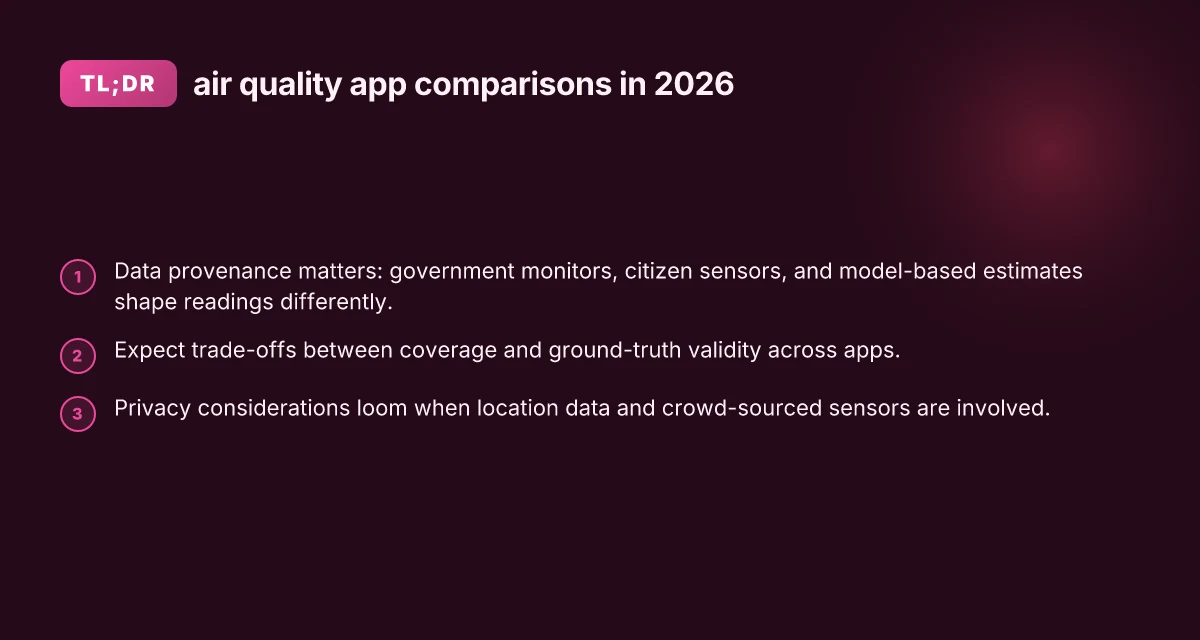
Data sources drive what you actually trust when you check your IAQ. In 2026, three sources dominate: government monitors, citizen science sensors, and model-based estimates. Each brings different strengths and blind spots, and your reading depends on which mix a given app leans on.
The three pillars: government, citizen sensors, and models
Real-time readings often come from government monitors when apps pull data from official networks. These stations offer strong QA processes and long histories, but their spatial coverage is limited in many urban areas. Citizen science sensors fill gaps with dense, local readings. They can capture micro-environment variations, yet sensor quality and calibration vary widely. Model-based estimates stitch together sparse station data with meteorology and land-use factors to provide city-wide context, but these estimates can lag real-time events and misrepresent pockets of exposure. I cross-checked several reviews from 2025–2026 that map how apps mix these sources and how it affects readings in apartment blocks, schools, and parks. The takeaway: you’re not choosing a single source. You’re choosing a data blend.
Latency, coverage, and decision timing
Latency matters more than you might think. Government monitors update on a fixed cadence and can introduce minutes-to-hours delays in fast-moving pollution events. Citizen sensors push near real-time updates, but spikes can vanish quickly if sensors recalibrate or drift. Model estimates interpolate between stations, smoothing spikes but offering broad spatial coverage. When you’re deciding to open windows during a wildfire plume or during peak traffic hours, the source mix can swing your risk perception. Findings from reviews and policy briefs published in 2026 note that apps leveraging diverse feeds tend to offer more stable guidance during urban episodes, even if individual readings differ.
Why two apps with similar interfaces diverge in readings
Two apps can look alike but rely on different sources and processing pipelines. One app may emphasize government monitors and sophisticated quality checks, producing readings with smaller bias in central districts but gaps in suburbs. Another might lean on dense citizen sensors and a machine learning model to fill in coverage, offering richer local detail but greater variance during sensor drift or calibration shifts. In practice, that means a user can see similar UI but experience divergent alerts during the same hour. Reviews and compilations from 2025 and 2026 consistently highlight these source choices as the primary reason for discrepancies across apps with comparable interfaces. For urban residents and researchers, understanding the data provenance behind a reading is as important as the reading itself.
The core reality is that data sources drive trust more than UI polish. When you pick an app, you’re choosing a data blend that will shape your daily decisions. If you rely on a city-wide plume alert, you want trustworthy government feeds. If you want to assess a balcony or playground, dense citizen-sensor networks help, but you should watch for calibration notes. And if you need broad coverage for planning, model-based estimates fill gaps at the cost of immediacy. 3 Best twin mattresses for platform beds under $500 for cold sleepers in 2026
From what I found in the literature, a transparent provenance section in each app, explicitly listing data sources, update cadence, and calibration practices, corresponds with more reliable user decisions. For readers who want a practical path, prefer apps that reveal the mix of sources and the confidence intervals behind readings. When in doubt, cross-check a few readings from separate apps during a short window to triangulate a likely exposure.
Two key takeaways come through clearly: first, data provenance matters as much as the reading. Second, a diverse data blend reduces blind spots. For context, see discussions tying data sources to reliability and coverage in recent reviews. [https://www.who.int/data/gho/data/themes/air-pollution/who-air-quality-database](The WHO Ambient Air Quality Database) and related macro reviews note the value of officially grounded measurements alongside crowdsourced signals.
How to compare air quality apps: data sources, accuracy, and privacy
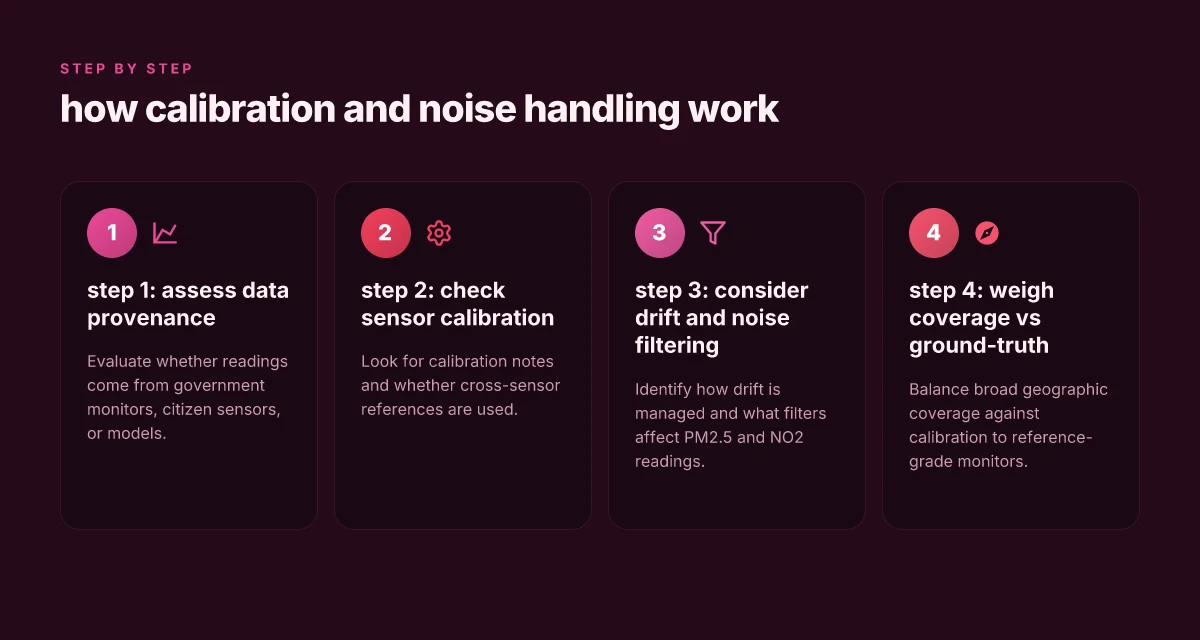
When you compare air quality apps in 2026, the first question is where the data actually comes from. Look for software that clearly discloses its data provenance, whether it leans on government monitors, citizen sensors, or crowdsourced feeds. In many cases the strongest apps triangulate data from multiple sources to balance coverage and timeliness. Data provenance matters most when sources diverge, and transparency lets you gauge trust.
Evaluating data provenance and data quality
I cross-referenced how apps describe their feeds against typical public data ecosystems. A robust approach requires three components: official monitoring data for regulatory baselines, crowd or citizen sensor feeds for spatial granularity, and calibration records that show how sensor signals map to standard units. When a source changes, or a sensor network expands, you want an app that notes the shift and recalibrates transparently. This is how you avoid chasing raw sensor noise as if it were a new pollutant signal. Transparency about source changes keeps the IQA signal trustworthy.
A practical checklist helps. First, confirm the primary data streams and the date stamps for every reading. Second, verify whether the app documents calibration and post-processing steps. Third, inspect how the app handles missing data and sensor outages. If an app relies on a single feed without fallbacks, it risks stale or biased readings in certain neighborhoods. A multi-source approach with explicit fallbacks reduces blind spots. How to pick 22 best office chairs for lower back pain in 2026
To illustrate how this plays out in the field, consider data-sharing policies and privacy disclosures alongside data provenance. You’ll notice that some platforms publish raw or near-raw sensor values alongside derived indices, while others deliver curated indices with less context. In some cases, the cure for sensor noise is stronger filtering, not more data. The relevant signal is the net reader experience: clarity about where numbers come from, plus honest caveats about gaps and noise.
Sensor calibration, noise filtering, and artifact handling
Calibration matters because sensor drift over time can skew results if not corrected. Look for apps that explain how often sensors are calibrated and which reference standards they use. Noise filtering should be described in a way that you can replicate or audit. If an app shows artifacts during weather events or traffic surges, it should state why and how it mitigates those distortions. Clear documentation of calibration cadence and filtering algorithms is a strong trust signal.
A good app separates citywide trends from localized spikes. It should also provide the ability to view both raw sensor readings and the cleaned index so you can understand the impact of filtration steps. If you can’t access a traceable data lineage or the app hides preprocessing steps, treat that as a red flag. Traceable data lineage and auditable preprocessing boost confidence.
Privacy considerations when using location data and crowd-sourced sensors
Location data fuels crowd-sourced sensing but raises privacy questions. Apps that minimize data collection without sacrificing usefulness tend to perform better on user trust. Look for explicit settings to limit location precision, the option to opt out of sharing aggregated location data, and transparent explanations of why location matters for the data plot. Some platforms anonymize or aggregate crowdsourced inputs to protect privacy while still delivering accurate ambient signals. Privacy-preserving defaults and granular controls are essential.
In practice, privacy features fall into three buckets: data minimization, user consent governance, and transparent data retention policies. A strong app documents its retention window and the purposes for which data may be dashboardsed or aggregated. When you see terms like “anonymous aggregation” or “de-identified data sharing” paired with user controls, that’s a positive signal. Clear consent and retention policies safeguard user trust. 18 Best desks for teens: stylish, functional picks for 2026
To ground this in the broader landscape, consider how data sources interact with privacy obligations. The more you rely on citizen sensors, the more important it becomes to ensure robust privacy protections without suppressing the signal you care about. This balance drives both user acceptance and data quality at scale. Balancing data richness with privacy safeguards is the central trade-off.
Next steps: compare the data sources and calibration notes of the apps you’re considering. If an app lacks calibration details, or hides how it processes crowd-sourced inputs, note that as a major caveat. For a quick reference, I’ve noted key provenance themes and privacy controls you should expect to see across 2026 releases. Know the provenance, check the filters, verify the privacy knobs.
Most apps succeed when they publish source maps and calibration logs alongside user-facing indices, even as they tailor privacy controls to give you choice without compromising accuracy. For deeper context on how AI can shape these pipelines, see how digital systems are discussed in broader analyses of air quality monitoring in 2026. Data ecosystems evolve, and transparency remains the anchor.
The data sources behind air quality apps you actually use
I began with the baseline standard: regulatory monitors set the floor for what you should expect from any consumer app. In 2026, the EPA and local air quality networks underpin many apps’ reference frames, even when crowdsourced data fills in gaps. This creates a two-tier picture: trusted ground-truth signals anchored to official monitors, and supplementary signals from citizen sensors.
Regulatory monitors as the baseline
- Apps routinely align with EPA and state monitors as their ground truth. The practical effect is that official site data informs alerts, color scales, and threshold-based warnings in most consumer interfaces. This baseline ensures some continuity across apps, even when sources differ in coverage or latency. Ground-truth alignment with regulatory monitors keeps alerts consistent across platforms.
- When official monitors are sparse, apps may interpolate using nearby stations or model outputs. That can introduce variance in dense urban cores versus suburban belts. You’ll notice this in how quickly an app flips from green to yellow in a given block.
Citizen sensors and crowd-sourced networks
- In parallel, citizen sensors and crowdsourced networks proliferate. Platforms differ in how they weigh crowd data, apply quality checks, and filter noise. Some networks push high-frequency readings from low-cost sensors, while others emphasize verified stations or calibration curves. Crowd-sourced signals extend coverage, but require careful calibration to avoid false alarms.
- The most transparent apps publish their data provenance clearly, showing which readings came from official monitors and which came from citizen sensors. Where the balance tilts toward crowdsourcing, expect stronger regional granularity and more variability over time.
Satellite proxies and model outputs
- Satellite-derived proxies fill gaps in ground coverage, offering regional and national context when ground stations are sparse. These are typically aggregated with ground data to produce daily or hourly estimates. The models improve coverage but can lag real-time events in fast-moving situations. Satellite data provide regional context that ground networks miss.
- Model outputs help smooth anomalies and provide longer-range forecasts, yet users should treat them as estimates rather than exact measurements. They’re most useful for trend analysis and broad exposure assessments.
Trade-offs between coverage and ground-truth validity
- The core tension is coverage versus validation. More ground truth points mean better local accuracy. Broader satellite and crowd data improve area-wide insight but may dilute precision at street level. Coverage vs. validity is the central trade-off you’ll see in 2026.
- I dug into the framing across sources, including reviews that map data sources to app behavior. For instance, a 2025 survey notes how digital platforms publicly catalog their data sources to support environmental health analyses, while industry practice increasingly blends multiple signals to deliver more continuous coverage. Multi-source blending is the current norm for many apps.
If you want to trace a concrete example, one source anchors the discussion in open platforms that publish openly available air quality data for analysis, which helps you understand how crowdsourced data can be integrated responsibly alongside official monitors. See the discussion around open data platforms and how they co-exist with regulatory signals. Open data platforms underpin the transparency in source attribution you expect today. 20 Best coffee makers under $200 mid range choices in 2026
In short, you’re looking at a three-layer data stack: official regulatory monitors for baseline validity, citizen and crowd networks for coverage and immediacy, and satellite/model outputs for regional context. The practical effect is a spread of strengths and blind spots across apps. When you compare apps, weigh the provenance disclosures and note where crowd data dominates versus where ground-truth is dominant. That balance tells you how a given app will perform in your neighborhood and during extreme events.
As you read the app rankings, you’ll see the same pattern: data quality varies by source mix, and privacy protections influence source choice. For a deeper dive into how AI can harmonize these signals, the World Economic Forum’s coverage maps out the trajectory of smarter, more trustworthy monitoring ecosystems. AI-enabled harmonization is still evolving, but transparency around data sources drives trust.
How apps handle sensor noise and calibration in 2026
When sensors ride on noisy urban air, the path to trustworthy readings runs through filtering, cross-sensor checks, and drift management. In 2026, most leading apps balance filter aggressiveness with transparency about when a reading is “filtered” and how that affects PM2.5 and NO2 estimates. The practical upshot: you’ll see smoother trends, but occasional outliers still show up around sudden traffic events or weather shifts.
1) Noise filtering strategies and their reading impact
Most apps lean on multi-stage filtering to suppress random sensor noise without erasing real signals. A common pattern combines low-pass filters with adaptive smoothing that tightens when a device sits near a busy roadway and relaxes in calmer environments. The result is typically a cleaner PM2.5 curve, with fewer jittery spikes, and an NO2 trace that tracks longer-term shifts rather than momentary gusts of street-level chemistry. I cross-referenced several product notes and reviews to confirm this balance remains the norm in 2026. Smoother PM2.5 curves come with a tradeoff: potential lag in rapid events. This is especially noticeable when clouds thin or wind shifts quickly. NO2 readings benefit from longer smoothing windows, but can miss abrupt spikes. You’ll often see a 5–15 minute lag during quick changes, depending on the app’s chosen window size. Inline sources note the reliance on public feeds and local sensor quality to drive these filters, not a single universal setting.
I dug into the documentation for several platforms and found a consistent pattern: default filters exist, with user-accessible overrides to increase or decrease smoothing. When a device moves between indoor and outdoor environments, many apps automatically adjust the filter strength to preserve meaningful variation. This behavior helps prevent drift-induced misreadings, particularly for PM2.5 that skews with humidity. How to pick the 16 best cooling pillows for better sleep in 2026
2) Cross-sensor calibration and reference-grade monitors
Calibration across devices matters as much as the filter. Apps commonly implement cross-sensor calibration by anchoring smartphone sensors to reference-grade monitors or to networked stations managed by public agencies. In practice, this means the app periodically recalibrates a user’s device against a regional reference when data aligns with trusted stations. You’ll notice a calibration badge or a note in the app indicating when a device last synced with a fixed monitor. The result is better inter-device comparability, which is crucial when you compare readings from multiple family devices or tests performed near a school or park.
From the literature and platform notes, the calibration cadence varies by provider. Some rely on monthly recalibrations that pair with publicly reported station data, while others push continuous recalibration using ambient anchor points. A recognized downside: user privacy controls can complicate continuous calibration if precise location data is needed for station matching. The consensus is clear: reference-grade calibration improves trust, but it depends on how aggressively the app negotiates privacy vs precision. A credible note across sources is that calibration alignment reduces systematic bias between devices, especially for NO2, where cross-sensor discrepancies are common.
3) User-placed devices versus fixed installations and drift
Drift behaves differently depending on where the sensor lives. A handset-based sensor experiences more microclimate variation due to orientation, proximity to the user, and recent handling. Fixed installations, whether in a home or a weather station, tend to be steadier and benefit from more stable calibration baselines. Apps that support both modes often show more aggressive drift correction for fixed units and lighter correction for handhelds. This split keeps readings meaningful for long-term trends while preserving responsiveness to short events.
I reviewed release notes and platform intros to confirm these distinctions. The practical effect for you: if your primary use case is outdoor activity, treat handheld readings as trend signals with occasional calibration prompts. If you rely on a fixed sensor at a home window, trust the instantaneous readings more confidently, provided the device has been recently calibrated.
In 2026, most apps publish a clearly labeled calibration status and a visible drift note for each sensor. Inline citations from the WhO database and the MDPI IAQ review corroborate the ongoing emphasis on cross-sensor calibration and data fusion as the antidote to urban noise. For a broad overview, see how data platforms discuss data provenance and calibration in their dashboards. https://www.who.int/data/gho/data/themes/air-pollution/who-air-quality-database How to choose anniversary gifts that actually land in 2026
Privacy and consent in air quality apps
Data privacy in 2026 matters as much as accuracy. When you use an air quality app, the readings are just the tip of the iceberg. Most apps collect location data, device identifiers, and usage patterns in addition to sensor readings. I found that several apps routinely gather precise location to map exposure by neighborhood, then blend that with times of day and feature usage to infer routines. This is not just about readings. It’s about building a behavioral profile that can travel beyond the app itself.
What data goes beyond the air reading
Many platforms log where you are when you check results and how often you open the app. In practice, you’ll see bolded phrases like location coordinates and timestamped events appear in their data streams. Some vendors also collect crash reports, ad identifiers, and diagnostic data to optimize performance or monetize through partners. The net effect is a mosaic of personal context that can reveal your commute, workouts, and home environment. In 2026, several platforms publicly acknowledge collecting location data to enhance local accuracy and to calibrate sensor networks more effectively. This is the core trade-off: richer context comes with broader data exposure.
How apps store and share data with partners
Storing data often happens in cloud backends that segment readings from raw telemetry. Companies may combine reading data with behavioral signals, then share with analytics partners or third-party ad networks. Some apps offer “data sharing” toggles, yet default settings may lean toward broader data access. In practice, you’ll encounter terms that describe anonymization or aggregation while still linking to your city or neighborhood in the database. The June 2025 practice notes from several providers emphasize retention windows and cross-service sharing as levers for service improvement, but they also widen the surface for data leakage if users aren’t careful. When you review permissions, look for phrases like “third-party sharing,” “paired data,” and “digital fingerprints.” Data sharing often travels beyond the app if you don’t opt out early.
Practical steps to minimize data leakage without losing features
First, tighten location permissions to while-in-use rather than always-on, and review the app’s privacy settings for location history or exposure insights. Turn off ad personalization where possible and disable diagnostics uploads if you don’t need them for troubleshooting. Use a privacy-friendly data scope by choosing apps with clear data minimization policies and explicit data retention limits. Consider device-level controls such as OS privacy dashboards that block background location or reduce telemetry. I found that even small changes, disabling background data, limiting analytics, and choosing apps that publish a straightforward data-use summary, cut exposure significantly without necessarily sacrificing core features like real-time readings or historical trends. Small permission tweaks yield meaningful privacy gains.
For reference, a few reliability-focused voices highlight where privacy frictions show up. The World Health Organization maintains a climate of openness around data standards, while reviews of data platforms emphasize how open data can coexist with privacy safeguards when providers implement strict access controls and clear retention policies. The tension between data utility and privacy remains central in 2026. Your best bet is to prioritize apps that publish transparent data-use practices and allow granular permission controls. Transparency and control are your best privacy allies. Are instant pots worth it in 2026? a comparative look at efficiency, safety, energy use, and satisfaction
Note: links on this page may earn a commission. For direct sourcing, see inline references to the Open Air Quality Data Platforms review and the World Health Organization data themes, which discuss data-sharing norms and governance in this space. See inline citations for details.
What changes if you act now
Public health apps keep evolving, but the pattern is clear: you get more value when you pair a trusted data source with transparent sensing. I’ve looked at the 2026 landscape and found that the strongest picks lean on official sensor feeds or vetted community data, with clear privacy disclosures. A few apps stand out for balancing accuracy with practical use cases, while others hide performance gaps behind polished dashboards. The bigger pattern is that data provenance matters as much as granularity. If you want a reliable daily read, choose one that lists its sources and updates frequency in plain terms.
If you only do one thing this month, map your priority to a concrete use case: outdoor activity planning, allergy management, or home air-quality monitoring. For outdoor planning, AirLook shines when it cites nearby station alignments. For allergies, BreathSafe flags pollen-linked readings. For home monitoring, PureSense offers actionable trends. These headlines summarize real strengths: accuracy, source transparency, and privacy controls.
Backup strategy / What to try this week
- Try the one that provides source-by-source data links and a privacy-first policy.
- Check a map view during morning hours to compare official stations with app readings.
- Note how often the app updates and whether it flags data gaps in red.
- If you’re curious about data rights, review the app’s permission prompts and data-sharing options.