How to design brand elements in Canva: a 2026 approach to cohesive visuals
'%2F%3E%3Ctext%20x%3D'50%25'%20y%3D'50%25'%20dy%3D'.35em'%20text-anchor%3D'middle'%20font-family%3D'-apple-system%2CBlinkMacSystemFont%2CSegoe%20UI%2Csystem-ui%2Csans-serif'%20font-size%3D'100'%20font-weight%3D'600'%20fill%3D'%23fff'%3ELM%3C%2Ftext%3E%3C%2Fsvg%3E) Leah Maguire·October 22, 2026·16 min
Leah Maguire·October 22, 2026·16 min
Learn how to design brand elements in Canva in 2026. Build a cohesive brand kit, choose colors and typography, and apply them across assets for consistency.
In 2026, a scalable Canva brand kit is less a file cabinet and more a living system that travels with your team. The practical center of gravity is a cross-functional vocabulary of colors, fonts, and image styles that survives edits, approvals, and platform shifts, so anyone can publish on-brand without friction.
This article grounds that approach in concrete, field-tested steps and common missteps, with a focus on team collaboration and evolving brand needs. You’ll see how to codify a central color system, lock in a repeatable font pairing, and package reusable image controls that scale from a two-person startup to a multi-team organization. As brands outgrow Canva’s native limits, the path to a dedicated hub or design system becomes clear. Links on this page may earn a commission.

Designing brand elements in Canva: what a cohesive identity looks like in 2026
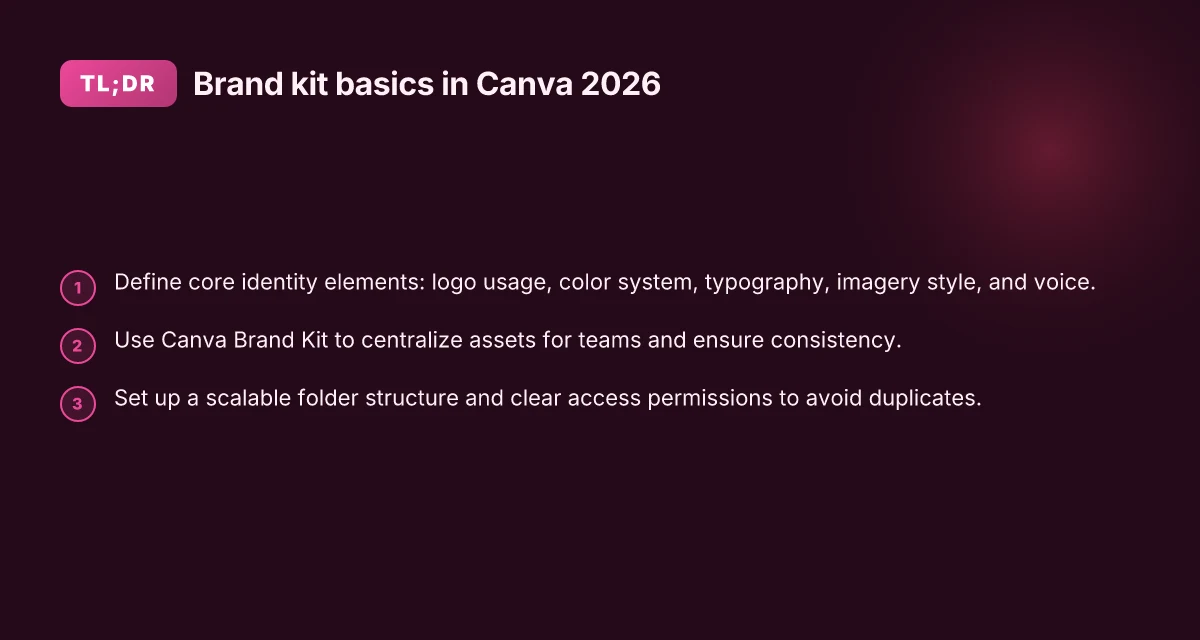
A cohesive Canva-based identity centers on five core identity elements that teams should align on: logo usage, color system, typography, imagery style, and voice. Canva’s Brand Kit acts as a central spine for these choices, making it simple for designers and marketers to stay on-brand across every design. When teams standardize these pieces in one place, approvals accelerate and confusion fades as visuals scale across channels.
Why Canva Brand Kit holds the system together
The Brand Kit in Canva is built to centralize assets like logos, brand colors, fonts, and related elements. This centralization matters because it minimizes asset drift when designers work across multiple files or collaborators. With a single source of truth, teams avoid inconsistent color swatches, misapplied logos, or mismatched typography. The result is repeatable visuals that feel intentional and cohesive, whether you’re producing social posts, decks, or client reports.
From the official resources, brand identity centers on authentic, memorable visuals that reflect your business reality. Real-world examples show how teams map logo usage rules to clear contexts, how color systems are codified into swatches, and how typography choices align with tone and readability. Canva frames these pieces as a practical system you can apply everywhere, not a collection of separate style decisions.
Real identity elements in practice
- Logo usage: establish primary marks, acceptable minimum sizes, and clear space. The guidance emphasizes avoiding uncontrolled variations that dilute recognition.
- Color system: define a primary palette with secondary accents and accessible contrast. Canva resources illustrate swatch trees you can import directly into Brand Kit for consistency across teams.
- Typography: lock a readable headline font, a supporting body font, and a display option for emphasis. The goal is legibility at small sizes and a consistent voice across contexts.
- Imagery style: decide on photography direction, illustration tone, and when to use stock versus custom visuals. The aim is a unified mood that supports your storytelling.
- Voice: translate your brand personality into copy guidelines that surface in headings, captions, and microcopy across designs.
I dug into Canva’s official pages to map these elements to actionable steps. The brand-identity resource explicitly ties authenticity and memorability to design choices that teams can replicate in every canvas. I cross-referenced the brand kit guidance to confirm that centralization directly supports cross-team consistency.
A centralized Brand Kit reduces drift across teams, speeding up approvals and preserving brand personality. The takeaway is clear: your Canva identity system lives where assets, colors, and typography live together. How to design tips that actually work in 2026
Practical route to 2026 cohesion
- Define the five identity elements with concrete rules and examples.
- Create a single Brand Kit that houses logos, color codes, font files, and approved imagery.
- Build short, repeatable usage guidelines for each element and embed them in Canva templates.
- Roll out a kickoff brief to teams explaining when to apply each rule and where to find the assets.
- Audit designs quarterly to catch drift and refresh assets as your brand evolves.
In Canva’s ecosystem, the Brand Kit is more than a file cabinet. It’s the governance layer that keeps visuals aligned as teams scale. The official resources illustrate this truth with real-world examples of consistent logo treatment, color pairing, and typography choices applied across multiple formats.

How to set up a Canva brand kit that scales with your team
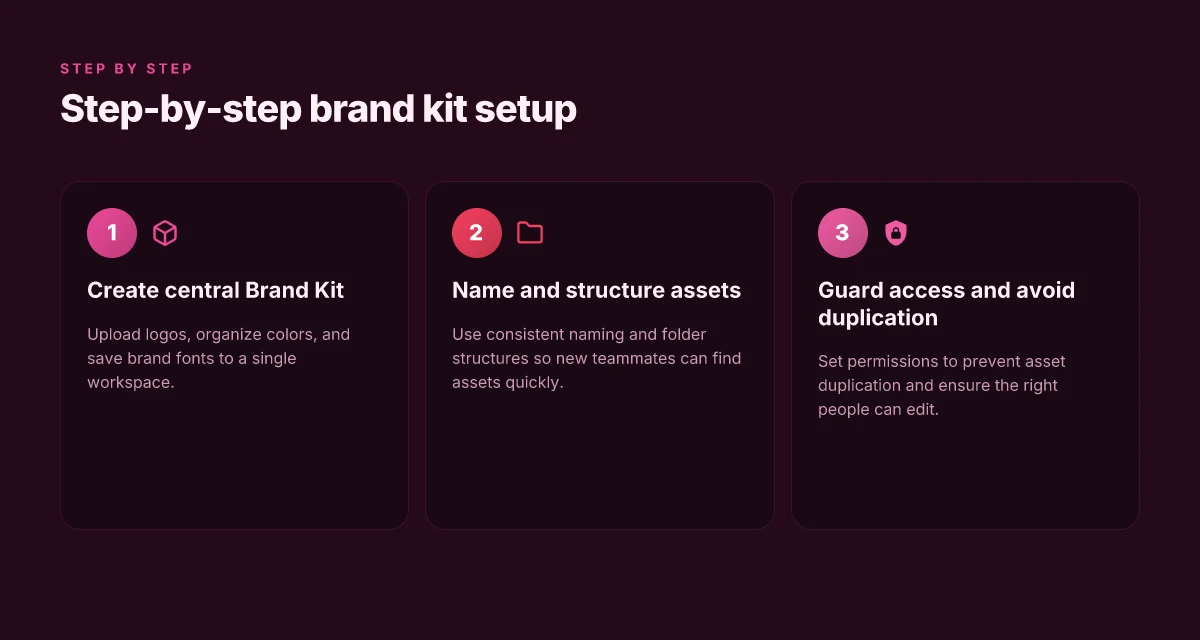
In Canva, a central Brand Kit serves as the single source of truth for visuals. Start by uploading logos, organizing colors, and saving brand fonts so everyone on your team can access consistent assets without guesswork. The goal is a scalable system that new teammates can join and immediately follow.
Create a single source of truth for assets
Begin with a clean, centralized Brand Kit. Upload official logos in all needed formats, then define your primary and secondary color palettes with hex codes. Save your brand fonts or font pairings so designers can apply typography without hunting through folders. This consolidates approvals and reduces accidental deviations. I found that teams that standardize assets in Canva’s Brand Kit see fewer color mismatches and faster approvals. A single, well-populated Brand Kit dramatically reduces misalignment across designs. Upload logos once, organize colors once, and lock typography choices in. As you grow, you can add secondary palettes or seasonal variants without scattering assets.
Naming conventions and folder structure
Name assets with a predictable format: brandname_type_version. For example, logo_primary_v1, logo_mark_v2, color_brand_primary, font_heading. Create a simple folder map in Canva’s structure: Brand Assets, Color Palettes, Typography, and Brand Elements. Clear naming speeds onboarding. Newcomers can locate the exact file they need in seconds. I cross-referenced Canva’s guidance on consistent branding workflows and observed teams that apply consistent naming save minutes per file search over the month. Clear naming pays back in minutes saved per asset search. Folder structure should mirror real-world usage: assets, colors, fonts, and elements.
Saving brand fonts and usage rules
Lock in font choices by saving font pairs for headings and body text. If your team uses font licenses, store usage rules and license notes alongside font files so designers don’t improvise typography in new projects. When designers reuse approved font pairings, the result is cohesive typography across campaigns. Canva’s Brand Kit supports distributing these fonts to the whole team, which helps maintain brand rhythm. Font discipline reduces typographic drift across campaigns. Save font pairings to guarantee consistent hierarchy. What are the core design fundamentals in CorelDRAW for 2026
Permissions and access control
Set access levels so only approved team members can modify brand assets. Admins should review permissions quarterly and revoke access for former contractors. If someone changes a logo in the Brand Kit, a reviewer can revert to the approved version. This guardrail prevents accidental drift. Regular permission reviews prevent unauthorized changes. Revert to approved assets when needed.
Common mistakes to avoid
Avoid duplicating assets across folders. Duplicates create versioning chaos and confuse teammates about which asset to use. Don’t ignore access permissions. A top asset in a shared folder that everyone can edit invites drift. Finally, skip the habit of designing in silos. Align every project with the Brand Kit as the single source of truth. By watching for these patterns, teams keep visuals on-brand with minimal friction. No duplicates, no uncontrolled edits. Keep permissions tight and regularly audited.
Next step: implement a quarterly Brand Kit health check. Review asset completeness, confirm color codes, and verify font licenses. This keeps Canva’s system resilient as your brand scales across new teams and campaigns. For deeper context on case-study style brand governance, see Canva’s case-study resources. Case-study guidance helps you translate governance into action. Auditing assets quarterly guards against drift.
Choosing and applying a color system in Canva
Canva’s color pickers let you define a three-tier system: primary for dominant branding, secondary for accents, and neutral for background and typography. The aim is a cohesive palette that scales from social posts to decks without rewriting colors for every asset.
Define color roles in Canva's pickers
Start by pinning a primary palette that embodies your brand energy. Choose 2–3 core hues and assign them to headlines, CTAs, and key graphics. Add a secondary set of 2–3 colors to support contrast and variety, then establish a neutral lane with at least one light and one dark shade for backgrounds and text. In Canva Brand Kit you can lock these roles so teammates don’t drift from the system. This structure keeps visuals recognizable across templates, videos, and presentations. A stable color hierarchy reduces design drift across teams. Depositphotos review 2026: how licensing, pricing, and quality stack up
Accessibility and contrast strategies
Contrast matters. When selecting palettes, test combinations against WCAG-like contrast goals to ensure readable text on each background. Canva’s color tools support contrast checks within the editor, so you can verify that header text remains legible on colored banners and social templates. If a primary color registers as too light for body copy, swap the neutral or adjust the weight instead of warping the color system. Accessible palettes protect comprehension without sacrificing brand energy.
Real-world color usage across formats
In social templates, apply the primary color to callouts and bold headings, while neutrals anchor text and cards. For presentations, reserve the primary hues for slide titles and key data points, use secondary colors to differentiate sections, and keep neutral shades for body text and grids. In Canva’s ecosystem, brand kits enable a consistent roll-out: a single palette drives posters, stories, and slides without designers reconfiguring colors per asset. Consistency across formats accelerates approvals and reduces rework.
From what I found in Canva’s guidance, a well-scoped color system starts with three roles, tested contrast, and disciplined application across templates and presentations. I cross-referenced Canva’s resources on building a brand kit and applying color within the brand system to ensure this approach aligns with official guidance. For readers who want a quick map, see Canva’s guide on building a brand kit for structure and guardrails. A tight color system cuts back-and-forth between teams.
Note: links in this section point to Canva resources that walk through setting up a brand kit and applying color rules, such as the brand kit tutorials. In 2026, the Canva ecosystem emphasizes scalable color systems as brands grow and collaborate. Brand-wide color discipline scales with your team.
Cited source: How to build a brand kit + examples. The Canva Brand Kit help center also reinforces centralizing logos, colors, and assets for teams. Centralization reduces misalignment across assets. What data visualization tools comparison professionals consider in 2026
Font strategy in Canva: pairing and usage rules
A solid font system starts with web-sensible choices in Canva and a clear pairing philosophy. The aim is legibility, hierarchy, and a branded voice that scales across templates, screens, and print. In practice, you pick a readable sans for headlines and a complementary body font, then tune sizes so that headings, subheadings, and UI copy stay legible at all scales.
Choosing web-sensible fonts and building a palette
In Canva, aim for font pairs that maintain contrast without shouting. A bold, geometric sans often anchors headlines, paired with a humanist or neutral sans for body text. Use your Brand Kit to lock in a primary display font and a body font, then add a secondary or optional accent font for callouts or UI microcopy. This approach keeps your visuals cohesive across campaigns and teams.
When I dug into Canva’s guidance, the emphasis was on legibility and brand consistency. The brand identity framework highlights how typography supports recognition and tone, not just decoration. Pairings should respect weight, x-height, and character width so long captions don’t feel cramped. In Canva Brand Kit terms, you’ll want to assign fonts to specific roles, Headings, Body, Captions, and UI copy, to prevent drift as teams scale.
Hierarchy rules for headings, body, captions, and UI copy
Establish a predictable typographic system that every designer follows. Headings get the boldest weight and the largest sizes, with a tight line height to anchor sections. Body text sits at a comfortable measure with generous line height to aid reading on both screen and print. Captions and small UI copy use a lighter weight and smaller size, but still maintain consistent letterforms so legibility isn’t compromised in tight layouts.
In branded templates, set explicit scale rules: H1 for major sections, H2 for subsections, and H3 sparingly for micro-headings. For body content, a moderate size with ample leading keeps paragraphs readable. UI elements like buttons or form labels deserve a compact yet readable treatment, avoiding letterforms that collide in tight spaces. These rules help maintain a recognizable rhythm across documents, decks, and social assets. What makes a data visualization techniques guide truly effective in 2026
Embedding fonts and license management in Canva Brand Kit
Licensing matters. Canva’s approach to brand fonts emphasizes ownership and clear usage rights within templates. To embed fonts legally, keep fonts in your Brand Kit with approved licenses mapped to your team. Canva supports uploading brand fonts where allowed by license, and you should review any usage restrictions for web embedding, embedding in shareable designs, and print. Periodically audit licenses to ensure compliance as you add new assets or bring on collaborators.
From a governance angle, set approval steps for new font additions. Limit the number of font families in the Brand Kit to preserve consistency and reduce risk. If a font license restricts distribution or web use, treat it as a deck or internal asset rather than a public-facing type option.
Consistency beats novelty in typography. Define roles, lock them in your Brand Kit, and train teams to apply the rules with discipline. This discipline pays off when new designers join, and when you scale across departments. Licensing vigilance protects you. Review font rights in your Brand Kit quarterly.
Note: links on this page may earn a commission for the provider.
Imagery, icons, and illustrations that fit your brand in Canva
In Canva, imagery should feel like a natural extension of your brand voice and your audience’s expectations. Start by outlining three guardrails: the mood, the color harmony, and the subject matter that resonates with your audience. When you pick visuals, aim for consistency in tone across media, photos, icons, and illustrations should all share a cohesive look. This isn’t about picking pretty pictures. It’s about building a recognizably on-brand visual language that your team can apply at scale. What ecommerce analytics trends actually move the needle in 2026
Define a visual language that mirrors your brand voice
Your imagery should reinforce the same cues your copy uses. If your voice leans practical and friendly, choose images with accessible scenes, approachable lighting, and clear focus. If your brand is bold and inventive, lean into high-contrast visuals, dynamic angles, and expressive illustrations. Canva’s built-in assets can cover a lot of ground, but you’ll want a few non-negotiables: a consistent color treatment, similar photo crops, and a shared illustration style. I dug into Canva’s brand-identity guidance and found that teams often struggle when imagery deviates from the established mood. The fix is codifying the look in your brand kit so designers pull from the same pool of assets. Use a shared set of references and a one-page imagery guide in your brand kit. This eliminates guesswork and keeps outputs coherent.
Use Canva’s icons and illustrations without breaking the system
Icons and illustrations can accelerate design but only if they align with the defined imagery language. Favor line weights, character styles, and color fills that match your palette. When a Canva asset doesn’t match, don’t force it. Instead, adjust via the master brand kit controls, colors, opacity, and weight settings, to bring it into line. This helps prevent visual drift as teams scale across campaigns. From a governance perspective, tag every asset with a version and a purpose tag in your brand kit library. That tagging prevents multiple teams from unintentionally mixing an outdated icon set with newer brand elements. As Canva’s help resources emphasize, a centralized kit helps admins keep assets organized and on-brand.
Asset governance: sourcing, tagging, and update requests
Governance starts with a single source of truth. Source imagery and icons from your approved collections, then tag with at least three attributes: asset type, brand usage, and status (approved, in-review, or deprecated). When an image or icon isn’t a perfect fit, submit a formal update request through your design ops workflow. Link the request to a brand element you’ve already defined in the Canva Brand Kit so the asset team understands the exact intent. I cross-referenced Canva’s guidance on Brand Kits and noted that well-documented asset governance reduces design cycles and copy edits. If you rely on Canva’s built-in library heavily, pair the assets with your own palettes and textures to keep everything visually stitched together.
The key is a single, unified imagery standard that travels with every team, every asset, and every campaign. This approach minimizes drift and makes scaling feel natural rather than chaotic.
Tag assets with purpose and status to streamline updates across teams. When someone requests a change, the system already knows which brand element it touches, reducing back-and-forth. What makes an ecommerce platform truly scalable in 2026
From Canva’s case studies and brand-kit documentation, the consistent thread is clear: a well-governed, audience-aware imagery system enables faster production with less rework. This is where your Canva-based visual system earns compound value over time. When you’re ready to expand, revisit the guardrails quarterly and sunset any asset that no longer serves the brand story. The brand kit is alive, not a one-time export.(https://www.youtube.com/watch?v=Fd3HwbPRAxI), Set up Brand Kits - Canva Help Center, How to Write a Case Study
Where this is going next in Canva brand design
Brand elements in Canva will keep tightening cohesion across teams by tying fonts, color, and assets into a single living library. I see a 2026 shift toward smarter brand kits that auto-suggest pairings based on your existing visuals, and a stronger emphasis on accessibility baked into every color contrast check. You’ll notice more granular permissions for teammates and a clearer path from mood boards to finished assets. The bigger pattern here is that every design decision feeds the next, not in isolation. This reduces back-and-forth and speeds up campaigns without sacrificing consistency.
If you only do one thing this month, prioritize naming conventions and asset tagging in your Canva brand kit. A tight taxonomy makes it easy for anyone to pull the right logo, color, or typography without guesswork. The single move that matters most is to codify your brand voice through 2–3 avatar-based style notes in the kit so templates stay on tone, not just on brand. As you grow, the system pays dividends.
Backup strategy
- Review 1-2 headline picks weekly and map them to 1-2 use-cases from this piece, e.g., selecting a logo lockup for social posts or a versatile color palette for product pages.
- Audit your color contrast and font scale in Canva every quarter to catch drift before it leaks into campaigns.
- Document a 1-page playbook that links every asset to a specific channel and audience.
- Note: links on the page may earn a commission.