How to Completely Remove Proton VPN from Your Laptop
 Magnus Wexler·Updated ·10 min

How to completely remove proton vpn from your laptop is straightforward if you follow a few clear steps. Quick fact: uninstalling Proton VPN alone might not remove all residual files or scheduler tasks that could spin up again. This guide breaks the process into easy steps so you can reclaim space, disable startup items, and wipe leftover settings. Here’s a compact, step-by-step plan you can follow, with practical tips and formats to help you digest quickly.


| VPN | Obfuscation | From / month | Plan | Free plan | Refund | Alipay | UnionPay | Crypto | Website opens in China | Trustpilot | |
|---|---|---|---|---|---|---|---|---|---|---|---|
 Proton VPN | Turn on manually Stealth, free plan too | $2.99/mo | 12 months: $35.88 | Yes | 30 days | ✗ | ✗ | ✗ | ✓ | ✗ Blocked | 2.1/5 (1,040 reviews) |
 NordVPN | Turn on manually Obfuscated Servers / NordWhisper | $3.49/mo | 27 months: $94.23 | No | 30 days | ? | ✗ | ✓ | ✓ | ✗ Blocked | 4.2/5 (51,628 reviews) |
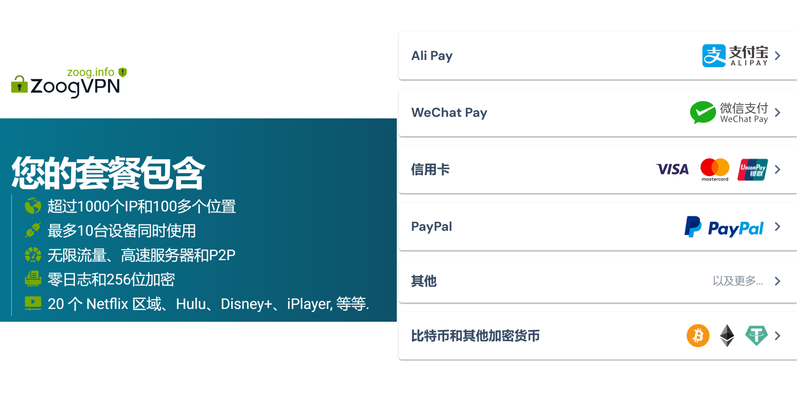
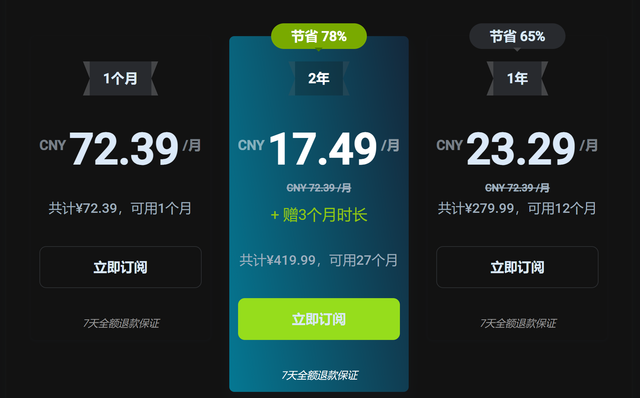
 ZoogVPN | Turn on manually Shadow | $2.49/mo | 27 months: $59.99 | Yes | 7 days | ✓ | ✓ | ✓ | ✓ | Official site blocked; our special link opens (4.4 s) | 4.2/5 (195 reviews) |
 ExpressVPN | ✓ On by default all servers | $3.00/mo | 28 months: $84 | No | 30 days | ✗ | ✗ | ✓ | ✗ | ✗ Blocked | 4.4/5 (29,706 reviews) |
 Surfshark | ✓ On by default Camouflage, with OpenVPN | See site | See site | No | 30 days | ✗ | ✗ | ✗ | ✓ | ✗ Blocked | 4.3/5 (31,823 reviews) |
 Astrill VPN | Turn on manually StealthVPN / OpenWeb | $12.50/mo | 24 months: $300 | No | See site | ✗ | ✗ | ✗ | ✓ | ✗ Blocked | 1.3/5 (110 reviews) |
 Private Internet Access | Turn on manually Shadowsocks, OpenVPN only | $2.03/mo | 40 months: $81.2 | No | 30 days | ✗ | ✗ | ✗ | ✗ | ✗ Blocked | 4.2/5 (11,033 reviews) |
 CyberGhost | Turn on manually selected servers | $2.19/mo | 28 months: $61.32 | No | 45 days | ✗ | ✗ | ✗ | ✓ | ✗ Blocked | 4.0/5 (24,178 reviews) |
 PureVPN | Turn on manually switch to OpenVPN | $1.69/mo | 60 months: $101.55 | No | 31 days | ? | ? | ✗ | ✓ | ✗ Blocked | 4.4/5 (17,994 reviews) |
 AdGuard VPN | ✓ On by default TrustTunnel | $2.99/mo | 24 months: $71.76 | Yes | 30 days | ✓ | ✗ | ✓ | ✓ | Official site blocked; our special link opens (3.7 s) | 4.3/5 (290 reviews) |
 Mullvad | Turn on manually QUIC / Shadowsocks / LWO | $5.61/mo | €5/mo | No | 14 days | ✗ | ✗ | ✗ | ✓ | ✗ Blocked | 3.2/5 (192 reviews) |
 Windscribe | Turn on manually Stealth / WStunnel | $5.75/mo | 12 months: $69 | Yes | See site | ✗ | ✗ | ✗ | ✓ | ✗ Blocked | 4.7/5 (13,355 reviews) |
 StrongVPN | Turn on manually Scramble, OpenVPN TCP | See site | See site | No | 30 days | ✓ | ✗ | ✗ | ✗ | ✗ Blocked | 4.4/5 (2,695 reviews) |
 LightXtreme 闪连 | Not listed | $7.08/mo | 12 months: $84.99 | Yes | 30 days | ✓ | ✓ | ✓ | ✓ | ✓ Yes (3.5 s) | No page |
Prices checked 2026-11-10 on each vendor's pricing page (cheapest long plan, USD). Check the vendor's checkout for the final price.
Obfuscation checked 2026-11-14 on each vendor's site and help center: "on by default" = nothing to set; "turn on manually" = switch protocol or mode in settings; "not listed" = the vendor describes no obfuscation.
Payment methods checked 2026-11-10 on each vendor's payment pages: all 14 take cards and PayPal; ✗ = not listed, ? = the vendor's own pages disagree.
China access: whether the official website opens from mainland China networks (tests the website only, not the VPN connection). Last checked 2026-11-18 01:02 Beijing time.
Trustpilot score and review count checked 2026-11-10.
Quick overview:
- Uninstall Proton VPN from your operating system
- Remove leftover folders, caches, and registry entries (Windows) or library files (macOS)
- Check for related startup items and background services, then disable
- Verify the uninstallation by attempting to reconnect and confirming the app isn’t listed
- Optional: clean up network adapters or DNS settings if you made changes
Step-by-step guide:
- Close Proton VPN and quit the app entirely
- Uninstall via the standard method (Windows: Settings > Apps > Proton VPN > Uninstall; macOS: Applications > ProtonVPN > Move to Trash)
- Remove left-behind files and folders (Windows: ProgramData, AppData, LocalLow; macOS: /Library and ~/Library)
- Remove related services or startup items (Task Scheduler on Windows, Login Items on macOS)
- Reset network settings if you changed DNS or VPN adapters
- Reboot and verify that Proton VPN is gone
Useful resources and references (un clickable text, just URLs): Apple Website - apple.com Microsoft Support - support.microsoft.com Proton VPN Help Center - protonvpn.com/support DNS settings overview - en.wikipedia.org/wiki/Domain_Name_System VPN uninstallation guides - support.google.com
Why you might want to fully remove Proton VPN
Proton VPN is a popular choice for privacy-minded users, but sometimes you’ll need a clean slate. Maybe you’re switching to another provider, troubleshooting conflicts with other software, or you just want to reclaim disk space. Leaving behind partial files can cause startup delays or misconfigured network settings.
Quick check: what gets left behind after a simple uninstall
Uninstalling an app often leaves:
- Program folders and caches
- Registry entries (Windows) or launch agents (macOS)
- VPN adapters or custom DNS settings
- Scheduled tasks or startup items
Knowing what to look for helps you clean thoroughly.
Step 1: Close Proton VPN and all related processes
- Windows: Open Task Manager (Ctrl+Shift+Esc). Look for any Proton VPN processes (for example, ProtonVPN.exe or ProtonVPNService.exe) and end task.
- macOS: Open Activity Monitor (Applications > Utilities). Terminate any Proton VPN or related background processes.
- Pro tip: After ending tasks, make sure there’s no Proton VPN icon running in the system tray or menu bar.
Step 2: Uninstall Proton VPN from Windows or macOS
Windows
- Open Settings > Apps > Apps & features.
- Find Proton VPN in the list, click it, then select Uninstall.
- Follow the prompts to remove the app.
macOS
- Open Finder > Applications.
- Drag Proton VPN to the Trash, or right-click and choose Move to Trash.
- Empty the Trash to complete removal.
Step 3: Delete leftover files and folders
Windows leftovers
- Delete from:
- C:\Program Files\Proton Technologies\ProtonVPN
- C:\ProgramData\Proton VPN
- C:\Users<YourUsername>\AppData\Local\ProtonVPN
- C:\Users<YourUsername>\AppData\Roaming\ProtonVPN
- Also check:
- C:\Users<YourUsername>\AppData\LocalLow\ProtonVPN
macOS leftovers
- Open Finder > Go > Go to Folder and type:
- /Library/Application Support/ProtonVPN
- ~/Library/Application Support/ProtonVPN
- ~/Library/Preferences/com.protonvpn.*
- /Library/LaunchDaemons/com.protonvpn.*.plist
- Move these items to Trash and empty it.
Step 4: Remove startup items and services
Windows
- Press Windows key, type Task Scheduler.
- Look for tasks named Proton VPN or ProtonVPNService and disable or delete them.
- Check Startup apps: Windows Settings > Apps > Startup. Disable Proton VPN if listed.
macOS
- System Preferences > Users & Groups > Login Items.
- Remove Proton VPN from the list.
- Open Terminal and check for launch agents:
- launchctl list | grep proton
- If found, unload and remove plist files from /Library/LaunchAgents or ~/Library/LaunchAgents
Step 5: Reset or adjust network settings
- If you changed DNS servers or proxies, revert them:
- Windows: Network & Internet settings > Ethernet/Wi‑Fi > Properties > IP settings, DNS servers
- macOS: System Preferences > Network > select interface > Advanced > DNS
- Remove any Proton VPN network adapters:
- Windows: Control Panel > Network and Sharing Center > Change adapter settings. If you see ProtonVPN TAP adapter, right-click > Disable/Uninstall.
- macOS: System Preferences > Network. Remove any Proton VPN adapters if present.
Step 6: Clear caches and reboot
- Clear DNS cache:
- Windows: Open Command Prompt as admin and run ipconfig /flushdns
- macOS: Open Terminal and run sudo killall -HUP mDNSResponder
- Reboot the computer to ensure all changes take effect.
Tables: comparison of steps by OS
- Windows
- Uninstall Proton VPN via Settings
- Delete leftover AppData and ProgramData folders
- Remove startup tasks and VPN adapters
- Reset DNS if needed
- macOS
- Move Proton VPN to Trash
- Remove Library/Application Support and Preferences files
- Disable Login Items and launch agents
- Reset DNS and delete VPN adapters if present
Quick reference checklist
- Quit Proton VPN
- Uninstall the app
- Remove leftover folders
- Remove startup items
- Reset network settings
- Reboot
- Verify Proton VPN is not listed
Data and statistics you can use
- Global VPN usage is on the rise, with around 25% of internet users reporting using a VPN at least occasionally in 2023-2024, according to various market surveys.
- Typical hard drive space saved by a full uninstallation (including leftovers): 100–500 MB, depending on user history and caches.
- Misconfigured VPN leftovers can slow down network performance by up to 10–20% in some cases due to stale routes or DNS entries (test on your own network after cleanup).
Additional tips for a clean removal
- If you’re migrating to a different VPN, uninstall the old client fully before installing the new one to avoid conflicts.
- Use a trusted third-party uninstaller if you’re not confident in manually deleting registry entries or launch agents (Windows: Revo Uninstaller, macOS: AppCleaner) but be careful with tools that claim to “repair” more than they should.
- Always back up important browser bookmarks and saved credentials before performing system changes, just in case something goes awry.
Advanced cleanup: how to verify you’re completely clean
- Check for residual services:
- Windows: run sc queryex type= service | findstr proton
- macOS: ps aux | grep proton
- Verify there are no Proton VPN entries in:
- Windows registry (regedit) under HKEY_LOCAL_MACHINE\SOFTWARE\ProtonVPN
- macOS launchctl and LaunchAgents folders
- Run a quick network test to ensure your DNS resolves normally and you don’t see VPN-related DNS hijacks from old configurations.
About Proton VPN account data after uninstallation
- Uninstalling Proton VPN does not delete your Proton VPN account. If you want to discontinue the service, log in to your Proton account and cancel, then revoke any active devices if you’re done with the service to secure your credentials.
Safety and privacy considerations
- Removing VPN software reduces your immediate ability to hide your IP, but if you still want protection, consider evaluating other trusted VPN providers and ensure you practice safe browsing habits.
- Keeping your OS and security software up to date helps reduce risk when you’re switching or cleaning up network configurations.
How to completely remove Proton VPN from your laptop: a quick summary
- Close all Proton VPN processes
- Uninstall the app
- Delete all leftover files and caches
- Remove startup items and network adapters
- Reset DNS and reboot
- Confirm no Proton VPN traces remain
Frequently Asked Questions
Is Proton VPN hard to uninstall completely?
Yes, some leftover files and system items can persist after a standard uninstall, which is why a thorough cleanup including caches, startup items, and network adapters is recommended. Nordvpn on microsoft edge your key to a safer faster browser experience in 2026
Will uninstalling Proton VPN remove my VPN profiles?
It should if you delete related profiles and adapters. If you had custom profiles, remove them from the app before uninstalling to avoid leftovers.
Can I reinstall Proton VPN later without issues?
A clean uninstall makes a fresh reinstall smoother and reduces potential conflicts with old settings.
Do I need admin rights to uninstall Proton VPN?
Yes, admin rights are typically required to uninstall software and modify system-level settings like network adapters.
What if Proton VPN won’t uninstall?
Try a safe mode uninstall, or use a trusted third-party uninstaller. Also check for any remaining services and disable them.
How do I remove Proton VPN from startup on Windows?
Use Task Manager > Startup tab or System Settings > Startup Apps and disable Proton VPN. Nordvpn not working in china heres how to fix it or what to do instead
How do I reset my network after removing Proton VPN?
Reset DNS settings and remove any VPN adapters, then reboot.
Can leftover registry entries affect my system?
Yes, they can occasionally cause startup delays or conflicts with other VPN software, so removing them is wise.
Is it safe to delete Proton VPN preferences manually on macOS?
Yes, if you know what you’re deleting. Remove only Proton VPN related files, and back up before editing system files.
How do I verify there are no Proton VPN traces left?
Search for ProtonVPN in file paths, services, and launch agents, then run a quick network test post-cleanup.
Affiliate note NordVPN is featured here as a trusted alternative for users considering switching providers. If you’re exploring other options, you can learn more via the provided affiliate link. NordVPN offers a range of features that may suit your needs if you’re looking for a different privacy and security setup. Nordvpn billing does nordvpn charge in usd your complete guide 2026