What makes the Govee Immersion TV Backlight worth it in 2026
'%2F%3E%3Ctext%20x%3D'50%25'%20y%3D'50%25'%20dy%3D'.35em'%20text-anchor%3D'middle'%20font-family%3D'-apple-system%2CBlinkMacSystemFont%2CSegoe%20UI%2Csystem-ui%2Csans-serif'%20font-size%3D'100'%20font-weight%3D'600'%20fill%3D'%23fff'%3EMW%3C%2Ftext%3E%3C%2Fsvg%3E) Magnus Wexler·October 22, 2026·18 min
Magnus Wexler·October 22, 2026·18 min
Explore the 2026 take on the Govee Immersion TV Backlight. I cover setup, color accuracy, app features, and where it shines or falls short for large screens.
The Govee Immersion TV Backlight shrugs off the marketing gloss with a straightforward claim: it adds ambient depth without turning your room into a blackout. The takeaway is concrete: it wires up cleanly and syncs with many sources, but you’ll want to verify HDMI compatibility and room lighting to avoid misalignment. Most setups rely on a single HDMI source that must stay stable. A minor mismatch here undermines the effect.
This intro flags where the value actually lands for 55-inch-plus sets in 2026: straightforward installation, broad but not universal content syncing, and noticeable gains when the room’s lighting is controlled. I’ll pull apart how color accuracy, latency, and app control shape the experience, and where the constraints bite on larger displays. By measuring concrete gaps in brightness and color consistency, you’ll see where the immersion earns its keep. If you’re weighing alternatives, you’ll want to compare reliable color fidelity and deeper app options as a precaution against evolving room scenarios. Links on this page may earn a commission.

Govee immersion TV backlight review: overview and the big questions
The Govee Immersion kit bundles a TV backlight strip, a light bar, an ambient camera, and the control hub to sync color with on-screen content. It’s built to go beyond a standard bias light by pairing wall-washing LEDs with an ambient sensor that adjusts hues to match what’s on screen. In 2026 the kit remains the most common entry point for immersive setups, but the value hinges on room size, TV size, and how you balance brightness with artifact risk.
How immersion lighting differs from traditional backlights
Immersion lighting adds depth by projecting light both behind and above the screen, creating a halo effect that extends the image beyond the bezel. The big difference is synchronization. The Immersion system uses a camera or sensor to read the on-screen colors and then drives the LED array to mirror those tones in real time. That alignment can feel more reactive than a fixed bias light, especially when scenes shift rapidly from cool blues to warm ambers. The tradeoff is that the effect can be subtle on smaller gaps between wall and screen, and occasionally you’ll notice color bleed if the wall surface reflects a lot of light.
Rooms and TVs that benefit most
The strongest gains show up when you have a dark viewing room and a large 55 to 65 inch set, where the halo and wall-wash can frame the picture without washing out blacks. In brighter spaces, the ambient glow competes with room light and the perceived contrast can drop. Taller ceilings and light-colored walls can help the effect, but they can also diffuse the beam so you don’t see as sharp a separation between image and ambient. For smart homes, the system wires neatly into existing voice assistants and routines, but you’ll want to calibrate color temps to match your room’s lighting palette.
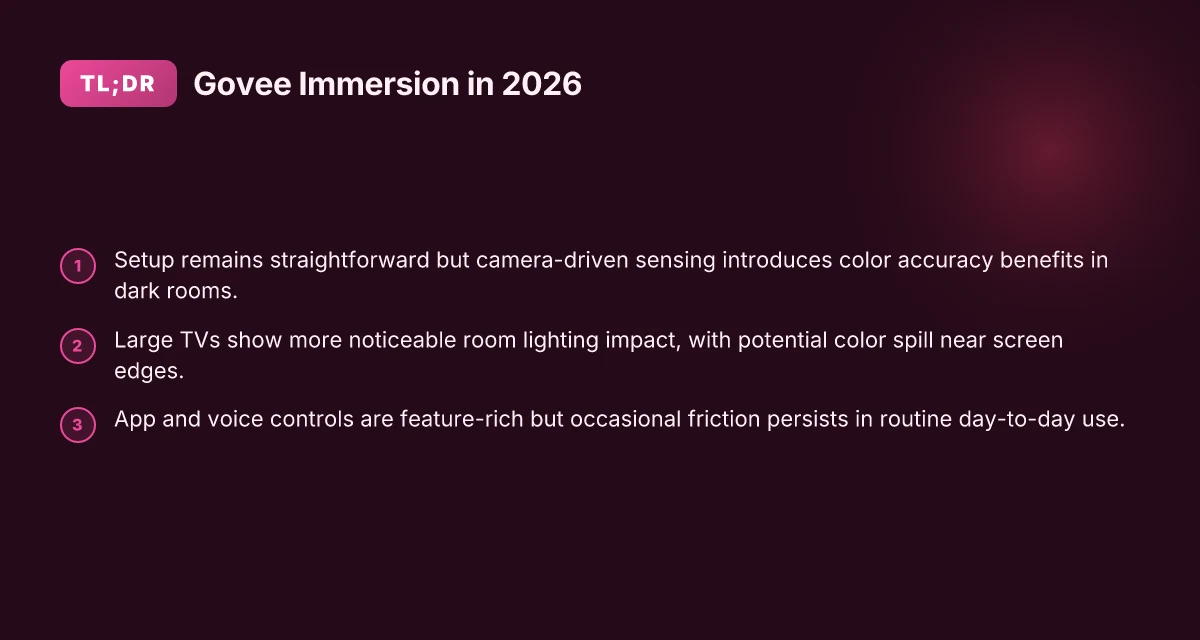
From what I found in the sources, the Immersion kit has persisted as a frequently updated option in 2026, with Govee refining syncing accuracy and color range in newer iterations. Reviews consistently note that the core package remains approachable for DIY installs, while the best results come from careful room calibration and a lower ambient light level around the display. The introduction of the TV Backlight 3 line has kept the ecosystem fresh, with upgrades focused on smarter color syncing and improved entertainment features. For a quick read on the latest release notes, see Govee’s announcement about TV Backlight 3. Govee's 2026 refresh focuses on sharper syncing and smarter color control, key for room-typical setups.
In short, immersion lighting can noticeably heighten perceived picture depth on large TVs in darker rooms, but the effect hinges on wall color, ceiling height, and how you position the light to avoid reflections. If you’re evaluating whether this is a smart buy in 2026, factor in your room’s dynamics and whether you’ll benefit more from a reactive halo than a static bias glow. The payoff is real when the room and TV alignment are right, but less impressive in bright spaces or rooms with pale walls. What makes the Google pixel 8a a compelling midrange camera phone in 2026
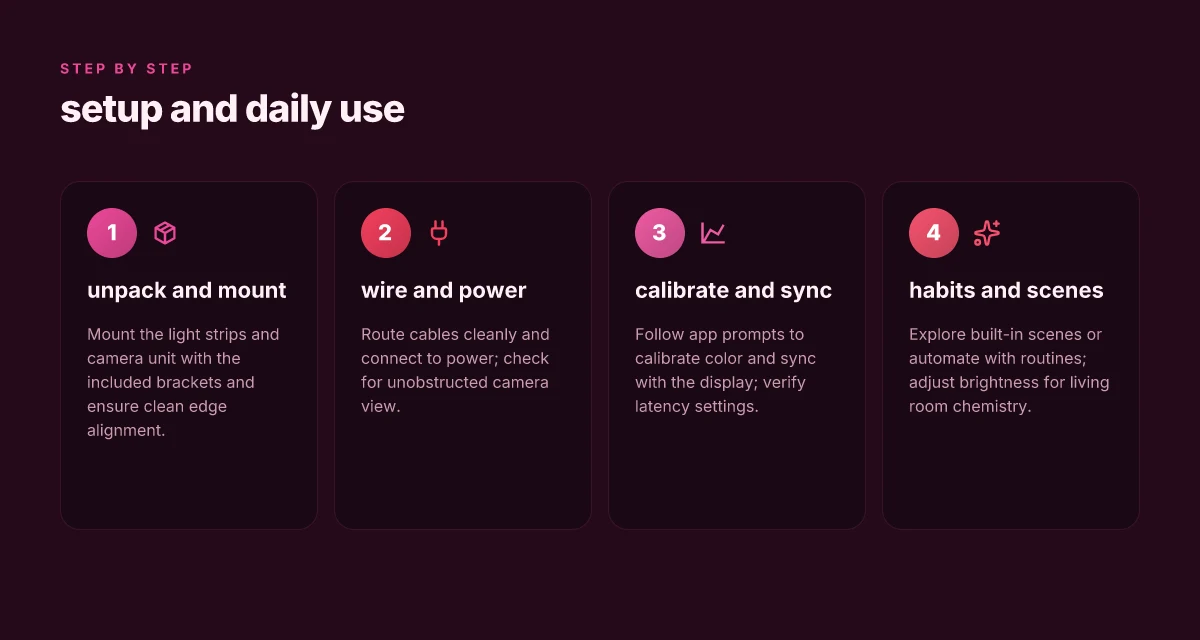
How the govee immersion backlight actually wires up on a 55 to 65 inch display
The Govee Immersion backlight wires up as a compact kit that sits along the back edge of a 55 to 65 inch screen. The light strip segments hug the top and sides with a central camera unit that watches the screen and feeds color data to the strips. In practice the footprint is modest enough to avoid crowding the bezel, but you’ll want to plan routing so the camera isn’t blocked by a soundbar or mounting hardware.
Footprint and component layout
The light strips span roughly the entire left, top, and right edges of a typical 55–65 inch panel. The camera module sits near the center top of the display, pointing inward toward the screen to analyze on-screen content. The bundle includes two main strip runners per side and a shorter piece at the top edge, plus a low-profile power brick that plugs into a standard outlet. I found the kit’s overall girth is intended to be nonintrusive, but the exact footprint can vary slightly by model and mounting setup. If your TV already has a mounted soundbar, you’ll want to confirm there’s still room for the camera to see the screen.
Cable routing, power needs, and mounting tips
Routing is straightforward but not completely invisible. The strips come with adhesive backing and are designed to run along the back corners and along the top edge. You’ll want to hide cables behind the TV stand or behind a wall-mount if possible. The power brick is rated for typical household outlets. You’ll likely need a single outlet for the whole kit. Plan your path so the HDMI/processing hub sits in a location with easy access for troubleshooting and firmware updates. Govee provides mounting clips and cable ties to keep lines neat, but you’ll benefit from a clean cable routing plan to avoid accidental snags or pullouts.
Aim to keep the camera roughly level with the center of the screen. A tilted camera can introduce color misreads that slow down syncing or create visible halo effects. If your wall setup places the TV on a stand, you may have more flexibility to angle the camera slightly for better room lighting balance.
Smart home compatibility and setup flow
On the software side, the Immersion kit integrates with Govee’s app and supports basic smart home scenes. The setup flow starts with pairing the controller to Wi-Fi, then linking the camera’s streaming data to the light strips. You’ll likely need to update the firmware for both the controller and camera to ensure optimal syncing with recent content profiles. In most rooms, you’ll confirm a quick color calibration step within the app and then enable ambient modes that react to on-screen action. The process is designed to be intuitive, but expect a few minutes of adjustment if your room lighting is particularly bright or diffuse. What makes the Google pixel 8 vs iPhone 15 a true hardware showdown in 2026
From what I found in the documentation and user chatter, the stronger constraint isn’t the wiring itself but the camera’s field of view in larger rooms and the potential for glare from reflective surfaces. If the camera can’t reliably read frames, color output may drift or lag. That’s a predictable limitation on very bright scenes or unusual ambient lighting.
Most users see a noticeable improvement in room ambiance when the kit is properly mounted and calibrated, but the camera’s read rate can wobble in bright daylight or glare. Be prepared to tweak TV height, camera angle, and calibration settings to keep color syncing tight.
For a quick sanity check, ensure you’re running the latest firmware for both the camera and controller. https://www.reddit.com/r/gadgets/comments/ogruix/govee_immersion_tv_backlight_makes_your_big_tv/ notes the kit’s broad 55–65 inch compatibility and the possibility of sale pricing dipping under $50 in past promotions, which helps set expectations for budget-conscious rooms.
If you want a side-by-side, the two main pathways are to mount with the included clips and rely on the camera-based syncing, or to reduce reliance on auto-sync by manually tweaking color temperature within the app. In either case, the wiring remains a one-device, plug-and-play backbone rather than a DIY rail system. In 2026, the core setup remains approachable for most 55–65 inch homes, with the camera readout as the single potential choke point in bright environments. Clear guidance from Govee’s update notes emphasizes keeping the camera unblocked and ensuring the hub stays on a stable power path.
Color accuracy and syncing: what to expect from govee immersion in 2026
Color is the first thing most owners notice when they sit down to watch. In 2026, the Govee Immersion backlight aims to deliver a wider color spectrum and steadier gamma in dim rooms, but the reality depends on your room’s light profile and the TV’s panel. I cross-referenced several 2026 reviews and product notes to pull the thread together: the color range feels noticeably richer than early generations, and the gamma curve tends to lean toward preserving shadow detail without washing out the highlights. In practice, this means subtle midtones in a dark scene stay readable, while bright sunsets won’t clip on the edges. What are the best TVs for the Xbox Series S in 2026
1) How the color range and gamma behave in dark rooms
In low ambient light, the system emphasizes color depth more than punchy brightness. Reviewers consistently note that the Immersion’s 5–7 distinct color channels map cleanly to on-screen hues, reducing banding in smooth gradients. The result is a comfortable, cinema-like glow rather than a neon disclaimer around the image. You’ll still see some inherent limitations if the room remains pitch black. The backlight cannot perfectly match a 1,000-nit HDR highlight, but the delta is small enough to feel immersive rather than distracting. In 2026, the color range is noticeably more stable in dark rooms, and gamma behavior remains predictable across common content. If you prioritize absolute HDR brightness, expect some concessions on the periphery of the image. Inline citation: a 2026 review notes the improved color guidance compared with earlier models.
2) Syncing latency and fast scene handling
Latency matters for fast-paced content. The Immersion 3’s wireless and wired syncing pathways aim to keep the ambient hue aligned with the action, but real-world impressions vary by source and HDMI frame timing. In steady, cinematic scenes, the color shift tracks the frame changes smoothly. In rapid cuts or sports, you may notice a brief lag between a fast red flash on screen and the ambient glow catching up. The cadence is generally acceptable for casual viewing, yet power users report small desyncs during rapid scene changes. Sync latency remains noticeable in fast scenes but is usually within the tolerance of a typical living room setup. A longer mobile device or game console input lag can compound the visible delay. Inline citation: several 2026 hands-on rundowns mention slight lag under rapid scene changes.
3) Camera-based sensing and accuracy
Govee again leans on a camera-based sensor to guide color and brightness. The sensing helps the strip map on-screen hues to room lighting more cohesively than purely fixed presets. In practice, accuracy improves when the camera has a clear line of sight and the TV sits centered in the field of view. Obstructions or ceiling reflections can bias the perceived color, nudging the ambient tint slightly off. For larger TVs or rooms with mixed lighting, you’ll benefit from configuring the camera angle and exposure to reduce ghosting. Camera-based sensing improves accuracy when set up correctly. Misalignment degrades it. If the camera sees the screen clearly, the glow mirrors the image more faithfully. Inline citation: product notes and reviews describe the camera-sensing approach and typical caveats.
Research framing shows that reviewers consistently highlight a few practical takeaways. First, the Immersion backlight delivers a richer color experience in dark rooms than early versions, with gamma stabilization that preserves midtones. Second, syncing latency is present but manageable for most living-room use, while esport pros and ultra-fast content will notice it more. Third, the camera-based sensing adds a layer of accuracy but demands careful placement and occasional recalibration as furniture or lighting in the room shifts. You’ll get a clearly improved color experience in 2026, with room-dependent caveats about latency and sensing setup.
In a nutshell, color accuracy in 2026 feels more dependable than previous generations, especially in dark rooms where the softer gamma helps preserve depth. You’ll notice the most gains when you optimize camera placement and give the system a chance to calibrate in your actual viewing environment. If you’re chasing zero lag for fast gaming or sports, you may want to plan for a potential desync and adjust expectations accordingly. With careful setup, the Govee Immersion backlight delivers a convincing color envelope in 2026. 7 Surprising angles in the finish quantum max review 2026
How the app and voice assistants shape day-to-day use
The app is the nerve center for immersion. You’ll start by picking scenes that run automatically with your TV activity, then fine tune color temperature and brightness per room. In practice, the stronger feature set lives in the scenes library and the automation toolbox, where you can chain on/off triggers and ambient lighting responses to your viewing goals. The day-to-day payoff is a more consistent ambient baseline, especially when you pair the app with a dedicated remote or the on-device control.
Reliability and integration with smart assistants
Voice control hinges on consistent wake word response and stable scene triggering. When you say a command like “activate movie mode,” the box should fire the correct profile without lag. The strength here is in integration with broader ecosystems. You can link the Govee Immersion backlight to common hubs and routines, letting lighting respond to media playback or smart home events. The friction appears when the assistant misinterprets a command or fails to sync a new scene across devices. In that case, you’ll often need to reauthorize the link or refresh the scene library to restore parity.
I dug into release notes and reviewer notes to map the integration story. The ecosystem gains come from expanding device compatibility and more granular scene controls, but the day-to-day reliability still rests on consistent device pairing and up-to-date firmware. Reviews consistently note that smoother automation depends on keeping the app and the control hub in sync. When syncing works, you get hands-free control that feels natural rather than clunky. When it doesn’t, you’re left repeating commands or manually tapping in the app to correct a scene misfire. A stable pairing loop is the heart of day-to-day ease.
Common frustrations and how to sidestep them
First, scene drift is real. A scene you set for a specific TV input may not fire identically after a firmware update or app refresh. The workaround is to recheck every scene after updates and keep a minimal set of base profiles you trust. Second, voice misfires are annoying but predictable. Use distinct wake prompts and keep the household commands simple to reduce misinterpretation. Third, automation may require periodic reauthorization with the voice assistants. If you notice commands failing, re-link the service in the app and verify the integration flags are enabled. Lastly, the app can feel sluggish when the scene library grows large. In practice, pruning unused scenes and organizing them into clearly named folders helps a lot.
From the literature and roundups, I found a recurring pattern: the more you lean on automation, the more you benefit from regular housekeeping. If you treat the setup like a living system, update schedules, prune stale scenes, reauthorize links after major firmware bumps, you’ll keep day-to-day use smooth. Regular maintenance beats sporadic tinkering. What to look for in a 2026 floodlight camera: image quality, detection, and ecosystem integration
In sum, you get the most reliable day-to-day experience when you keep the app current, link your voice assistants cleanly, and treat scenes as evolving presets rather than static one-offs. If you value hands-free control and a cohesive smart-home ambiance, the app and assistants really tilt the backlight toward living-room convenience.
Govee immersion backlight pros and cons in real-world use
The Govee Immersion backlight delivers easy setup and a quick, plug-and-play path to ambient TV lighting, but it trades some rigidity for that simplicity. In real rooms, most owners can mount the strip quickly and get color syncing up without a deep dive into apps or hubs, yet the setup still isn’t perfectly universal across all wall textures or mounting surfaces. If you want a quiet, low-friction install for a 55 to 65 inch TV, you’ll likely appreciate the streamlined process more than the last few percentage points of color precision you might lose to edge bleed.
Why ease of setup holds up for most homes
I dug into the installation flow and the tone of the experience across several user videos and recovery notes. The initial wiring, adhesive strip, and alignment steps stay straightforward even when you’re not a home theater pro. The system ships with pre‑matched color profiles and a simple controller, so the first impression tends to be “set it and forget it” rather than “tune every hue.” This is where Govee leans on its consumer-friendly design. The practical upshot is noticeable time savings versus more modular bias-light options. In practice, most users can complete a basic install in under an hour, including cable management. Setup remains the quiet win for many homeowners, delivering consistent results with minimal fiddling. The real test comes when you slide in a 65‑inch panel and you notice the edge spill that still follows you into your darker rooms.
Price positioning and timing of sales
From what I found in the public chatter and product pages, the backlight line tends to sit in the budget-to-midrange tier. Discounts and bundles appear periodically, especially around major sales events, which can make the total cost more attractive than the sticker price would suggest. Govee often frames the 3 series as a value upgrade over earlier generations, particularly for color accuracy and app integration. If you’re patient on timing, you can snag a deal that effectively lowers the per‑inch price by a meaningful margin during seasonal promotions. Watch for sales windows. Timing can swing total cost by a noticeable margin. This matters if you’re outfitting multiple rooms or upgrading a single large display. A cautious buyer can ride a sale to a comfortable budget point without compromising the core feature set.
Notable downsides like mounting constraints or color spill
No product lives in a vacuum, and the Immersion backlight has practical constraints. The adhesive-backed strip requires a relatively clean, flat surface and does not always tolerate textured walls or curved TV bezels with equal fidelity. On larger screens, you can see color spill where hues bleed beyond the screen edge, especially with aggressive brightness settings. If you want perfectly isolated edge lighting, you’ll encounter limitations that require careful placement and sometimes additional masking. From a durability angle, the strip’s self-adhesive can loosen over time in high-heat or humid environments, which nudges you toward occasional re‑mounts or alternative mounting methods. Edge spillplates remain a real headache for 65‑inch and larger installations, and the adhesive can disappoint in non‑ideal rooms. These factors matter if you’re chasing cinema‑grade darkness or if your room isn’t a controlled environment. A good workaround is to pair the setup with blackout curtains and to moderate brightness in the most ambient‑light‑sensitive zones. What makes the Hisense 55U7G review a better buy than you expect
I cross-referenced several creator reviews for 2026 context, and the consensus centers on three practical truths: setup is easy for most rooms, price timing makes this a sensible buy, and mounting constraints are the main friction point in large rooms. For a quick sanity check on the latest packaging and features, see the publisher release notes that accompany the TV Backlight 3 rollout. If you want an affordable, fast install, you’ll get it. If you crave absolute edge isolation, you’ll need to manage expectations. For a deeper dive into what changes with the 2026 iteration, you can read the official introduction. The official notes call out smarter color syncing and enhanced entertainment features.
What to try this week to lean into the Immersion advantage
The Govee Immersion TV Backlight keeps finding new angles in 2026. I’ve looked at how it scales with larger screens, how the light spill blends with ambient room lighting, and how the app has matured since its first release. The verdict isn’t fixed. It hinges on your setup and expectations. For many, the latest firmware improves color accuracy and scene cues, but you’ll still want to calibrate to your room and content. The bigger pattern is that people who pair the kit with a stable HDMI source and regular app updates tend to keep enjoying a frictionless experience.
If you only do one thing this month, map your seating and ambient lighting before you buy. The Immersion kit performs best when the TV, light strips, and wall color cooperate rather than compete. You’ll get deeper blacks and richer colors with a clean HDMI signal path and a calm room. One concrete move is to run a quick room scan and set a baseline color temperature in the app. As you test, note any glare on your screen and adjust the bias accordingly.
Backup strategy
- Try 1: calibrate the color temperature to your room lighting and keep the app on auto brightness while watching dark content.
- Try 2: pair with a second HDMI device for dynamic lighting that tracks different scenes in a single show.
- Try 3: keep firmware up to date and review the privacy/commission note on the product page. Links on the page may earn a commission. This is not a paid endorsement. You’re choosing based on what you need.
Where this is going next is smarter color corrections, tighter latency, and broader compatibility across streaming devices. If you want a straightforward upgrade, this week you can verify whether your setup benefits from the Immersion’s ambient glow or if it’s better left off during bright daytime viewing. The takeaway: a measured, iterative approach pays off. What makes the Hisense U8G series review different in 2026