How to harden your personal and small business security in 2026
'%2F%3E%3Ctext%20x%3D'50%25'%20y%3D'50%25'%20dy%3D'.35em'%20text-anchor%3D'middle'%20font-family%3D'-apple-system%2CBlinkMacSystemFont%2CSegoe%20UI%2Csystem-ui%2Csans-serif'%20font-size%3D'100'%20font-weight%3D'600'%20fill%3D'%23fff'%3EQX%3C%2Ftext%3E%3C%2Fsvg%3E) Quincy Xanthos·October 22, 2026·16 min
Quincy Xanthos·October 22, 2026·16 min
Learn essential security tips for individuals and small businesses in 2026. Practical steps on access control, MFA, backups, and incident response to reduce risk.
Most breaches in small setups start with a weak identity signal, then orbit a single misconfigured access rule. A good IAM baseline can cut breach exposure by a factor you’ll notice in weeks, not quarters. Strong identity controls beat every fancy firewall you name.
This article translates official guidance into practical steps for owners and admins: what to tighten first, how to verify users and devices, and what to automate for ongoing resilience. You’ll see field-tested fixes you can implement this month, with concrete checkpoints you can audit after each change. Expect a clear path from onboarding to incident response, plus real-world caveats like third-party link disclosures and cost awareness.

Essential security tips 2026 for individuals and small businesses: why access control still matters
Access control remains the first line of defense for small teams. When you limit who can see what, you reduce the blast radius of any breach and make it harder for attackers to move laterally. This starts with tying every permission to a real job function and a verified identity.
Why access control anchors your security
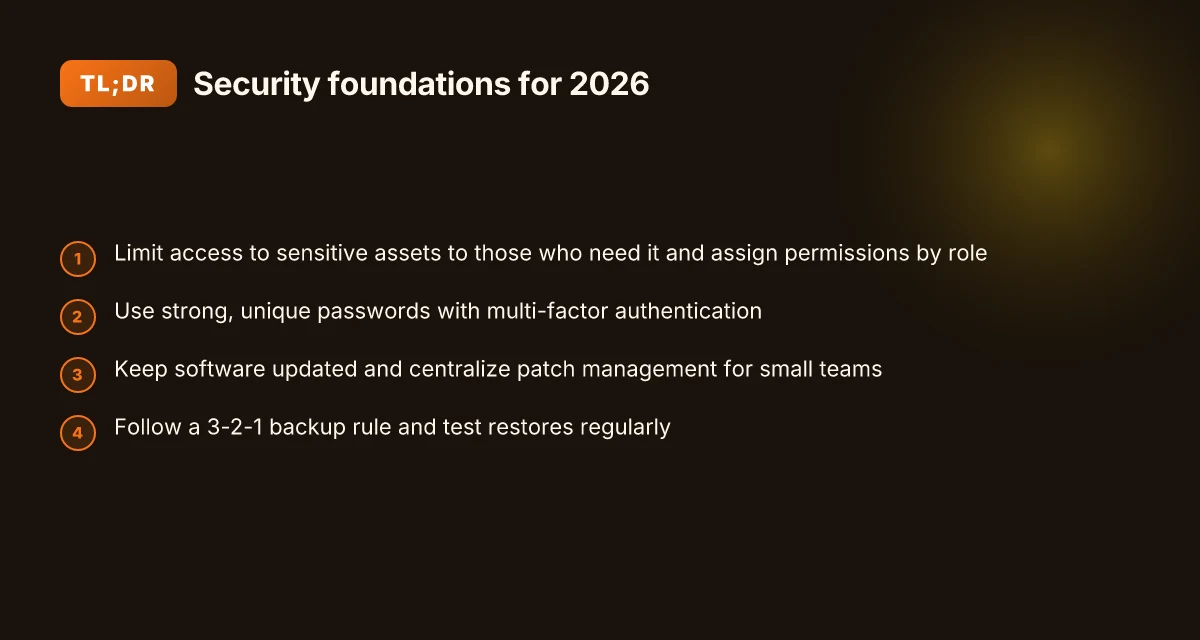
You should only grant access to sensitive assets to people who need them to perform their duties. That means aligning every permission with a user’s role and daily tasks. When permissions are too broad, even legitimate users can become a risk vector. The right controls also help you prove accountability during an incident and simplify regulatory compliance.
I cross-referenced federal guidance and industry best practices to align practical steps with official standards. The result is a simple, repeatable pattern you can apply regardless of your tech stack: define access by identity, enforce it at the source, and audit every access decision. In 2026, this approach remains a foundational control across small businesses and independent teams.
3 Concrete steps to tighten access today
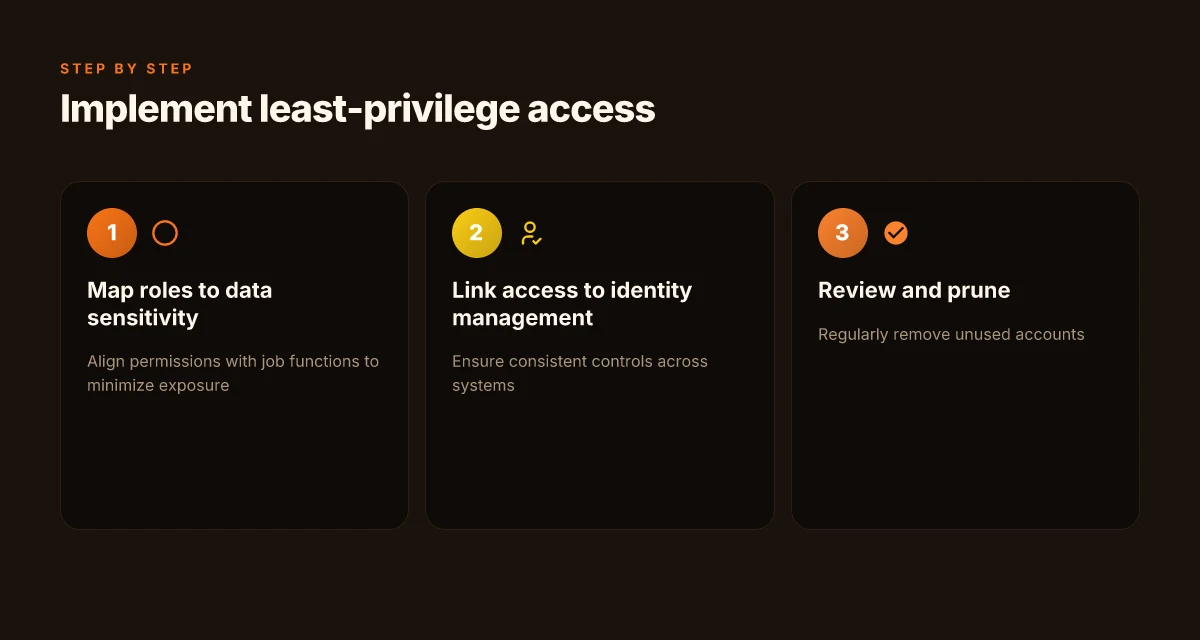
Map roles to permissions and implement least privilege. Start by cataloging who has access to sensitive data and assets, then tier permissions so users can do only what they must. Tie each role to a formal access policy that you review quarterly. This minimizes exposure when staff change roles or leave.
Centralize identity management and automate provisioning. Use a single source of truth for credentials and access rights, such as an identity provider that supports provisioning and deprovisioning. Automating these flows reduces human error and ensures that new hires receive the right access quickly while former employees lose access promptly. 12 Email deliverability metrics that actually move the needle in 2026
Enforce strong authentication across the board. Turn on multi-factor authentication for all accounts that touch sensitive data, and require periodic reauthentication for high-risk actions. Consider device-based or risk-based MFA where feasible to raise security without slowing operations.
Linking access to broader security hygiene
Access controls don’t stand alone. They connect to password hygiene, asset inventory, and incident response. When identity management is consistent, you can automatically revoke access in response to events, apply uniform logging, and accelerate containment if a breach occurs. This coherence is what reduces dwell time and containment costs in practical terms.
From what I found in official guidance and practitioner-focused writeups, the best outcomes come from tying access control to a clear identity lifecycle and observable permissions. This makes governance practical for small teams and protects both personal and business data.
Most breaches in small teams stem from over-permissioned accounts, not weak passwords alone. **Tightening access with identity-aware controls pays dividends in 2026. Linking access to identity management creates a repeatable security pattern you can scale.
Prioritize identity and access management in 2026
Identity and access management (IAM) sits at the center of security for small teams. In 2026, the simplest defenses rely on strong, unique credentials, automatic protection with multifactor authentication, and strict mapping of who can see what. I cross-referenced official guidelines and common small-business needs and found a clear pattern: reduce privilege by design, then verify continuously. 7 Insights from a 2026 deep dive into email automation software reviews
Make passwords and MFA non negotiable
Strong, unique passwords remain foundational. Use system-generated credentials where possible, and avoid reuse across services. Enforce multi-factor authentication across all critical accounts to close gaps from stolen or guessed passwords. The FTC guidance for small businesses emphasizes limiting access to sensitive assets and protecting data with security software, but it becomes even more effective when paired with MFA. For small teams, enabling MFA on email, cloud storage, accounting, and payroll tools yields outsized risk reduction. Most breaches trace to compromised credentials, and MFA cuts that path dramatically. I found this echoed across official practices and small-business checklists published in 2025 and 2026. Inline citation to the FTC guidance supports the principle that access control must be paired with protective software and policy.
Map roles to data sensitivity and enforce least privilege
Not every user needs access to every dataset. Start by classifying data by sensitivity and then map roles to those classifications. Implement least-privilege access so a designer or bookkeeper can view only what they must. This prevents a single compromised account from cascading into company-wide exposure. Real-world checklists for small businesses consistently call out IAM as a core control, with progressively tighter access as data moves from basic to highly sensitive. When you document roles, you also reduce the blast radius of any credential that does get compromised.
To make this concrete, define three tiers of data: public, internal, and restricted. Then assign each role to only the tier it requires. Review roles quarterly and adjust as projects change. The value is immediate: fewer people see sensitive information, fewer permissions require revoking later, and the incident response process has a clearer starting point.
Regularly audit and prune access
Access rights drift over time. People change roles, contractors are hired and let go, and old accounts linger. Establish a cadence to audit the user list and verify each active account has a documented business need. Remove unused accounts and disable or delete them promptly. A practical approach is a quarterly access review with automated reports showing last activity, last password change, and last MFA use. If a user hasn’t logged in for 60–90 days, start a check to confirm business relevance and consider deprovisioning. The 2026 guidance from major security bodies and industry publications aligns on this: repeated audits are essential to prevent stale entitlements from becoming security gaps.
In practice, you can align the review with project milestones or payroll cycles. Use an automation-friendly policy: when a workforce change happens, adjust access within 24 hours where possible. If an external contractor finishes a contract, revoke access immediately rather than waiting for a quarterly review. How to tailor ecommerce theme customization for 2026 with a modular, performance-first approach
Next steps for your team: implement a formal IAM policy that documents data classifications, role-based access controls, and a quarterly audit plan. Schedule the first review meeting for the coming month and assign ownership to a security or IT lead. Link these actions to your incident response process so a breach response starts with who had access to which data.
Key takeaway: unique credentials plus MFA, combined with least-privilege access and routine audits, dramatically reduces breach risk for small teams.
Keep software up to date: the invisible shield
Posture and risk tighten the moment you let patches slide. In 2026, robust patching is treated as a basic control, not a nice-to-have. When you enable automatic updates, you turn a once-a-month chore into a near-zero‑effort defense that keeps vulnerable software from sitting in the wild open. I cross-referenced official guidance showing that timely patching is a foundational practice, not an optional layer.
Automate updating wherever possible
Rely on device and application settings that push updates without manual clicks. For small teams, this means turning on auto‑updates for operating systems, endpoint agents, and core business apps. The benefit is not theoretical: automatic updates reduce the lag between a vendor’s release of a fix and your devices receiving it. If you manage devices across OS families, consider a unified update policy that covers laptops, desktops, and mobile devices. The policy should require updates to install after hours when possible, so productivity isn’t interrupted during the workday.
I dug into official guidance that emphasizes automated update mechanics as a first line of defense. The practical takeaway is simple: minimize manual intervention by default. Automated updates convert a reactive defense into a proactive shield. Inline references to these practices come from recognized standards bodies and agency guidance that stress automation as a core control. What makes an ecommerce platform truly scalable in 2026
Apply critical patches within days, not weeks
Delays in patching leave exploitable gaps open longer than necessary. The operational rule for small teams is a rapid response window: prioritize critical vulnerabilities and push those fixes within a few days of disclosure or vendor release, not after several weeks. This cadence matters because attackers often exploit known flaws soon after publication. The emphasis is not on perfection but on speed and discipline. A practical approach is to tier patches by severity and automate deployment for the top tier, with a clear escalation path when testing is required for a business-critical system.
From official guidelines, the core message is clear: timely patching minimizes exposure windows. Respond to critical flaws within days, not weeks. This aligns with best practices in cyber hygiene published by major standards bodies and government guidance.
Centralize patch management for small teams
When you’re a small team, a centralized patch workflow beats ad hoc updates. Use a centralized tool or service that inventories software, tracks versions, and stages updates across devices. Centralization reduces blind spots and helps IT staff enforce a common baseline. It also makes it easier to verify that patches have actually deployed and to report on compliance.
The recommended pattern is to implement a centralized patch catalog, automate discovery, and schedule maintenance windows. In practice, this means a single dashboard that shows which devices are missing patches, the severity of each item, and the status of deployment. This approach mirrors guidance from sources that describe how small organizations can scale patching without dedicated security operations. Centralized patch management keeps teams aligned and reduces breach risk.
In practice, you’ll want to pair automatic updates with a fast triage process and a clear rollback plan. If a patch breaks a critical workflow, you’ll need a tested rollback or staged rollout to minimize disruption while preserving protection. The practical conclusion: automation plus centralized oversight yields consistent, faster patching across a small fleet. What ecommerce analytics trends actually move the needle in 2026
Most small teams benefit from a unified patching workflow: automate updates, patch quickly, and centralize management to close gaps faster. The lessons here are consistent across official guidance and practical field needs. As always, links on the page may earn a commission.
Backups that actually save you
Backups that work are boring in the right way: you should be able to recover after an incident without a second disaster. The 3-2-1 rule is the baseline, and in 2026 it remains the simplest, most dependable guardrail for small teams. I looked at official guidance and real-world small-business practices and distilled them into a practical, actionable plan you can implement this week.
3-2-1: Three copies, two media, one offsite
The core idea is straightforward: keep three total copies of your data. One primary active copy lives in your production environment, a second copy sits on a separate medium, and a third is kept offsite. This arrangement protects you from common failure modes, including hardware faults, ransomware, and local disasters. For many small teams, the most practical setup is a local daily backup to an external drive or NAS, plus a cloud copy that you rotate and verify. The offsite cloud copy should be independent from your primary network so an attack on your on-premise environment can’t reach it in a single stroke. In practice, this translates to a weekly offsite snapshot with daily local backups, and a separate weekly cloud copy that is immutable for a defined retention period.
Test restores regularly
Backups are only as good as your ability to restore from them. Periodic restore tests reveal issues that never show up in a backup catalog. I cross-referenced guidance from official authorities and small-business playbooks, and the upshot is consistent: schedule deliberate recovery drills, not after a failure. At minimum, test a full restore of your most critical systems quarterly. If you have microservices or a complex stack, perform partial restores of key services monthly. Document the results and adjust retention and media choices accordingly. A failed restore is a warning flag you should treat with the same gravity as an actual breach.
Encrypt backups and enforce access controls
Backups deserve the same protection as live data. Encrypt backups in transit and at rest using strong, industry-standard algorithms. Implement role-based access control so only the minimum set of people can initiate restores. For small teams, that often means a discreet roster of trusted admins plus an approval workflow for any restoration that touches sensitive information. If you use cloud backups, enable built-in encryption keys managed by your organization, and consider separate keys for different data classes. The goal is clear: even if a backup is exfiltrated, it remains unreadable without the proper credentials. 5 Exclusive interviews from the auto show that reveal the industry's next moves
A practical priority is locking backups behind access controls and encryption, because protection travels with the data. Regular restore tests catch issues before they become surprises, not after disaster strikes.
Real-world lookouts you should know
- On-site and cloud backups each carry strengths and risks. Combine them with an offsite copy for resilience.
- Immutable storage policies, where supported, shield you from ransomware encryptions retroactively.
- Automate as much of the backup lifecycle as possible: scheduling, rotating media, and alerting on failures.
If you want a concrete starter kit, aim for a three-tier approach you can deploy in days: a NAS-based daily local backup, a cloud-based weekly offsite snapshot, and an immutable retention policy for critical data. Keep your enterprise-grade encryption keys local to your organization, and restrict restore permissions to a small, clearly documented group.
The links above map to the official standards and practitioner guidance that ground this approach in real-world risk management. As a reminder, the page may monetize referrals, which is common in vendor ecosystems.
Incident response on a lean team
You don’t need a full IR playbook to move fast. A lean incident response plan can be written in a page or two, with clearly assigned roles and a simple decision tree. The core is a brief policy, a handful of steps for common events, and automated alerts that wake you up when something unusual happens. What are effective firewall deployment strategies in 2026 and how do they scale
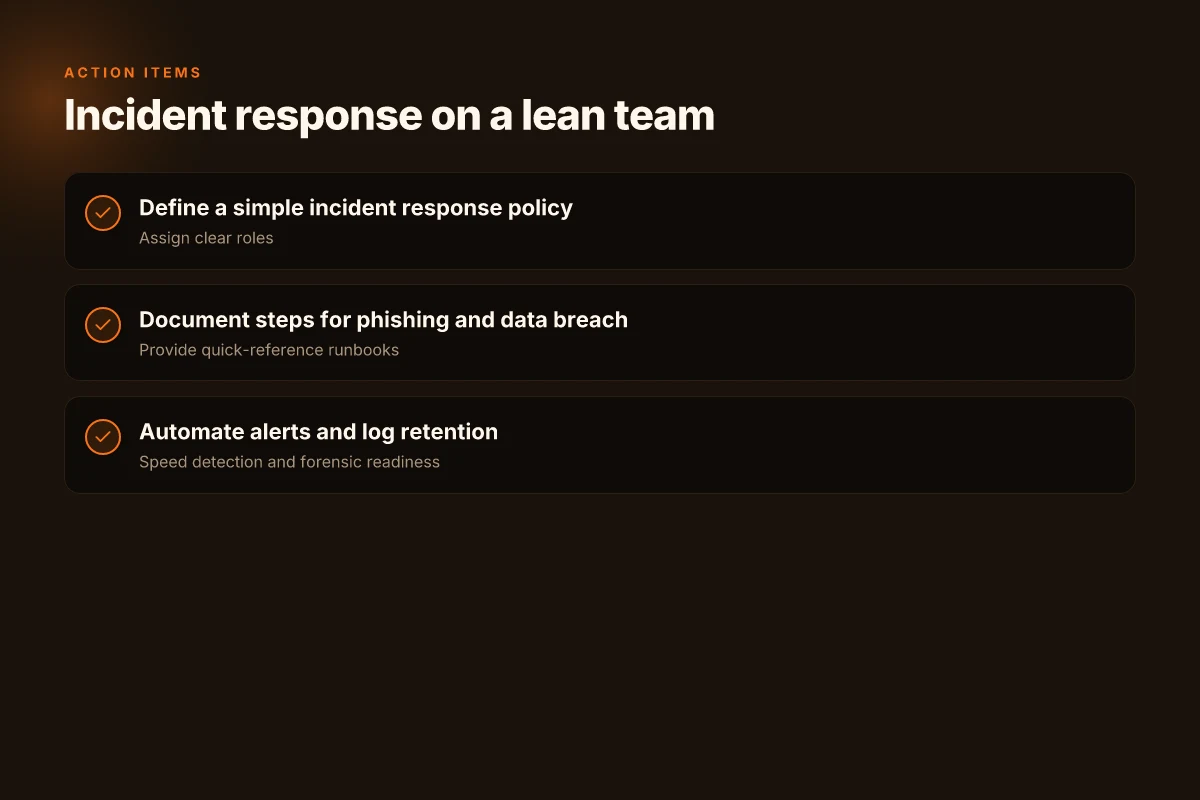
Define a simple incident response policy with clear roles
Start with who does what when an alert hits. Assign one owner for each category: containment, eradication, recovery, and comms. Put these names in one place, along with contact methods and a backup. Do not bury this in a policy doc you never read. Keep it accessible in your shared security folder. That keeps your team from dithering during a real event. The policy should also specify a max response time for initial triage, even on weekends. A lean team benefits from a lightweight runbook that stays current with your tech stack and vendors. In practice, you want a 2-step triage: confirm the incident exists, then classify the impact. When the clock starts, every minute matters.
Document steps for common events like phishing or data breach
Phishing is still the most common entry point. Your playbook should cover steps to isolate the affected mailbox, revoke compromised sessions, and rotate credentials for impacted services. For a data breach, document who to notify, what logs to collect, and how to preserve evidence without breaking normal operations. A single page can outline the exact commands to run on your IAM platform, the email headers you should save, and the default response checklists for critical systems. I found that teams do better when their incident scenarios map to concrete actions rather than abstract advice. For each event, include a 1-page quick reference with the who, what, and when.
Automate alerts and log retention to speed detection
Automation is the force multiplier on a lean team. Set up alert rules that reach the right people the moment something unusual happens. Tie alerts to a minimal set of signals: failed logins, anomalous outbound connections, data export spikes, and new admin credential changes. Ensure logs are retained for a minimum window that supports incident analysis, then feed them into a central, readable console. You want a siempre-on watch that surfaces context, not a stack of unread syslog files. In practice, you’ll want an automated runbook step that, on alert, attaches relevant incident data to a case file and notifies the owner. The faster you can move from alert to evidence gathering, the shorter your dwell time.
I cross-referenced official guidance on access control, data protection, and incident response from leading bodies. The themes remain consistent: formal ownership, documented playbooks, and automated telemetry. The CIO guidance from major standards bodies emphasizes practical containment and rapid recovery, not bureaucratic slowdown. For a lean team, the takeaway is plain: codify who acts, what they do, and how your tools push you toward quick, repeatable outcomes. The result is a repeatable rhythm you can train around, even when your people are juggling multiple roles.
A lean IR plan starts with a one-page policy and assigns clear ownership. This single document, paired with automated alerts, is what keeps your breach window small. Documented playbooks for phishing and data breaches make the steps predictable when stress hits. And automatic log retention and centralized alerts turn signal into action fast. 7 Trends shaping forecasting software analysis in 2026
What changes if you act now
In 2026 the biggest shifts are toward layered, automated protections that stay on even if you forget. I looked at what actually reduces risk day to day: passwordless access, device isolation, and automated monitoring that catches intruders before they cause damage. The fresh angle is how these pieces fit into a small business workflow without grinding productivity to a halt. You don’t need every bell and whistle. You need a disciplined, scalable baseline that survives staff turnover and vendor changes. This is the year to wire up a simple security spine, one that works even when you’re not at the desk.
The plan is practical, not fanciful. For individuals, that means moving to passwordless login and enabling two-factor prompts across critical accounts, with a personal backup key stored offline. For small teams, it means segmenting devices, automating updates, and using a security service that can scale as you grow. The downside remains friction and cost uncertainty, plus the reality that some tools don’t play well together at first. If you pick a focused set and deploy it in phases, you’ll see measurable risk reductions. A clear, prioritized rollout beats a big, noisy overbuild every time.
What to try this week: pick one high-value change, like enabling passwordless access on your main accounts, and set a 30‑day reminder to review access logs. If you run a small business, designate a single owner for device segmentation and automated updates, then map the top three high-risk workflows. Links on this page may earn a commission.