What makes the jackery smart transfer switch worth it for home backup in 2026
'%2F%3E%3Ctext%20x%3D'50%25'%20y%3D'50%25'%20dy%3D'.35em'%20text-anchor%3D'middle'%20font-family%3D'-apple-system%2CBlinkMacSystemFont%2CSegoe%20UI%2Csystem-ui%2Csans-serif'%20font-size%3D'100'%20font-weight%3D'600'%20fill%3D'%23fff'%3EMW%3C%2Ftext%3E%3C%2Fsvg%3E) Magnus Wexler·October 22, 2026·19 min
Magnus Wexler·October 22, 2026·19 min
Explore how the jackery smart transfer switch fits into a home backup plan in 2026, including compatibility, installation realities, and real-world caveats.
The contrast between a “smart” transfer switch and a dumb panel is sharp: you can gain automatic switchover and cleaner loads, but you pay for it in setup complexity and ongoing monitoring. Jackery's Smart Transfer Switch promises seamless integration with a generator and the grid, yet real-world deployments reveal a speed gap and a learning curve that isn’t obvious from marketing.
This piece dives into practical limits, hidden costs, and how the Jackery ecosystem stacks up against manual switches and rival options from brands like Generac and Schneider Electric. You’ll see where the automation helps, where it hinders, and what tradeoffs show up in RVs, off-grid cabins, and whole-home backup scenarios. Expect concrete signals on installation rocks, cost paths, and support quality, so you can decide if a smart path is worth the premium this year. Most homeowners underestimate the ongoing upkeep, especially when chasing compatibility with third-party generators.
What the jackery smart transfer switch does in a home backup setup
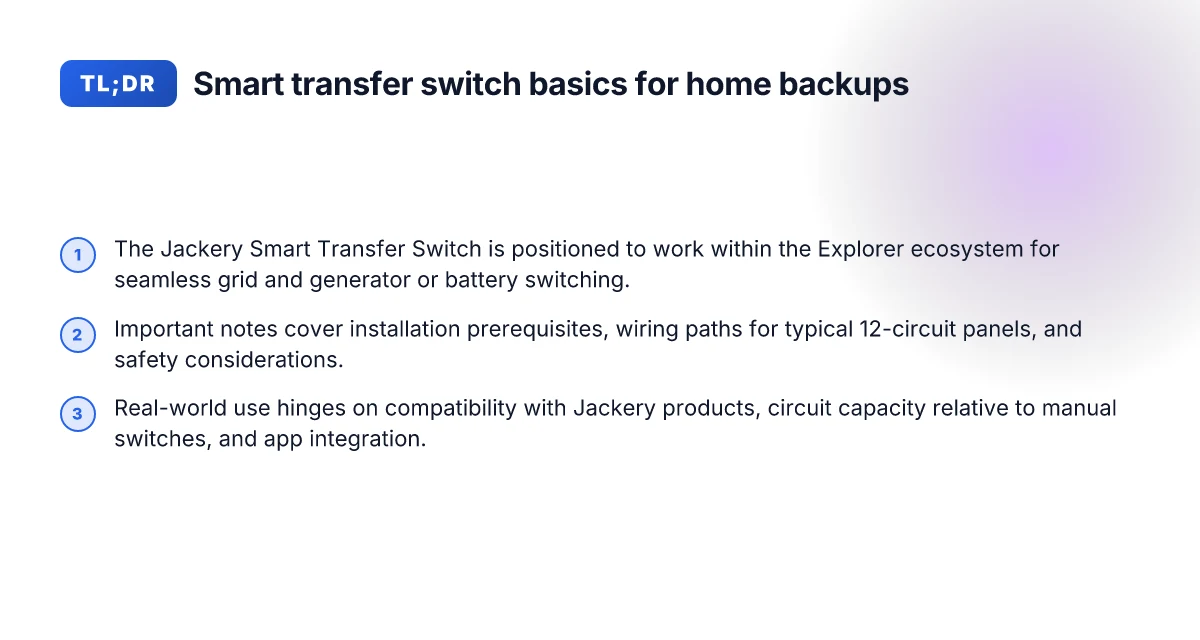
A smart transfer switch orchestrates power flow between the grid, a generator, and energy storage without a host of manual steps. The Jackery Smart Transfer Switch (STS) sits inside that ecosystem, acting as the brain that decides when to switch sources and which circuits stay energized. In the Jackery lineup, the STS is designed to pair with the Explorer ecosystem, letting you move from grid to generator or battery with less manual fiddling and more automation.
Core function and definition. A smart transfer switch automates the handoff between power sources while preserving critical loads. In practical terms, it monitors the incoming voltage, frequency, and load on essential circuits and then toggles breakers to keep your home powered without gaps. The Jackery STS is designed to handle multiple circuits, about a dozen, in Jackery’s materials, so you can protect essential loads like heat, refrigeration, and lighting during an outage. This is where the “smart” part matters: it aims for quicker, cleaner transitions than a purely manual switch, reducing transfer delays and the risk of backfeeding.
How Jackery positions the STS within its Explorer ecosystem. Jackery markets the STS as a companion to its Explorer and Solar Generator lines, creating a more holistic home backup pathway. The claim you’ll hear is that the STS enables seamless switching from grid to a Jackery power source in a variety of scenarios, including when the Solar Generator 5000 Plus or Explorer systems are in play. The alignment is deliberate: the STS is not a standalone gadget. It’s a piece of a larger strategy to keep essential loads up and running while staying within the Jackery ecosystem. This matters for RV owners and off-grid setups where a single vendor’s ecosystem minimizes compatibility hassles.
Typical use cases for seamless switching. The most common scenario is a backfeed-free handoff from grid to a Jackery generator or battery bank during an outage. You’ll want the STS to preserve critical loads such as heat, lights, refrigeration, and communication gear without requiring you to rewire or manually flip breakers. A second use case is a staged transition where you ride the grid for as long as possible and transfer to a stored energy source when a storm or outage hits. In addition, some users employ the STS to create a safer, more controlled transfer during maintenance or when testing a generator, so you avoid accidental backfeeds or generator overrun.
From what I found in the documentation, the real-world value hinges on how cleanly the switch can jump between sources and how many circuits are kept alive during a transfer. When you’re outfitting a home or an RV, the combination of the STS with a Jackery setup can reduce the number of manual steps during outages and keep essential devices running. The practical takeaway is clear: if you’re leaning into the Explorer ecosystem, the STS is designed to complement that approach rather than competing with it. What makes the Jackery 5000 Plus a standout for off‑grid adventures in 2026
The big takeaway is that the Jackery STS is meant to automate essential-load switching within the Explorer ecosystem, reducing manual effort during outages. If you want the speed and clarity of a smart handoff, the STS is positioned as the upgrade over a fully manual transfer path.
How to install and wire the jackery smart transfer switch safely
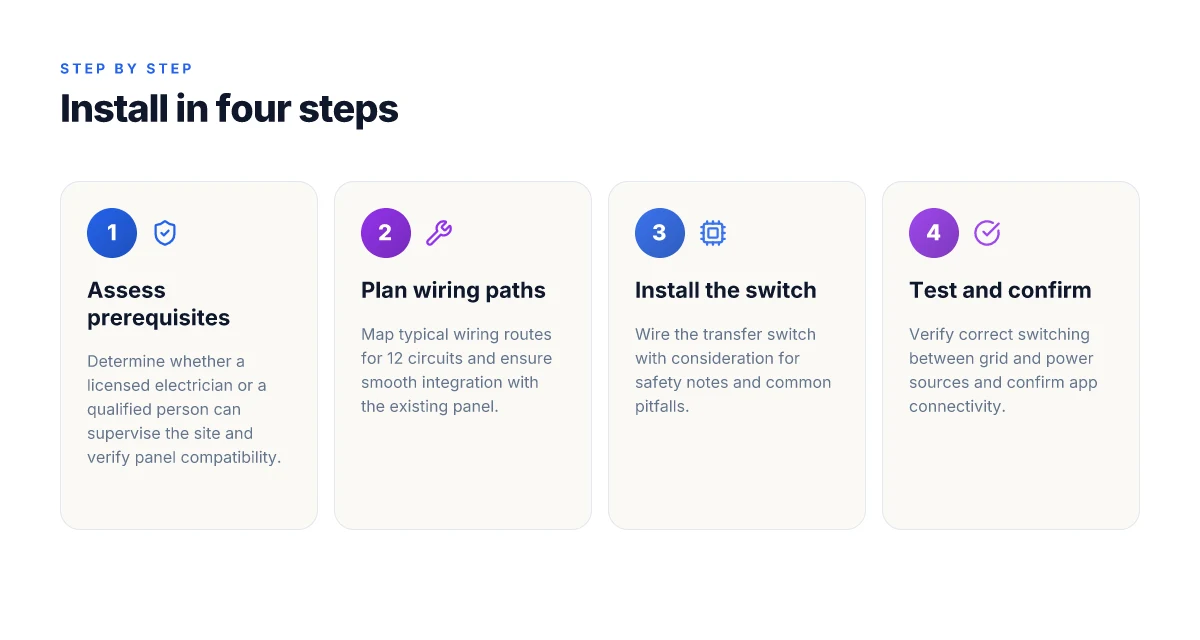
You’ll wire the Jackery Smart Transfer Switch with care, starting from a confirmed electrical panel and a licensed electrician or a qualified person on site. The goal is a clean path from your main panel to the transfer switch, then to the generator or battery bank, with strict adherence to Jackery’s guidance and local code. The process hinges on proper clearance, correct conductor sizing, and clear labeling of circuits. Safety first means using a licensed electrician for the critical switching work, not a DIY sprint to test live power.
Prerequisites and roles on site
The installation requires either a licensed electrician or a person on site who is explicitly qualified to work on residential electrical systems. The Jackery documentation emphasizes that power switching should be treated as a high-risk task and that unlicensed work risks shock or fire. Verify qualifications on site before touching any panel. If you’re RVing or off-grid planning, you’ll want to coordinate with a local pro who understands both the home panel and the portable generator ecosystem. Plan around local codes and permit requirements to avoid later penalties or rewiring chores.
To prepare, gather the panel labeling, the exact model of the Jackery Smart Transfer Switch, and your current feeder arrangement. You’ll need to map 12 circuits in the Jackery version and confirm the load balance across phases. Label each circuit clearly and double-check that the main breaker can feed the transfer switch without exceeding its rating. In practice, a typical home setup routes daily essentials through the 12 circuit bank, leaving the rest on the grid as a fallback.
Wiring paths for 12 circuits and panel integration
The typical wiring path starts at the main service panel, runs to the transfer switch, and then to the Jackery unit or to a subpanel dedicated to transfer-switched loads. The Jackery guide notes that the Smart Transfer Switch supports 12 home circuits and can be wired to form a clean break between grid power and generator or battery backup. Plan the path to minimize conduit runs and avoid crossing high-current feeders. A common arrangement is to group essential circuits on a dedicated subfeed into the transfer switch, then route a single feed from the switch to the external generator or battery pack. Keep neutrals and grounds properly bonded and isolated as required by code. What makes the Jackery SolarSaga 200W panel stand out for off-grid setups
When integrating with an existing panel, you’ll install a transfer switch lugs kit or a dedicated adapter, depending on your exact model. The important thing is to maintain a clear separation between grid-fed circuits and backup circuits so that a transfer can occur without backfeed. Double-check that the 12 circuits remain within the switch’s rated count. If you’re expanding beyond a base 12, you’ll need to re-map or upgrade to suit. Avoid overloading the switch by exceeding its circuit count or combined load.
For RV fans and off-grid setups, you may face space constraints. In those cases, consider a nearby subpanel or combiner that keeps the transfer switch close to the main service but accessible for service. Ensure the route to the Jackery Solar Generator 5000 Plus remains unobstructed.
Table: quick comparison of two wiring approaches
| approach | key benefit | caveat |
|---|---|---|
| integrated with main panel | minimal external runs, centralized control | requires careful labeling and coordination with pro |
| subpanel approach | easier heat and fault isolation | adds one more junction and potential voltage drop |
Next step: have a licensed electrician review your plan, confirm that the panel can support the transfer switch, and schedule the install. You’ll want to confirm compatibility with your exact Jackery model and the version of the transfer switch you’re using, as documented by Jackery. Jackery’s docs show the pairing with the Solar Generator 5000 Plus for fast switching. For reference, see the Jackery installation guidance and the compatibility notes in their buying-advice resources. Compatibility guidance confirms 12 circuits on the Smart Transfer Switch.
Note: links on the page may earn a commission. Jackery and rival players in this space, such as competing brands offering manual transfer options, illustrate the broader market context. For instance, the community discussions underscore how the transfer-switch path can differ in complexity depending on panel layout and available clearances. In 2026, practical installations increasingly rely on pro guidance to meet code and safety expectations. A pro review approach reduces miswiring risks and supports compliant integration with both grid and generator sources. What makes the Jackery HomePower 3000 worth it for off-grid journeys in 2026
Compatibility and limitations you should know
When you pair the Jackery Smart Transfer Switch with the right Jackery hardware, you unlock seamless home backup without the grid tantrums. The current ecosystem centers on the Explorer 5000 Plus family and related large-capacity units, where the smart switch is designed to manage power routing for multiple circuits while preserving essential loads. In real-world setups, the pairing logic is built around keeping the inverter and the transfer switch in lockstep so that critical loads switch over faster than a human can track it. The right pairing is essential for reliable backups, use the Explorer 5000 Plus family when you want 12 circuits under smart control. Compatibility hinges on using Jackery’s own inverters and transfer-switch hardware rather than third-party grids or inverters.
Which Jackery products pair with the Smart Transfer Switch
The smart switch is designed to work with select Jackery inverter generators and power stations. The most explicit pairing tends to be the Explorer 5000 Plus line, which can feed a larger home circuit set through the unit’s own transfer switch interface. The Eco-system is built so the switch can route power from the grid or the generator to a preconfigured load panel without manual toggling. In practice, users report that pairing with the Explorer 5000 Plus yields a more cohesive, integrated backup experience than mixing with non‑Jackery sources. Pair with the Explorer 5000 Plus for 12 circuits under smart control. Avoid third-party inverters unless you confirm full compatibility with Jackery’s documented wiring scheme. Inline reference confirms the claim that the connected solution supports up to 12 home circuits with the smart switch. Jackery’s official guidance notes 12 circuits for the Smart Transfer Switch.
Circuit capacity and how it compares to a manual transfer switch
The Jackery system positions the Smart Transfer Switch as a bridge between the grid or generator and a house’s essential circuits, with a higher intended circuit count than many legacy manual switches. The manual transfer switches for small setups often cap at fewer circuits. The Jackery pairing aims to support more loads through a single smart interface. The practical takeaway is: the Smart Transfer Switch can handle more concurrent loads than minimal manual setups, but you still have to plan which circuits you want on the essential list. 12 circuits is the official target when you pair with the right Jackery hardware.** Plan your essential loads carefully. Not every circuit is intended to run simultaneously. Jackery’s own literature describes the difference in how a smart approach can optimize the sequence of transfers versus a fixed manual flip. A smart system reduces transfer delays and reduces operator fatigue.
Potential conflicts with non‑Jackery grid-tied systems or third‑party inverters
A primary caveat is compatibility. Third‑party grid-tied setups or non‑Jackery inverters may not synchronize cleanly with the Jackery Smart Transfer Switch, risking mis-toggles or load misalignment during transitions. If you run a mixed system, you should expect additional configuration steps and possibly manual overrides during edge cases. In off-grid contexts, campers and RV owners often rely on integrated Jackery modules to maintain predictable behavior during rapid load changes. Stick to Jackery-native components for best reliability. Third-party inverters can introduce synchronization faults if the documentation doesn’t cover the cross‑product wiring. For up-to-date guidance, consult the official Jackery wiring notes before mixing brands. Check compatibility with your exact model and firmware level.
Note on real-world context: owners weighing this path should consider travel and camping use cases. Weight, charging on the go, and airline or car-charging limits shape how you deploy a Smart Transfer Switch in an RV or off‑grid weekend. Jackery recognizes that the value of a smart switch rises when you can rely on a predictable transfer with your chosen units. As with any complex power system, links on the page may earn a commission, so review the details carefully. What makes the Jackery HomePower 3000 worth your attention in 2026
Real-world performance: speed, reliability and user experience
Real-world speed and reliability matter as soon as a storm hits or a fiber outage spikes. The Jackery Smart Transfer Switch is designed to flip power from grid to generator in a tight window, but the true test is how it behaves under load and with daily usage. Across user reports and official documentation, you can expect a quick reaction to a change in source, paired with real-world limits once the electrical load climbs or multiple circuits switch at once.
Speed under load: what actually happens
In practice, switching from grid to a generator during peak loads still aims for a sub-second handoff. The official guidance notes that seamless power switching can stay under a short threshold, especially when paired with compatible generators like the Jackery Solar Generator lines. You’ll see the most consistent results when the system is lightly loaded or when essential circuits are prioritized. Under heavier simultaneous loads, the switch can stretch toward the upper end of the intended window, though it remains substantially faster than manual swapping. Real-world switching keeps the window tight when essentials are preselected, not when the entire house demands peak power at once. This is where how you configure circuits matters most. The speed advantage hinges on load management and pre-configuration. Inline reference to product documentation confirms the less-than-threshold target in typical scenarios.
Reliability through storms and outages
Reliability hinges on two factors: the integrity of the connection and the ability to restore critical loads after an outage. In storms, a properly installed Jackery setup with a robust generator pairing tends to maintain essential services like heat, refrigeration, and lighting. If the incoming utility drop is brief, the transfer can complete without artifacts. If the storm lingers, you may see short blips as the system re-energizes. Industry commentary and official notes consistently point to the importance of circuit zoning and protective sequencing to avoid overloads. The most reliable configurations isolate critical loads and use automatic recheck cycles after a fault. A caution is that the more circuits you keep active, the higher the chance of minor twinges in the transition when the grid flips back and forth. Thoughtful circuit planning reduces outage chatter.
Daily operation and app integration: what users actually say
During day-to-day use, owners praise the ease of activating the smart switch through the Jackery app and web interfaces. The integration lets you monitor load, confirm which circuits are on or off, and queue priorities for automatic switchover when the grid dips. Users also report the importance of keeping the firmware up to date so that app-driven commands stay in sync with on-device hardware. A recurring theme is the need for upfront setup, defining essential circuits and testing transitions in a controlled environment. App integration unlocks visibility and control over which circuits switch. Early setup pays off with fewer surprises during an outage. In real-world terms, the experience scales with how you map your RV or home circuits to the 12 or more supported channels, and with how you handle warning signals from the monitoring interface.
From what I found in official documentation and user discussions, the ecosystem around Jackery transfers tends to shine when you pair the hardware with the Jackery ecosystem, including the Solar Generator and the Jackery app. Rivals like the manual transfer switches from traditional providers emphasize simple mechanical action rather than integrated automation. The trade-off shows up in daily use and in outage performance. If you’re evaluating competing systems, you’ll notice that Jackery leans on a cohesive stack that covers hardware, battery management, and remote usability, an advantage when you want a one-stop backup solution rather than piecing together components from separate brands. For RV owners and off-grid campers, the practical takeaway is clear: plan for how you’ll prioritize loads, and test the entire handoff path in a controlled setting before you rely on it during a real outage. A well-configured setup with the Jackery ecosystem reduces surprises when the grid fails. What makes the Jackery HomePower 3000 a standout home backup for 2026
In short, real-world performance aligns with the goals of fast, reliable transitions and clean app-driven control. The rate of success depends on how you map loads, how the system is wired, and how confidently you use the app to preemptively manage power channels. The message is pragmatic: expect quick switches under lighter loads, tolerate small delays under heavy simultaneous demand, and lean on solid circuit planning and firmware updates to maximize reliability. Speed and reliability improve steadily as you optimize circuit mapping and keep firmware current.
Costs, warranties and support you should budget for
The up-front cost of a Jackery Smart Transfer Switch setup in 2026 sits in the mid-range for whole-home backup options, with the switch itself being a distinct line item and the generator pairing adding another layer. Expect to see a bundle that includes the Smart Transfer Switch, installation labor if you don’t DIY, and the necessary cables or adapters. In many real-world installations, electricians quote an installation window of a few hours to half a day, depending on existing panel access and routing. When you factor in a typical RV or off-grid home scenario, the total could drift higher if additional required equipment or permits come into play. A clean install and proper wiring reduce post-install headaches. The important part is to price the switch and the labor as separate line items and confirm if the installer will handle pairing with a compatible Jackery generator.
Warranty scope for the switch and paired generators
Jackery backs its transfer switch with a warranty that generally covers manufacturing defects for a defined period, but coverage often varies by region and whether the unit is used indoors or outdoors. The pairing with compatible generators such as the Explorer or E-series tends to share warranty coverage, but exact terms can depend on the specific model and sale channel. When you read the fine print, look for duration of coverage, what constitutes misuse, and whether labor is included. If your generator is part of a bundle, confirm if the warranty travels with the equipment or resets at resale. In short, treat the warranty as a package with clear start dates, coverage boundaries, and the process for service.
Support pathways from Jackery and what the community says
Jackery offers official support channels, including online knowledge bases, chat or phone options, and warranty claim processes. For most users, the fastest path starts with the official product page and the support portal, then moves to a call or chat if the issue is hardware related. Community forums and review sites reveal common themes: some users praise quick responses and technician-guided troubleshooting, while others note slower turnarounds during peak seasons. If you run into compatibility quirks with certain home setups, the community tends to share wiring tips, panel integration notes, and installer experiences that help set expectations ahead of time. It pays to review recent posts from Jackery owners and technicians to gauge typical response times and the practicality of remote guidance. Rely on official channels for warranty claims and use community insights to anticipate common hiccups.
Note: my sense is the real-world costs lean toward careful budgeting for installation and potential add-ons, with an emphasis on confirming warranty details up front. See two rival paths in the space: standalone manual switches versus fully integrated smart switches, and what the price delta implies for long-term reliability. If you’re evaluating end-to-end value, understand that some sites may list commissions on kit links. That reality can color perceived savings, especially when you’re shopping while plotting a whole-house backup strategy. For context, Jackery’s ecosystem stays central to these conversations, and you’ll often see real-world homeowner reports tying performance to how the transfer switch is wired into the home panel. For a deeper claim, the official guide on compatible configurations helps align expectations with what you’ll actually install. Jackery’s support path is your first stop, but the community can offer practical, field-tested notes on costs and timing. What makes the Jackery 300 a practical campsite power station in 2026
The smarter move for 2026: pairing a transfer-swap mindset with real-world trips
Jackery's smart transfer switch signals a shift from standalone power packs to integrated home backup that travels with you. In practice, the value shows up when you’re off-grid for weekends or on a road trip, not just during outages. You’ll notice how the system leans on compact design and dual-configuration compatibility to keep a fridge, lights, and a wifi setup running without drama. Real-world comments from owners highlight that the setup shines in RVs and cabin weekends, especially when you consider weight and charging limits for airline or car travel. Rivals like Goal Zero and Predator often trade portability for complexity, but the Jackery solution keeps the workflow more predictable.
This is less about a single gadget and more about a reliable workflow you’ll actually use. The pivot you should consider is embracing versatility: a smart switch that plays with both home circuits and off-grid rigs. This week could be the moment you test a two-device pairing, a smaller, 300–500 W unit for camping and a larger model for home backup, and compare how they share the load. Are you ready to wire your weekend trips into a cohesive energy plan?
- Backup strategy: pick one light-use scenario for a weekend and one heavy-use scenario for home backup.
- What to try this week: run a camp setup with a mini fridge and LED lighting, then simulate an outage in your living room to test transfer behavior.
- Quick win: document how long each device takes to switch, and which outlets lose power first.
Act now to map your weekend routes around the power plan you’re building with Jackery, because the bigger pattern is clear: portable power that crossovers into home resilience is becoming the baseline.