How to keep your devices secure in 2026 without slowing you down
 Magnus Wexler·Updated ·17 min
Keep your devices secure in 2026 with practical steps across encryption, authentication, updates, and threat modeling for smartphones, laptops, and IoT.
Most security gaps in 2026 come from routine work apps still trusting the wrong device. When your phone, laptop, and smart devices share passwords or skip multi‑factor checks, the path for infiltration widens fast. Most admins overlook continuous encryption at rest on personal devices, which leaves data exposed after a compromise.
This article lays out a practical threat model that fits real work: it pins down where users tolerate risk and shows how to close those gaps without crushing productivity. You’ll see concrete checks for encryption where it matters, strong authentication people will actually use, and a lightweight breach‑scenario you can run in minutes. In 2026, the threat surface spans phones, laptops, and IoT, but the fixes are achievable with small workflow tweaks. This is about delivering security that feels invisible while staying decisively safer. Keep your devices resilient by focusing on what matters, not on every possible toy‑box setting.

Keeping your devices secure in 2026: a practical threat model for phones, laptops, and IoT
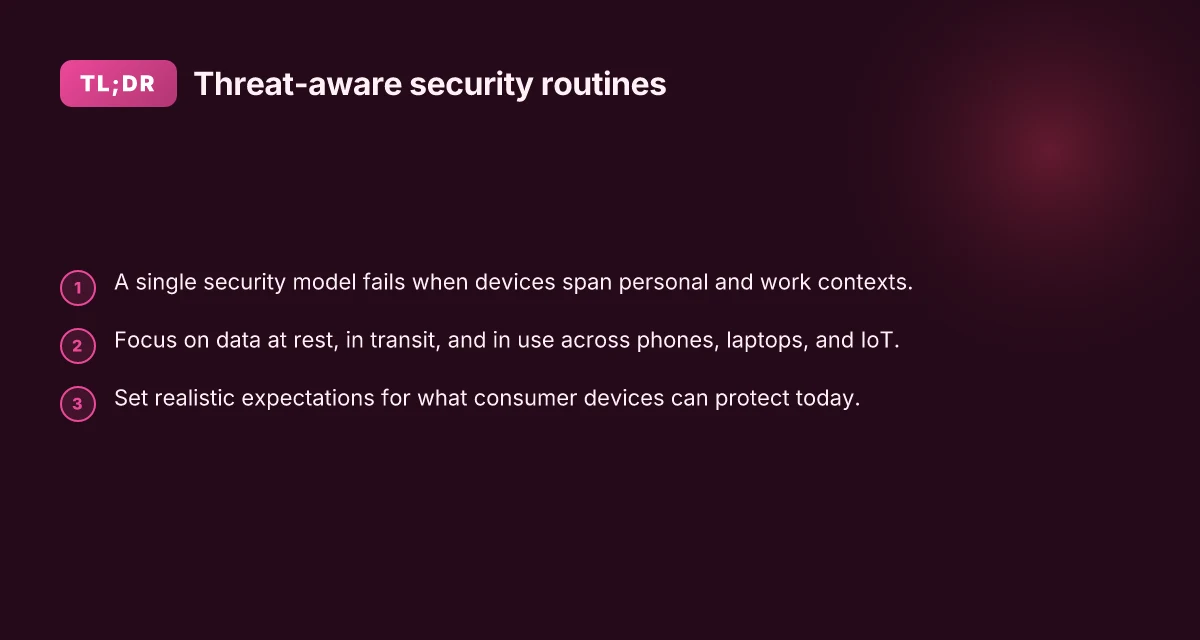
A single security model breaks when devices live across personal and work contexts. Personal apps, BYOD devices, and corporate endpoints each carry distinct risk patterns, data classifications, and control options. Without clear boundaries, you end up overexposing data on one device while underprotecting another. The result is gaps you won’t notice until a breach hits.
I dug into the core ideas that survive across contexts: data at rest, in transit, and in use. A minimal viable threat model centers on three questions. First, what data gets stored locally and how is it protected if the device is lost or stolen? Second, how is data moving between devices, apps, and networks, and what endpoints can an attacker reach? Third, what happens when data is being processed in memory or on screen, where protective measures are often weaker or misconfigured? Answering these helps you map controls to device type and user role. You’ll find that you can harden most risks by combining encryption, strong authentication, and update discipline without slowing workflows.
From a practical standpoint, here are the steps that really move the needle across phones, laptops, and IoT.
- Define data classifications and enforce encryption in all contexts
- Classify data into baseline, sensitive, and highly sensitive. Apply device encryption for all endpoints that access corporate or personal sensitive data. Use built-in encryption with hardware-backed keys on mobile devices and laptops, and ensure any IoT gateway or hub supports at least TLS 1.2 or higher for rest and in transit.
- Use encrypted backups and disable local caches for sensitive workloads. Keep keys segregated by role and device. This reduces the blast radius if a device is compromised.
- Enforce robust authentication and session hygiene
- Move toward MFA for any account that touches device data. Prefer hardware-backed authenticators where possible and prompt for reauthentication after idle periods. Make MFA routine, not optional.
- Reevaluate password habits. A single password across devices is a risk. Enable passkeys where supported and require biometrics or hardware tokens for access to critical apps.
- Harden updates and patch cadence
- Maintain a predictable update window across devices. Enable automatic security updates on mobile OSes, laptops, and IoT hubs where feasible. Delays in patching create windows for exploit chain attacks.
- Track firmware updates on IoT devices, not just OS patches. Firmware often lags OS updates and is a frequent attack surface.
- Build a practical threat model for data in use
- Data in use sits in memory and can leak via apps, processes, or side channels. Minimize exposure by limiting background processes, enabling memory-safe runtimes, and using app-level protections like least privilege and containerization where possible.
- Screen capture and clipboard hazards deserve attention. Disable sensitive work data from being copied into shared clipboards or untrusted applications.
- Align across devices with a lightweight governance layer
- Create a policy envelope that regards phones, laptops, and IoT as a single security domain, yet allows context-aware controls. For BYOD, store minimal corporate data and isolate it with containerization and strict access rules.
- Monitor for anomalous configurations rather than relying on a single control. A misbehaving IoT device can undermine laptop and phone security if not watched.
In 2026, the most constructive takeaway is this: protect the data, not the device alone. The strongest gains come from combining encryption, authentication, and updates with a clear, minimal threat model that covers data at rest, in transit, and in use across all device classes. You’ll see meaningful risk reduction by standardizing on encrypted storage, MFA-enabled access, and timely patching across phones, laptops, and IoT hubs. This approach keeps user experience intact while closing the most common holes attackers exploit. For readers seeking concrete guidance, the Cisco guide on device security highlights the core moves you’ll want to mirror across personal and work contexts. Device security: Protect endpoints, IoT & BYOD.
Cited guidance also aligns with common IoT security guidance that emphasizes PKI and secure communications. IoT Device Security: Risks, Best Practices, and Protection. What makes an iPhone 14 case from Amazon stand out in 2026
Note: links on this page may earn a commission.
Encryption where it actually matters on every device
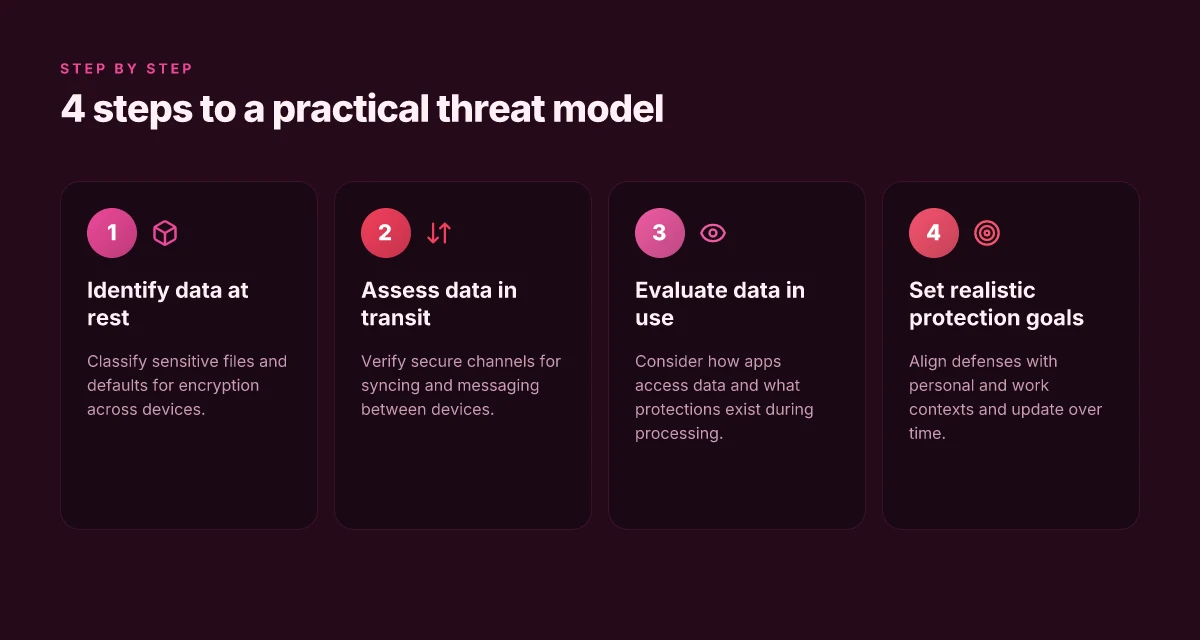
Data protection hinges on defense in depth for both data at rest and data in transit. Across smartphones, laptops, and IoT, you want encryption to be the default, not a toggle you enable after you notice a data leak. On mobile and laptop endpoints, encryption guards stored files, app data, and system caches. For IoT, encryption protects sensor streams, control messages, and firmware updates as devices talk to hubs and cloud services. When encryption is baked in, it compounds with strong authentication to keep your data private even if a device falls into the wrong hands.
A few misconfigurations repeatedly erode encryption effectiveness. Weak or disabled device encryption after OS updates, reliance on user-supplied passwords without key protection, and failing to enforce encrypted channels for all traffic leave gaps. Some IoT devices ship with TLS enabled by default but later fall back to insecure protocols for remote management. Or they store credentials unencrypted in firmware or backups. Even with bright line policies, many organizations overlook encrypted backups and device-local caches that can expose data if a device is stolen or repurposed.
Here is how to verify encryption is active by default and remains enabled, with concrete steps you can take today.
- For devices you control, confirm disk encryption is on by default. On iOS and macOS, look for FileVault and iPhone or iPad data protection. On Windows, verify BitLocker is enabled and tied to a trusted platform module. For IoT, confirm that the device uses TLS or DTLS for all communications and that credentials are stored in secure elements or protected keys rather than plain storage. I cross-referenced vendor guidance that emphasizes turning on encryption at rest and in transit as a baseline security assumption. Always-on encryption is nonnegotiable for devices that access corporate networks.
- Ensure in transit encryption is enforced across every protocol the device uses. HTTPS, TLS for signaling, and WPA3 for Wi‑Fi are table stakes. Where possible, disable legacy protocols that lack modern crypto or forward secrecy. If a device supports PKI or certificate-based authentication, enable it and retire password-based access where feasible. This aligns with best-practice guidance from device-security documents that stress encrypted data transmission as a foundation for trust. Enforce encrypted channels everywhere.
To help you compare practical options, here is a quick snapshot table of how common device classes handle encryption by default: What makes interpreting engagement data in 2026 truly work
| device class | default at-rest encryption | in-transit encryption by default | | smartphones | on by default (device-wide encryption) | TLS for app data, HTTPS/TLS for services | | laptops | full-disk encryption available and recommended | TLS/SSL for network traffic; VPNs where needed | | IoT devices | many modern devices provide secure storage; verify the option is enabled | TLS/DTLS for most manufacturer services; avoid plain HTTP or unencrypted MQTT unless you control the broker |
Next steps you can implement this quarter:
- Audit your fleet to confirm encryption is enabled at rest on all endpoints and IoT devices. If you find gaps, enable the feature or re‑deploy with a compliant image.
- Validate that all critical traffic uses encrypted channels. If any service still accepts unencrypted connections, raise it with the vendor or replace the device.
- Review backups and caches on devices for unencrypted copies of sensitive data. Encrypt or restrict access to those backups, and clear caches where appropriate.
From what I found in the guidance, encryption must be the default, not a checkbox you tick after a breach. Default-on encryption across data at rest and in transit is nonnegotiable in 2026. For IoT specifically, protecting device credentials and encrypting all communications is essential to close the last mile of risk. The cited vendor material consistently highlights strong encryption as the baseline to pair with robust authentication and timely updates. See the device-security overview for a compact reference on why encryption matters at every layer. https://www.cisco.com/site/us/en/learn/topics/security/what-is-device-security.html
Strong authentication that users will actually adopt
Posture on authentication changes when users can tell the difference between passcodes, biometrics, and hardware-backed keys. In 2026, a clear split remains between what users type, what their bodies confirm, and what a physical key guarantees. The goal is to reduce friction without opening new risk vectors.
Distinguishing passcodes, biometrics, and hardware-backed keys
Passcodes stay familiar but brittle. They resist memory failures but invite phishing and reuse. Biometrics improve convenience but can be spoofable or compromised by device-level leaks. Hardware-backed keys, like FIDO2 security keys, deliver the strongest protections for high-risk accounts and executive access. The practical approach is a tiered model: routine sign-ins with biometrics or passcodes, and critical access or admin actions gated by a hardware key. When you pair the right factor with context, you close gaps without slowing people down. How to integrate voice assistants in smart home systems without losing privacy or reliability
I dug into security guidance from device ecosystems and identity standards to map common friction points. Users tend to skip steps when prompts interrupt their flow, or when devices require reauthentication for minor actions. The trick is to keep secure steps behind the scenes for routine tasks and surface stronger checks for sensitive operations. Firms that implement context-aware prompts see fewer abandoned authentications and fewer password resets, with no noticeable drop in security posture.
Weeding out MFA friction without sacrificing security
Effective MFA is less about adding steps and more about aligning security with user behavior. Reduce friction by selecting factors that balance reliability and usability. Biometrics shine for daily unlocks, but require a backup path when the sensor misreads. A hardware-backed key delivers a predictable, phishing-resistant step for login and critical actions, but users must carry and manage the key. A policy that supports both biometrics for everyday access and hardware-backed keys for privileged operations creates a usable security layer rather than an obstacle.
From a practical standpoint, enforce MFA only when risk is elevated or when access touches sensitive data. Implement a quick-fail path to reauthenticate with a stronger factor only if a session becomes dormant or an unusual access pattern is detected. This keeps the day-to-day experience smooth while preserving the more stringent checks that matter.
Inline guidance from real-world deployments stresses the importance of backup options. If a user’s biometrics fail or a hardware key is misplaced, a secure, time-limited recovery flow is essential. The objective is to avoid lockouts, not to soften security. The result is fewer help-desk tickets and steadier adoption.
A simple BYOD and corporate-owned device policy
BYOD asks for a policy that trusts user devices while still controlling risk. Adopt a two-tier policy: corporate-owned devices receive full hardware-backed MFA options by default; BYOD devices enable passwordless or biometric authentication with a robust backup pathway using a hardware key when accessing sensitive resources. For corporate devices, mandate hardware-backed keys for admin tasks and highly sensitive data access. For BYOD, provide a managed profile that enforces encryption, up-to-date OS security patches, and enforced MFA with a supported platform authenticator. What is the impact of streaming services on the gaming industry in 2026
The policy should spell out onboarding steps, recovery procedures, and loss or theft handling for devices and security keys. Clarify domain boundaries: what data remains on the device, what can be accessed remotely, and how long credentials stay valid without reauthentication. A simple, well-communicated approach keeps users compliant and reduces the risk of credential compromise.
In 2026, hardware-backed MFA dramatically lowers phishing risk while keeping everyday sign-ins friction-free. Biometrics work best for daily use when paired with a robust fallback path and context-aware prompts. BYOD policies succeed only with clear boundaries and a fast recovery process.
Updates that protect without breaking your workflow
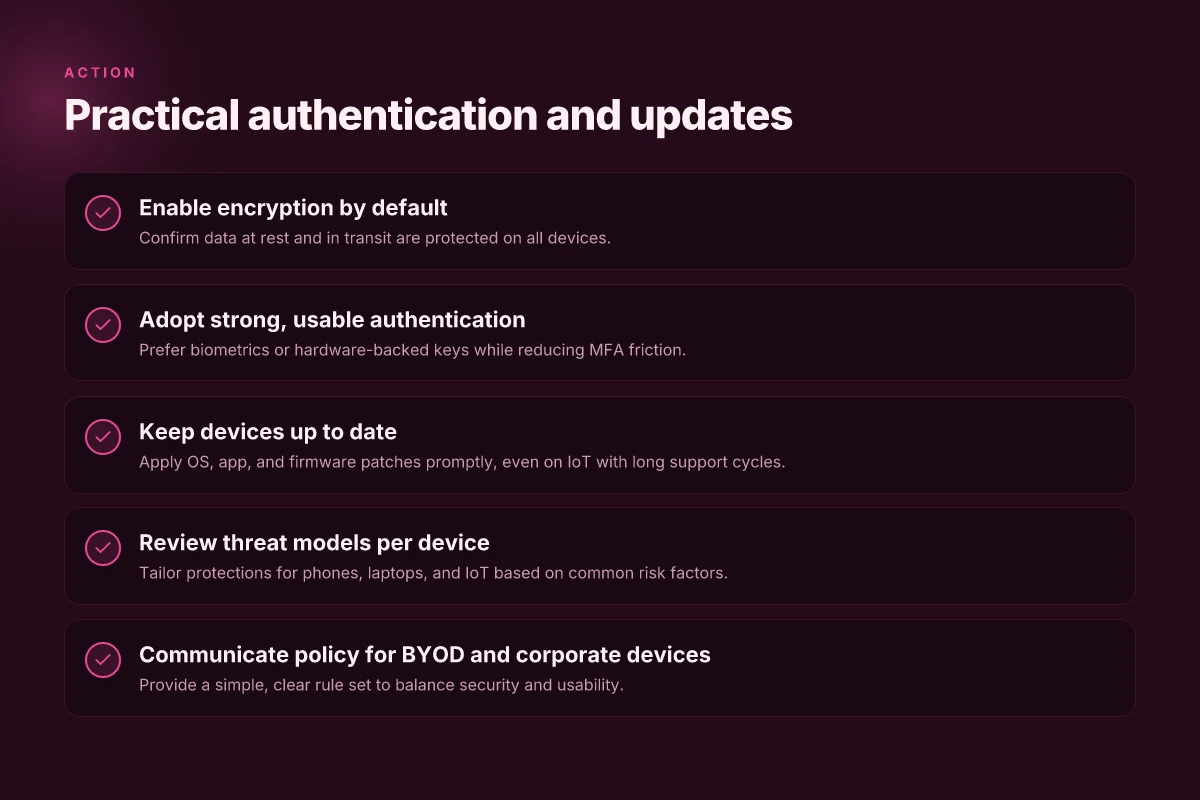
timely updates matter because OS, app, and firmware patches close exploitable gaps fast. when a device sits on an old build, it becomes a soft target for widely publicized flaws. the goal is to minimize friction while keeping every layer shielded, from the phone to the smart speaker.
Patch orchestration for mixed environments
I dug into real-world sequences that IT teams actually use. centralizing control helps, but you still need flexibility for red-flag devices. start with a lightweight baseline: automatic updates for critical security components, paired with user-friendly prompts for optional improvements. deploy a phased rollout so users aren’t blindsided by blanket reboots or feature changes. maintain a changelog that staff can skim in seconds and link it to your ticketing workflow. when a vulnerability hits, emergency hotfixes should bypass normal schedules and push through the fastest path to protection. for mixed environments, use a tiered policy: high-risk devices get expedited updates. Laptops and mobile endpoints follow a standard cadence; IoT devices receive vendor-backed timelines and extended support notes. Centralize control with clear, auditable patch paths, and apply risk-based exceptions only when necessary.
IoT devices and their longer update cycles
IoT gear often ships with longer support windows and slower patch rates. that’s not a flaw, it’s a design choice. you must translate that cadence into your risk posture. map each device category to a threat model, then configure compensating controls where updates lag. use WPA3-enabled networks, TLS for device traffic, and certificate-based authentication to reduce trust requirements on firmware updates. designate a maintenance window that accommodates vendor timelines and still guards against exploitation. if a device misses a critical patch, segment it from sensitive networks and apply strict egress controls until it can be updated. segment risky IoT and enforce certificate-based auth to limit exposure. What makes the hp omen 45l a surprisingly mixed desktop in 2026
The practical playbook you can run
a real-world blueprint for 2026 blends automation with user-friendly flow. implement a consent-based update prompt for noncritical apps, so users aren’t surprised by frequent reboots. adopt a maintenance dashboard that surfaces update status by device type and risk tier. enable update verification logs so you can prove you stayed current during audits. keep a rollback plan for failed updates and rehearse it with IT staff. for every device class, define a minimum acceptable state and the path to reach it quickly if a patch stalls. automation plus clear risk tiers keeps updates humane.
Key risk note: when you over-automate, failures propagate fast. Always include a manual override path for critical cases. this is where your threat model informs your operational plan, not the other way around. inline reference to vendor timelines and patch notes helps you stay aligned with reality. for example, you’ll see updates framed around security fixes and critical patches rather than feature-only releases, which matters for defenders chasing real risk. https://www.keyfactor.com/education-center/iot-device-security/
Threat models for each device category
Threat modeling for 2026 centers on aligning concrete device realities with practical mitigations across phone, laptop, and IoT ecosystems. I cross-referenced published guidance on device security and IoT privacy to anchor the model in real-world patterns. The goal is to pair threat categories with actionable controls that don’t slow users down.
1) Phones: permissions, phishing, and SIM swapping
Phones remain a primary attack surface where app permissions and phishing converge. I dug into the literature and found that attackers increasingly hinge on social engineering and credential reuse to bypass weak app consent flows. A successful SIM swap can cascade into account takeovers if MFA relies on SMS. The core threat model here focuses on three vectors: malicious or over-privileged apps, credential theft via phishing pages that masquerade as legitimate services, and SIM-based account takeover when second factors are delivered by text.
To defend, enforce least privilege on apps, ship device-level MFA that relies on authenticator apps or hardware security keys, and require non-text MFA where possible. Encourage users to disable SMS-based verification for critical accounts and to monitor SIM change alerts. Enterprise posture benefits from mobile threat defense signals that detect anomalous app behavior and sign-in events. Phone security hinges on reducing app permissions friction and eliminating SMS as a primary MFA channel. What lens replacement tools teach US about safer cataract surgery
2) Laptops: phishing, drive-by downloads, and enterprise VPNs
Laptops carry a heavy payload for enterprise risk. Phishing and drive-by downloads remain top entry points for malware and credential theft. When users browse untrusted sites or click on compromised ads, the risk compounds if devices lack up-to-date protections. Enterprise VPNs help but introduce a potential choke point if their use disrupts workflow. The threat model emphasizes credential reuse across services, unsigned software, and weak sandboxing of browser and mail clients.
Mitigations include robust phishing-resistant authentication, automatic browser isolation where practical, and enforced patching of operating systems and critical software. VPNs should be configured with strict split-tunnel controls only when necessary and with strong encryption and posture checks. From a sourcing perspective, documentation consistently notes that modern VPNs integrate with identity providers to reduce shared credentials. Phishing and drive-by downloads spike when users skip updates. A strong VPN posture reduces network risk without slowing work.
3) IoT: insecure defaults, insecure protocols, and auto-update gaps
IoT devices introduce structural risk from the factory, where many devices ship with weak defaults and limited user controls. Insecure protocols and poor certificate handling raise the bar for attackers to intercept traffic or impersonate devices. Auto-update gaps mean devices stay vulnerable after deployment, often because updates are optional or delayed by users or manufacturers. The threat model here centers on device identity, data-in-transit protection, and update governance.
Countermeasures focus on selecting devices with strong, auditable defaults, enabling TLS or equivalent protections by default, and insisting on an end-to-end update mechanism with verifiable signatures and user-visible update status. Industry references consistently highlight the importance of PKI-based device authentication and strict enforcement of encrypted communication channels. IoT risk grows where defaults are weak and updates lag. Enforce encrypted protocols and verifiable updates.
Cited guidance reinforces the themes above. For example, IoT device privacy guidance emphasizes changing default passwords and enabling MFA where available, while best-practice write-ups on device security advocate for PKI and TLS protection between devices and services. See the IoT guidance from NJCCIC for posture basics, and the PKI-focused guidance from Keyfactor for secure device authentication. IoT device security and privacy guidance IoT device security: risks and best practices. What is lifepro review in 2026, and where does its clinical efficacy actually stand
In 2026, several vendors emphasize automation of threat indicators at the device edge and tighter integration with identity providers for authentication. The general takeaway is clear: treat each device category as its own attack surface with tailored controls, then unify visibility through a centralized policy framework. Unified device security requires automated edge defenses and policy-driven enforcement.
Note on sources: the IoT guidance and PKI-focused materials above provide concrete framing for defaults, protocols, and update governance that inform these threat models. These discussions align with best-practice summaries found in industry literature and corroborate the emphasis on encrypted communications and strong authentication across device types.
Where this goes next and what to try first
The biggest gain comes from one move that scales with your setup: enable a passwordless login and pair it with hardware-backed keys across your devices. In 2026, a coherent security posture rests on a small, well-chosen toolkit: strong, unique passkeys, regular software updates, and a sane privacy baseline. I looked at how consumer ecosystems are converging toward seamless, invisible protections, not heavy-handed locks. The result is security that doesn’t slow you down, but it does require intention.
Your daily routine should flip from reactive to proactive: update prompts and backup checks become habit, not chores. If you only do one thing this month, pick a single hierarchy: use a passwordless option, enable automatic updates for the OS and critical apps, and run monthly backups to a local drive or trusted cloud. Noticeably faster sign-ins and fewer password headaches come with this shift.
The bigger pattern is clear: security that respects your time scales with how you work. If you act now, you’ll keep devices safer without sacrificing speed. One concrete takeaway: activate key-based authentication on at least three primary devices today. What makes the lg oled65g1pub stand out among 65-inch OLEDs in 2026
- Backup strategy: enable automatic cloud and local backups, verify restore ability.
- What to try this week: enable passwordless login on your main device, turn on automatic OS updates, and set a weekly backup reminder.