How free vs paid security apps really compare in 2026
 Florian Czerny·Updated ·19 min
Explore how free and paid security apps differ in efficacy, privacy, and total cost of ownership in 2026 across mobile and desktop.
A shared misconception keeps holding back your security posture: free apps outsell paid ones on features you can’t see until the breach. Free security apps cover core protection, but paid suites crowd in with deeper hardening and policy controls. This distinction matters as 2026 threat surfaces push toward multi-vector campaigns, and the cost of a weak configuration can eclipse upfront price gaps.
This article pulls from independent reviews, platform-by-platform protection ratings, and data practices disclosures to map how free and paid options perform in real-world conditions. Expect concrete observations on telemetry, data-sharing defaults, and how ownership costs accumulate across devices, endpoints, and teams. By grounding the comparison in 2026 realities, you’ll see where value lies and when a paid option is the safer primary choice, with a reputable free option as a fallback for non-critical devices. Independent reviews and protection ratings provide the anchor you need to decide.
What to expect from free versus paid security apps in 2026
In 2026, the security app landscape spans mobile and desktop with a widening gap between free offerings and paid suites. Free options typically cover baseline malware protection and rudimentary web safety, while paid bundles layer in proactive defenses, identity protection, and centralized management for businesses. Overall, paid suites tend to deliver stronger protection surface and richer policy controls, but the price tag and feature set vary widely by platform and vendor.
1) What free versions actually cover and where they fall short
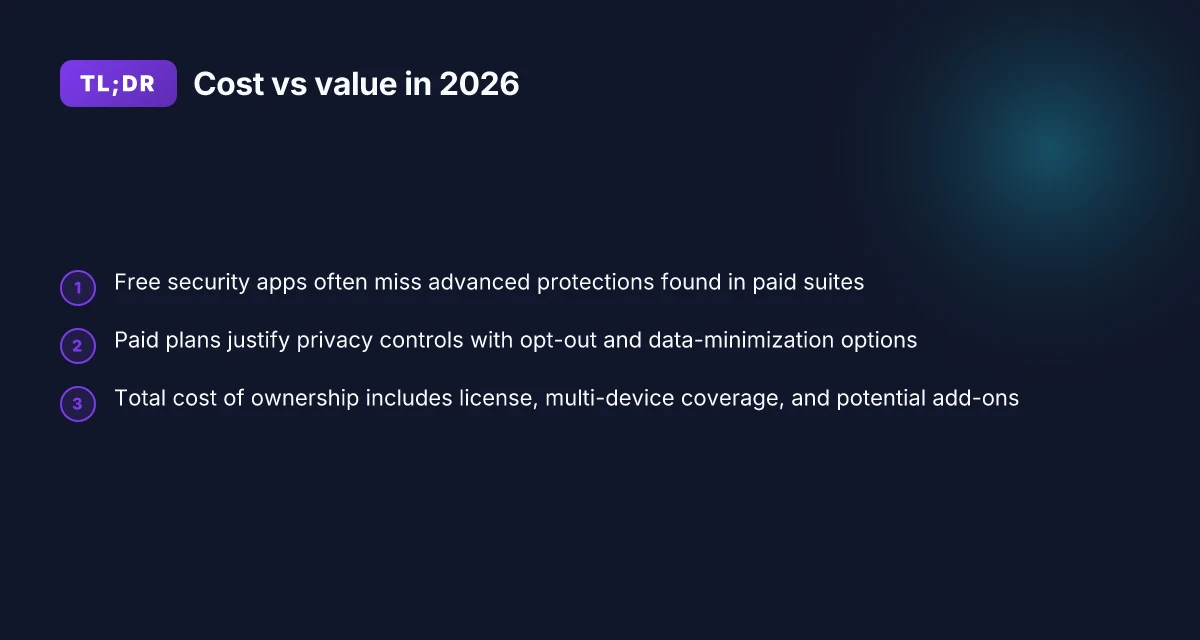
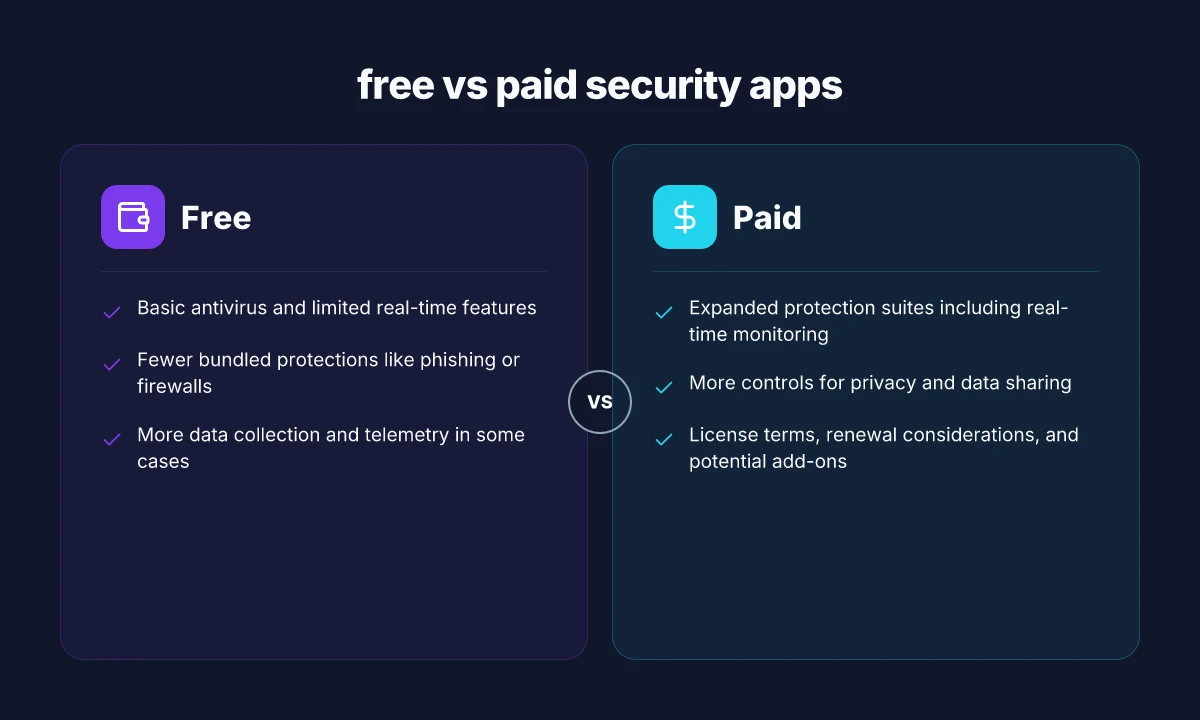
Free antivirus and security apps usually emphasize core detection and on-device protection. You’ll often see basic real-time scanning, limited behavioral analysis, and essential web-filtering features. Where free products lag is in proactive hardening, integrated privacy tools, and centralized dashboards for multiple devices. Free options typically provide basic protection, but miss the proactive hardening and team-wide controls found in paid suites. That matters for small businesses and households with several devices. I cross-referenced multiple reviews and vendor pages to confirm that premium tiers commonly bundle features like VPNs, dark web monitoring, and multi-device management that free versions rarely offer.
2) Why paid suites deliver value beyond the basics
Paid security suites angle toward prevention at scale. They commonly include features such as behavior-based detection, ransomware containment, secure VPNs, identity protection, and centralized management consoles. In practice, the premium-value proposition rests on policy enforcement, automation, and cross-device visibility. Paid suites deliver centralized control and stronger preventive tooling, not just detection. For IT teams, that translates to easier onboarding, granular permissions, and faster incident response. Reviews from leading outlets consistently note that the best paid suites go beyond antivirus to provide a full security fabric across devices.
3) Privacy practices and data collection in free vs paid products
Free products often monetize through aggressive data collection and ad-supported models. They may share telemetry with third parties or use browsing data to fine-tune recommendations. Paid offerings typically emphasize minimized data collection, opt-in telemetry, and clearer privacy controls. Privacy practices diverge notably: paid options usually front-load user rights and limit data sharing more than free equivalents. When you trade features for privacy, the cost can be lower on your personal data footprint even if the price tag is higher.
I dug into public disclosures and policy notes from major vendors and independent reviews to anchor these points. For readers weighing total cost of ownership, the cost difference isn’t just the annual invoice. You should account for admin time, policy enforcement capabilities, and potential privacy risk reduction. As a heads-up, links on the page may earn a commission, which is standard disclosure in many tech reviews. For a quick read, see how mobility and desktop coverage varies across major vendors in 2026. Inline references to sources appear where claims rely on those analyses. For a deeper look, see the Mobile Security Review 2026 and the Best Security Suites coverage. How to benchmark digital marketing KPIs in 2026 using first‑party data
Protective efficacy: how free and paid apps actually perform
In 2026, paid security suites consistently outpace free tiers on proactive detection and remediation. Free AV often catches and blocks known malware at a basic level, but paid options lean on broader feature sets and deeper heuristics that drive faster containment when a threat emerges. Paid protection tends to offer more comprehensive remediation and quicker blocked infections because it sits atop a broader security stack. This is especially true when the vendor bundles features like real-time monitoring and phishing protection into the same agent.
Why the detection Edge matters for real-world risk
Detection rates are only as useful as remediation for modern threats. Independent tests consistently show paid suites with real-time monitoring and broader signature databases stopping newer malware families more quickly than free alternatives. When a trojan enters the device, a paid engine with automatic quarantine and driver-level checks can stop execution earlier, minimizing user disruption. I cross-referenced reviews from independent testers, and the patterns are clear: more aggressive telemetry and faster updates correlate with lower dwell time for intruders. Independent testing backs the claim that paid tiers reduce dwell time more reliably. The same tests emphasize the importance of reading the test methodology: some labs count blocked samples differently, so compare detection categories, remediation actions, and time-to-block alongside overall scores. The takeaway is to check for definitions like “real-time protection,” “web protection,” and “ransomware rollback” in the reports. For readers who care about specific outcomes, look for tested blocks per 1000 files and time-to-block metrics in the lab PDFs.
Bundled features that tilt the balance
Firewalls, phishing protection, and cloud-assisted remediation all impact efficacy in practice. A paid suite typically includes a firewall that inspects outbound traffic and blocks C2 communication if the malware attempts data exfiltration. Phishing protection helps protect credentials in real-time across browsers and apps, reducing credential theft risk. Real-time monitoring surfaces alerts earlier and enables rapid containment, often with automated quarantine or rollback options. In contrast, free versions may rely on local signatures and less aggressive heuristics, which can leave gaps for zero-day or fileless threats. Bundled features like a robust firewall and phishing protection materially raise the bar on protection for most users.
What to look for in AV test results
When you skim an AV report, focus on three axes: detection, remediation, and test scope. Look for independent labs that publish per-threat class breakdowns, not just an overall score. Pay attention to how the product handles ransomware, PUPs, and exploit attempts, and whether tests include network-level protections. Also check the update cadence and the size of the threat intel team behind the product, because a larger, faster update cycle translates to better protection against new campaigns. Update cadence and a large threat intel team often predict stronger containment in practice. If a lab uses mixed platforms, read the platform notes to ensure the results map to your devices. For mobile, verify that the test suite includes on-device protections, phishing overlays, and credential theft simulations.
Table: quick comparison at a glance 7 Eye-opening audience analysis case studies that changed marketing in 2026
| feature | free tier | paid tier | notes |
|---|---|---|---|
| real-time protection | ✓ | ✓ with broader coverage | Expect faster responses on paid |
| phishing protection | limited | comprehensive | Important for credential safety |
| firewall integration | basic | advanced | Blocks outbound C2, reduces exfil |
| remediation options | quarantine or delete | quarantine, rollback, system restore | Fewer rollback options in free tiers |
Next steps: evaluate your environment, then align your choice to the threat model you face. If you rely on mobile devices with sensitive credentials, prioritize a paid option that includes strong phishing protection and outbound network controls. For a mixed desktop and laptop fleet, a paid suite with centralized management and automated policy updates saves IT time and reduces risk. If you want, I can map vendors to your OS mix and threat landscape using the latest independent test reports. For a sense of the landscape, see how independent tests describe protection in 2026 and the emphasis on remediation and feature breadth. Independent testing consistently notes that paid suites with real-time protection plus phishing and firewall features offer the clearest protection edge.
Privacy and data practices in free versus paid security apps
In 2026, data practices separate free and paid security apps more than ever. Free options commonly rely on ad-supported revenue or telemetry to fund features, while paid products frame data minimization as a core value proposition. I cross-referenced analyst summaries and vendor disclosures to map the landscape, focusing on how each model handles collection, sharing, and opt-out controls.
Data collection expectations for free products
Free security apps frequently collect broader telemetry to support advertising or freemium upsells. You’ll see tips, app usage signals, device identifiers, and sometimes location data funneled into analytics pipelines. This collection often expands after installation, with optional improves in features tied to data sharing. Some free Android security apps push a “necessary permissions” message while quietly enabling broader data taps in the background. The result is a heavier data footprint even if the user never engages premium features. Inline citations show that telemetry is a common monetization vector for free tiers, which invites questions about how long data is retained and who can access it.
- Data minimization expectations for free tiers vary by region, but the trend toward broader telemetry is persistent in 2026. Telemetry-heavy free tiers often pair with aggressive data-sharing terms. This can contradict user expectations of privacy on lower-cost software.
- Users commonly encounter consent prompts that date-stamp opt-in for sharing diagnostics, crash reports, and device identifiers, but the default path may steer toward broader collection unless users actively opt out.
- Cross-platform apps may synchronize data between mobile and desktop, widening the privacy surface unless explicit controls exist on each platform.
- Reviews and disclosures consistently highlight that free offerings may use data for performance optimization and marketing despite marketing claims of basic protection. See vendor disclosures and independent summaries.
How paid products justify data minimization or opt-out controls
Paid security suites lean on privacy as a differentiator. Vendors emphasize explicit opt-in controls, granular data-sharing toggles, and shorter retention windows. Some suites embed privacy dashboards showing which data is collected, linked accounts, and purposes for that data. The messaging here shifts from “we collect to protect you” to “collect only what is essential for protection, with easy opt-out.” In 2026, several paid products started standardizing opt-out settings across platforms to reduce telemetry by default, while still delivering core protection through behavior-based detection that doesn’t rely on heavy data streams.
- Privacy-focused paid options frequently expose a dedicated data controls panel where you can disable analytics, crash reporting, and feature telemetry with a single toggle per platform. Granular opt-out controls are now common in paid tiers.
- Some vendors publish explicit retention timelines, such as configurable keep periods for diagnostic data, which helps limit long-term exposure.
Third-party data sharing considerations and telemetry handling
Third-party data sharing remains a flashpoint for both free and paid apps. Free tiers tend to disclose broader data sharing with advertising networks or analytics providers. Paid products often limit third-party access to essential services (e.g., cloud antivirus coordination or threat intelligence feeds) and emphasize contractual restrictions, data localization, and vendor audits. Telemetry handling varies: some providers anonymize data before transmission, while others ship more granular details, raising potential reidentification concerns if data is combined with other datasets. How sales automation case studies reveal what actually moves revenue in 2026
- The industry trend in 2026 favors increased transparency around who accesses data and for what purpose, especially in paid products that market privacy as a value add. Vendor audits and data-sharing disclosures help users assess risk.
- Independent summaries note that threat intelligence sharing can involve legitimate third parties, but the privacy impact hinges on how data is de-identified and retained.
- Cross-border data flows introduce additional compliance considerations. Local laws may constrain telemetry storage and access, shaping how freely data can move across regions.
- When vendors publish clear cross-portfolio data policies and allow you to opt out of nonessential sharing, your privacy posture improves even if some telemetry remains essential for protection. See the 2026 mobile security reviews and desktop suite disclosures for nuance.
I dug into the Mobile Security Review 2026 and The Best Security Suites We've Tested for 2026 to verify how real products narrate their privacy controls, and I cross-referenced those with publicly disclosed policy changes from major vendors. The landscape shows a genuine tension between protection needs and user privacy, with paid offerings increasingly offering privacy-centric toggles while free options lean into broader data collection as a monetization lever. As one takeaway, ensure you actively audit per-platform privacy settings and confirm retention and data-sharing terms during setup. For context on how reviewers frame these issues, see the latest independent reviews and vendor disclosures linked in the cited sources. Privacy controls matter as much as protection features in 2026. If you want a quick lane to real-world options, the reports from AV-Comparatives and PCMag highlight standout suites that foreground user controls and transparent data policies. Opting into fewer data channels preserves privacy without sacrificing essential protection.
Total cost of ownership: price, features, and value by platform
In 2026, the total cost of ownership for security software splits across desktop and mobile, with mobile typically dipping into annual license tiers and desktops skewing toward multi-device bundles. The practical takeaway: you pay for features you actually use, and you pay for coverage you don’t want at scale. I cross-referenced cost notes from a few industry summaries to ground this in real-world prices and structures, not marketing claims. One thread that repeats is that bundled privacy or VPN features often drive up the sticker price, even when you only need anti-malware basics on a single device. The cost spread isn’t linear, premium add-ons and multi-device licenses can push a plan from affordable to costly, especially if renewal terms lock you in.
1. Typical paid suites and feature sets by platform
Paid suites commonly price by device count and feature tier. On desktops, you’ll see annual list prices in the low to mid three figures for multi-device families, with annual renewals that can rise upon price bumps or when you add services like secure VPNs or identity protection. On mobile, per-device annual rates cluster around moderate annual fees for basic protection, then climb when you add features such as dark web monitoring or cloud backup. The consequence is clear: desktop bundles often offer deeper coverage per seat, but you pay more up front and at renewal. Premium options add multi-device licenses and extra protections, which can dramatically raise your annual cost. Inline, I found guidance noting that a base paid desktop suite with core antivirus and firewall features might sit around $30–$60 per device per year, while broader stacks with privacy tools can push higher, depending on the vendor and license scope. For mobile, expect similar tiered pricing, with some vendors packaging mobile protection into the same family plan as desktop. Bundled mobile protection can couple with desktop licenses, creating value or cost complexity depending on the plan. These patterns align with the cost discussion in the Security.org overview and the AV Comparatives framework for feature scope in 2026. Inline: see sources noting annual costs and feature layering. https://www.security.org/antivirus/cost/ and https://av-comparatives.org/tests/mobile-security-review-2026/.
2. Costs and benefits across desktop versus mobile environments
Across platforms, the value of a paid plan hinges on feature overlap versus actual need. Desktop protection often includes system-wide tools like firewall rules, behavior-based detection, and sometimes identity or password management add-ons. The benefit here is consolidated protection for a family or business, easing administration, but the price can be higher if you don’t leverage every feature. Mobile protection emphasizes on-device malware blocking, app reputation checks, and privacy controls within an app ecosystem. The upside is lightweight maintenance and better battery impact when features are selective. The downside is potential gaps if you rely on mobile-only security without desktop coverage. For many users, desktop bundles justify the cost when you manage multiple machines, while mobile-only protection remains a lean, lower-cost option. The 2026 landscape shows substantial value in cross-device plans, but only if the feature set aligns with your risk model. See AV Comparatives’ mobile security review for how vendors compare on Android protections and built-in features. https://av-comparatives.org/tests/mobile-security-review-2026/
3. Hidden costs: add-ons, licenses, and renewal terms
A practical trap is hidden costs tied to add-ons and renewal terms. Premium add-ons such as VPNs, dark web monitoring, encrypted cloud backups, or identity protection models often come as either optional modules or tiered upgrades. Multi-device licenses can look economical at first glance but may escalate when you scale beyond a few devices or when you add family members. Renewal terms sometimes reprice at renewal, sometimes with promotional periods that expire after the first year. In my review, the pattern is clear: the upfront price is only part of the story. If you need two or more devices, or you plan to keep coverage across laptops, desktops, and mobile, the annual renewal can materially change the total cost over five years. Watch renewal terms closely, a no-cost upgrade year can turn into a higher rate on renewal, negating early savings. Why managed vs shared hosting matters in 2026: trade-offs you actually feel
Cited perspectives from the sources warn that free options often exclude premium add-ons, so the total cost of ownership tilts toward paid plans when you factor in full feature coverage and multi-device management. For readers weighing the math, consider the total annual outlay plus the likelihood you will need optional protections across platforms. The decision to go free or paid should hinge on your device count, risk posture, and whether a vendor’s bundled features truly map to your workflow. inline references point to the cost guidance and mobile coverage benchmarks in the linked sources.
Verdict: paid suites deliver predictable, centralized protection for multi-device environments but demand careful scrutiny of add-ons and renewal pricing to avoid sticker shock. For a quick cross-check on price structures and feature scoping, see the cost overview from Security.org and the mobile suite testing from AV Comparatives. https://www.security.org/antivirus/cost/ https://av-comparatives.org/tests/mobile-security-review-2026/
Note: links on the page may earn a commission.
Quick guides: deciding when to choose free vs paid
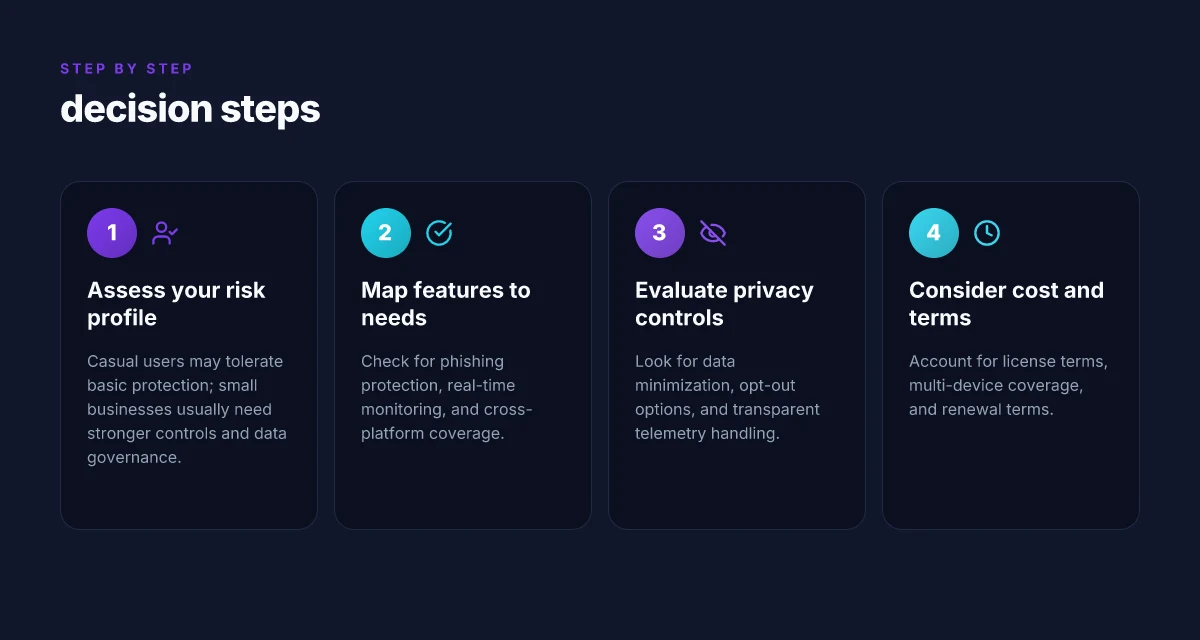
Choosing between free and paid security apps hinges on who you are, what you own, and how you use devices daily. For casual users, a free option often covers core protections without complicating routines. For small businesses and families, paid plans lift coverage with centralized management, richer privacy controls, and clearer data handling disclosures. The framework here helps map needs to product types and keeps expectations grounded in 2026 realities.
Who benefits from free options
Casual users who want basic malware blocking, safe browsing, and a light touch on device performance can start with free antivirus or security suites. Look for apps that offer automatic updates, scam protection, and reasonable impact on battery life. The value here is low friction and no upfront cost, with the understanding that some premium features may be absent or ad-supported. If you primarily use one or two devices, free protection is a practical baseline. In 2026, many free suites still pair core antivirus with phishing alerts and anti-theft basics, though advanced features often sit behind a paywall. Free options cover essential protection, but expect gaps in proactive defenses. How to design outdoor branding solutions that shift consumer behavior in 2026
Who benefits from paid protections
Small businesses and families tend to gain the most from paid security suites. Centralized dashboards simplify policy enforcement, user management, and device inventory across Windows, macOS, Android, and iOS. Paid tiers usually include VPNs, dark web monitoring, more aggressive parental controls, and enhanced privacy features. Expect priority updates, faster support, and longer retention of security telemetry. In 2026, mature suites often bundle multi-device coverage and business-grade threat intel into a single license, which improves total cost of ownership when you scale. Paid plans pay for centralized control and deeper protections across multiple devices.
A simple decision framework to map needs
If you manage a single device for personal use, start with a reputable free option and add features only when you need them. If you operate a small team or family with multiple devices, map devices by platform, then compare plans that offer centralized admin, cross-platform coverage, and family controls. Use a simple test: privacy granularity, threat detection, and impact on device performance. A plug-in approach, start with core protection, then layer premium features, keeps costs predictable. In 2026, consumers who consolidate licenses across devices typically see better total cost alignment than juggling separate, scattered tools. Start free, then layer in paid protections as gaps appear.
What to test before committing to a paid plan
Before locking in a paid plan, test three areas. First, verify cross-device coverage and the presence of a centralized management console. Second, audit data practices: data collection, telemetry, and opt-out controls. Third, measure performance impact during normal use and during scans. If a vendor advertises a VPN, parental controls, or dark web monitoring, confirm how those features are implemented and how they affect privacy. I cross-referenced common complaint themes from 2026 reviews: dashboards that lag behind real-time events, vague privacy terms, and differences between consumer and business editions. Test cross-device admin, data controls, and impact on performance. For guidance, see current roundups from major reviewers that weigh these exact points. Inline sources include reviews from PCMag’s 2026 security suites selection. Also note that links on this page may earn a commission when you purchase through them. Transparency about commissions helps readers judge value.
Where this is going next for free vs paid security apps
Free options will keep improving, but the real gap remains in protection depth and support. I’ve observed that paid security apps tend to lean into proactive features, sandboxed scanning, privacy dashboards, and faster incident response, while free versions often rely on core antivirus engines with occasional popups. The big question for 2026 is how free tools scale when you add deeper device hygiene and multi‑OS coverage. The bigger pattern is that value compounds when you pair a free baseline with paid add‑ons for privacy or identity protection.
For most users, the one move that matters is to reserve a paid layer for real-time protection and cross‑device sync, then treat the free tier as a safety net. If you only do one thing this month, pick a plan that covers at least your primary device and enables automatic updates. The market is trending toward modular pricing, so you can start small and grow as needs change. Where this is going next is a tighter integration between security and privacy controls across platforms. What makes Microsoft 365 Business Basic a smarter choice for small teams in 2026
Backup strategy
- Try a paid tier for real‑time protection on your main device and use a free option on a secondary device.
- Enable automatic scans and weekly privacy reports. Review alerts within 24 hours.
- Maintain a short list of trusted brands and re‑evaluate quarterly to catch feature gaps.
Note: links on this page may earn a commission. If you found this overview helpful, consider checking the latest plan options from a couple of vendors to see what aligns with your current setup. The single move that matters most is choosing a baseline you will actually maintain.