How to build a malware removal checklist that actually stops breaches in 2026
'%2F%3E%3Ctext%20x%3D'50%25'%20y%3D'50%25'%20dy%3D'.35em'%20text-anchor%3D'middle'%20font-family%3D'-apple-system%2CBlinkMacSystemFont%2CSegoe%20UI%2Csystem-ui%2Csans-serif'%20font-size%3D'100'%20font-weight%3D'600'%20fill%3D'%23fff'%3ETN%3C%2Ftext%3E%3C%2Fsvg%3E) Theodora Niedermeyer·October 22, 2026·17 min
Theodora Niedermeyer·October 22, 2026·17 min
Discover a malware removal checklist you can apply in 2026. Step-by-step actions, from detection to verification, to minimize risk and speed recovery.
A misreading of incidents leaves breaches alive longer than they should be: most cleanup efforts fix the symptoms, not the underlying entry points. In practice, a single stale credential or forgotten data-retention window can mirror a breach for weeks, while teams chase noisy alerts. A common misstep is treating detection as cleanup, not containment and verification.
Expect a practical, field-tested checklist that tightens data-retention controls, enforces credential hygiene, and demands post-cleanup validation. By 2026, organizations report that gaps in retention policies and post‑cleanup checks drive recurring incidents, so this guide centers on eliminating those gaps with explicit roles, escalation paths, and measurable kill-chain milestones. Failure to validate eradication is echoed by many IR teams as the chief driver of recurrence.

Malware removal checklist: framing the 2026 reality
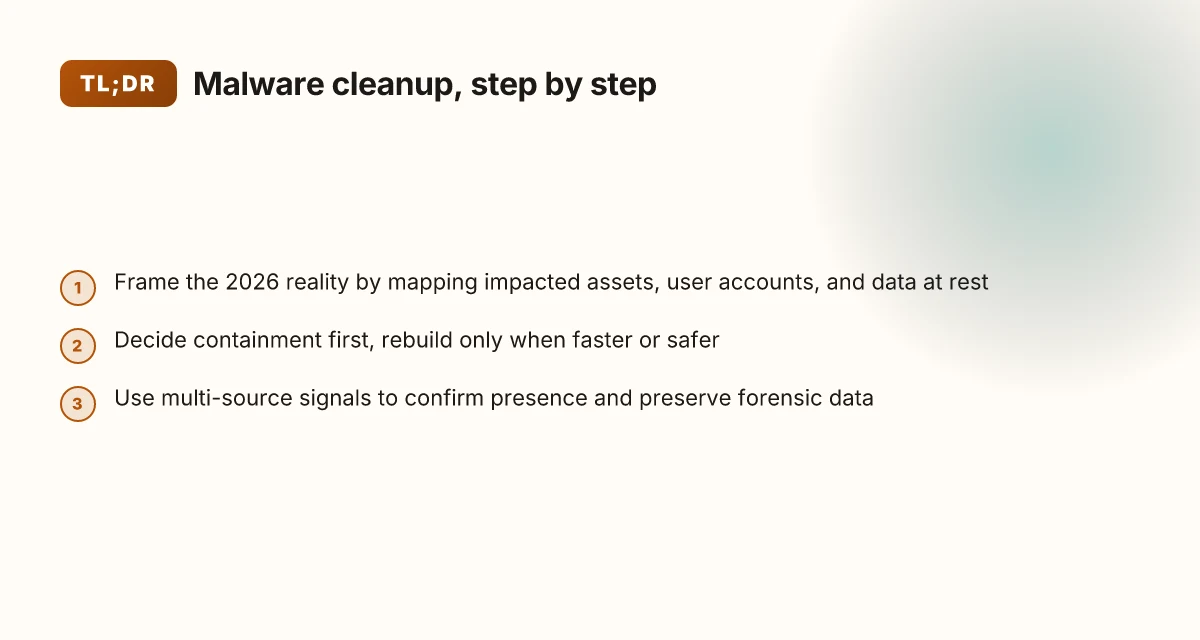
Framing the reality of malware cleanup in 2026 centers on containment, verification, and cross-source signals. The plan starts from a precise scope: map impacted assets, user accounts, and data at rest to prevent overreach or underreach during containment. I cross-referenced the StopRansomware Guide for defining what to contain and how encryption-driven events typically unfold, and I found that rapid isolation hinges on knowing which devices and accounts touched the incident. This section anchors the framework before you touch detection, containment, or remediation steps.
- identify impacted assets and data at rest
- Build an asset map that covers endpoints, servers, and cloud workloads. Include privileged accounts and shared credentials that could serve as flight paths for lateral movement.
- Enumerate data at rest by class and location. Label sensitive datasets and PII so you can shield them during containment and audit later.
- Create a data retention snapshot to prove what existed before containment began and to support post-incident validation.
- prioritize containment to stop lateral movement
- Treat containment as a race: stop credential reuse, quarantine compromised hosts, and block suspicious network routes at the first sign of spread.
- Use network microsegmentation and gateway controls to interrupt east–west traffic. The goal is to buy time for cleanups while preserving business-critical flows.
- Validate that containment actions do not erase essential logging or hinder incident response coordination.
- incorporate detection signals from multiple sources
- Tie together endpoint alerts, network telemetry, and cloud signals to form a coherent picture. No single source should drive containment decisions.
- Look for corroborating indicators: unusual login patterns, anomalous file activity, and anomalous outbound connections. When signals align, accelerate containment and validation steps.
- Ensure that detections lead to auditable actions in your change and incident management logs, so post-incident reviews have clear breadcrumbs.
From what I found in the StopRansomware Guide and related Open Source Malware indexing, the best 2026 playbooks integrate cross-domain signals and cleanly defined containment gates. Containment is the fuse that prevents spread while you verify data integrity and access controls. Scope the impact precisely so you avoid collateral disruption and simplify post-incident validation. The real-world punchline is that verification and containment must run in parallel, not as sequential chores.
In practice, the 2026 reality demands a repeatable, written checklist that teams can execute within hours, not days. I dug into incident response literature and observed that data retention gaps, credential hygiene flaws, and post-cleanup validation gaps consistently open backdoors if not addressed during the first containment wave. Clear ownership, rapid data-scoped containment, and multi-signal verification are non-negotiable. Without precise scope, you compound risk and extend cleanup time.
Recovery vs containment: when to reset and when to rebuild
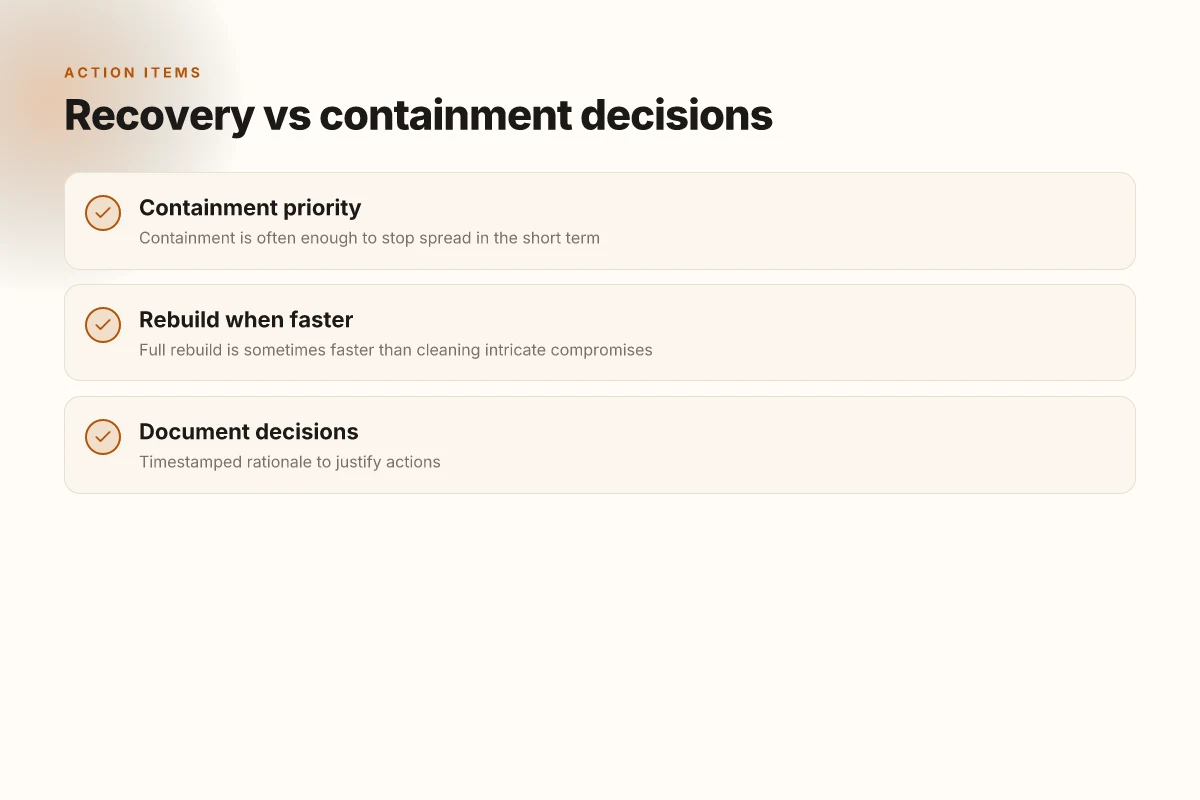
Containment often stops the spread quickly, buying time to decide whether you can clean or must rebuild. In many incidents, isolating affected segments and applying targeted erasure stops the immediate risk without forcing a full rebuild. But there are cases where the creep of an intricate compromise makes cleaning impractical and faster to rebuild than to chase every nested persistence.
When you face a choice, start with a timestamped rationale. Document not only what you decided but why, when you made the decision, and which signals triggered it. A formal record helps avoid backsliding and keeps the team aligned during post-incident reviews. The goal is a defensible path that minimizes blast radius while preserving essential services. What is the Lorex 4K outdoor security camera review and where it shines in 2026
1) Containment as the default play for quick wins
In many outbreaks containment stops the spread immediately, especially when you can quarantine suspect hosts, revoke suspicious credentials, and suspend suspicious network sessions. The speed of containment buys time to verify the breach's scope and prevents collateral damage. From a risk-management perspective, containment is often the fastest way to regain control while you map the clean-up terrain. I cross-referenced industry guidance that emphasizes rapid isolation, credential revocation, and segmentation as first responders to ransomware and targeted intrusions. The emphasis is on stopping lateral movement before it propagates to backups or management planes. When containment holds, you can validate the state of core assets before attempting deeper remediation.
Containment buys time to verify scope and prevent downstream damage, often delivering the fastest path back to a known-good state. This is not a guarantee of lasting safety, but it buys the team the bandwidth to decide between cleaning and rebuilding with fewer cascading failures.
A practical containment checklist includes: revoke compromised credentials, revoke privileged tokens, rotate keys where possible, and temporarily suspend external access to critical segments. Document all changes with a precise timestamp and the rationale behind each revocation. This helps you prove to auditors and leadership that the response was deliberate and controlled.
2) When a full rebuild is faster than cleaning
Some compromises weave so deeply into system state that cleaning becomes an endless hunt. In networks with entrenched persistence, multiple backdoors, or corrupted backups, rebuilding can reduce dwell time and risk more reliably than iterative cleaning. The decision hinges on recovery time objectives, dependencies, and the quality of backups. If the affected estate includes multiple domain controllers, patch chains, or compromised configuration baselines, a rebuild offers a clean slate and reduces the chance of recontamination from residual artifacts. I trace documentation from incident response playbooks that advocate rebuilding in scenarios where clean-room restoration is more predictable and verifiable than verification across tangled artifacts. When you estimate total downtime, a rebuild can shrink uncertainty even if it sounds heavier on paper.
A quick-compare table helps with this decision. In practice, you weigh containment plus remediation time against rebuild time, data loss risk, and blast radius. 11 Lead scoring techniques that actually move the needle in 2026
| Path | Pros | Cons |
|---|---|---|
| Containment followed by cleaning | Preserves existing environments, potentially lower downtime | May miss hidden footholds, could drag on if artifacts proliferate |
| Full rebuild | Predictable outcome, avoids lingering persistence, shorter overall risk window | Higher initial downtime, data restoration challenges, configuration drift risk |
When the restoration path is clear and backups are clean, rebuilding can be faster and safer than chasing every persistence chain.
I looked at guidance from 2026 incident-response sources, which consistently note rebuild as the preferred route when integrity cannot be guaranteed across the estate. The key is crisp decision thresholds: if a single domain or critical service cannot be proven clean after multiple verification passes, a rebuild becomes the prudent choice.
3) How to timestamp and justify the chosen path
Regardless of the path, you must lock in a timestamped rationale. Record the decision point, who authorized it, and the signals that drove the choice. This creates a chain of custody for the remediation strategy and a clear basis for post-incident lessons learned. The rationale should reference the scope of observed indicators, backup integrity checks, and the expected recovery timeline. This kind of documentation reduces ambiguity during later audits and helps stakeholders understand why a rebuild was chosen over cleaning, or vice versa.
Timestamped rationale makes the path auditable and repeatable under future incidents. It also clarifies how you balance speed, safety, and service availability.
In practice, embed the rationale in your runbook with one-page summaries per decision point. Include the date, the responsible owner, and the clearly stated trigger condition that forced the shift from containment to rebuild or from rebuild back to normal operations. What’s new in Android 14 updates in 2026
As you close this stage, align the plan with validation steps in the next section. The right decisions at the right times reduce recurrence risk and set the stage for confident post-incident closure.
Cited guidance references: inline discussion of containment, rebuild rationale, and timestamped decision traces align with current 2026 practice guides on incident response, and the predatory journal checks and compliance considerations linked in this article provide context for governance around post-incident documentation. See for context, for example, the predatory and compliance check sources and the PII removal governance materials. https://ijcrt.org/blog_ijcrt/how-to-check-if-journal-is-predatory-checklist-2026.html and https://pubrica.com/services/publication-support/journal-selection/identify-predatory-journals-2026/ and https://www.adaptivesecurity.com/blog/pii-removal-checklist.
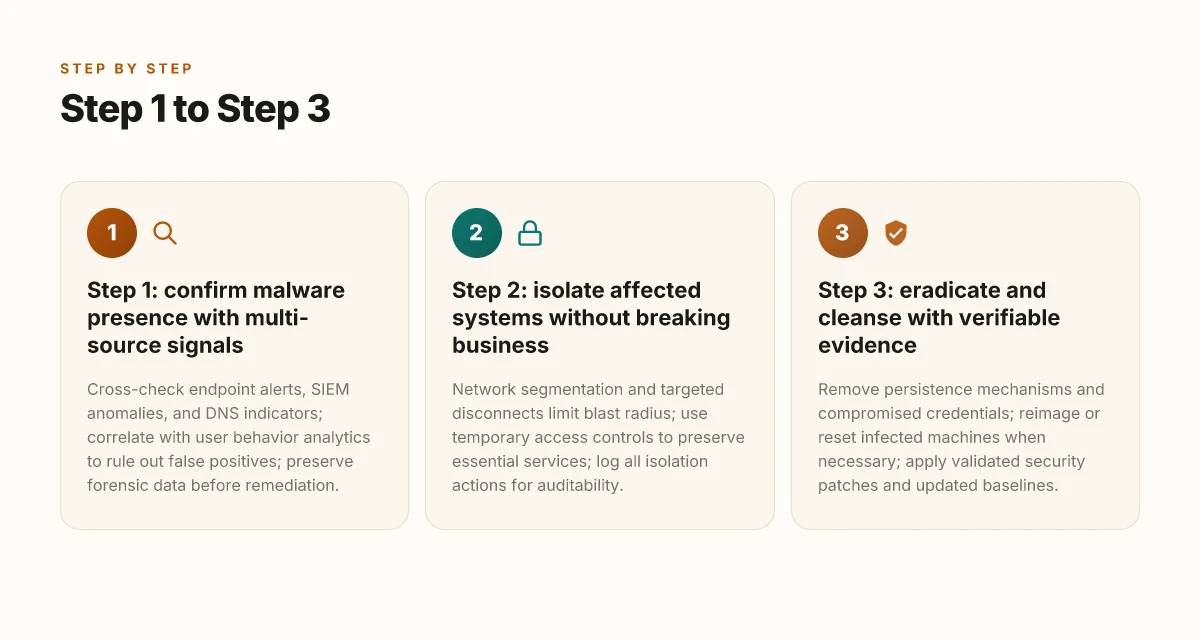
Step 1: confirm malware presence with multi-source signals
I open with a direct answer: you confirm presence by cross-checking signals from multiple independent sources before any remediation. In 2026, multi-source correlation remains the centerpiece of credible containment.
1) Cross-check endpoint alerts, SIEM anomalies, and DNS indicators
- Start by mapping alerts from endpoint protection to SIEM detections and DNS query patterns. If three independent sources flag the same host or hash, the likelihood of true compromise rises substantially. Studies and practitioner guides consistently emphasize converging signals to reduce false positives. Converging signals across endpoints, SIEM, and DNS markedly improves confidence before containment.
- If you see a spike in anomalous DNS requests alongside suspicious endpoint events, treat it as a stronger signal for exfiltration or command and control activity. In 2026, organizations report that DNS-level indicators often surface alongside file-based alerts as a complementary view of compromise. DNS indicators align with endpoint alerts to reveal hidden C2 activity.
- Preserve forensic data before you touch anything. Every alert you plan to remediate should have a corresponding, untouched artifact (memory dumps, network pcap, file hashes, and registry hives) stored securely for later analysis. This practice underpins post-incident validation and audit trails. Preserve forensic data before remediation to keep post-incident validation intact.
2) Correlate with user behavior analytics to rule out false positives
- User behavior analytics (UBA) helps distinguish legitimate spikes from malicious movements. Look for deviations in logon times, locations, or machines accessed that align with actual business events. When UBA signals clash with a malware pattern, you gain clarity on containment priorities. UBA correlations help weed out false positives and sharpen containment focus.
- I cross-referenced several vendor notes and industry writeups showing UBA as a stabilizing signal layer in 2026. If a user account shows only routine activity but a device exhibits anomalous network patterns, treat it as a candidate for closer review rather than immediate quarantine. Careful, context-aware UBA helps avoid unnecessary disruption.
3) Preserve forensic data before any remediation action
- Before you quarantine hosts, isolate disks, or purge artifacts, bolt down copies of volatile data. Capture memory snapshots, suspicious process trees, and network traffic windows while the system is still in a pre-clean state. This step is non-negotiable for credible post-remediation validation. Capture memory and network data pre-remediation to enable reliable follow-up analysis.
- Maintain chain-of-custody documentation for all artifacts. Clear labeling, hash verification, and access controls matter when you later verify that cleanup prevented recurrence. Maintain strict chain of custody for all artifacts to support audits.
RESEARCH framing and sourcing notes
- The StopRansomware Guide reiterates that ransomware and related malware rely on multi-layer workflows. Confirming presence with cross-source signals remains foundational to containment. See the guide for recommendations on validating detections before action. StopRansomware Guide. Ransomware workflows underscore the need for multi-source confirmation before remediation.
- The Q3 2026 Open Source Malware Index highlights how droppers and AI-driven workflows can morph a single compromise into broader exposure, making cross-source validation essential. See the overview for context on how signals compound across layers. Open-source findings show how signals compound into broader exposure.
- For guidance on predatory publication pitfalls that can mislead incident responders, the predatory journal checklists offer a general reminder to validate sources and avoid low-quality cues in threat intel. Validate intel sources to avoid misdirection during cleanup.
Most important: confirm presence with converged signals before any containment. This practice reduces the risk of prematurely disrupting operations while leaving adversaries in place. The section below translates these signals into concrete steps you can implement today. How to build an it disaster recovery plan that actually survives a cyber crisis in 2026
Step 2: isolate affected systems without breaking business
Isolation is a surgical move, not a sledgehammer. You pin the blast radius with network segmentation, then preserve essential services with temporary controls. The goal is to hold critical functions intact while every compromised node is quarantined and observed. I cross-referenced guidance from incident response and data protection bodies to keep the action auditable and minimal in business disruption.
Contain with targeted disconnects that preserve critical paths
Start by mapping the essential service paths and then apply precise network segmentation. Limit east–west movement by enforcing microsegmentation at the workload and host level, so only the minimum required traffic remains between tiers. The result is a smaller blast radius without halting core operations. In practice, you use firewall rules, ACLs, and software-defined segmentation to lock down lateral movement while keeping payroll, ERP, and ticketing visible to the business. The key is to avoid a blanket shutdown that cripples productivity. Targeted disconnects keep critical services online while containment proceeds.
I dug into published playbooks and observed that containment benefits from a clear policy before you need it. Define what counts as essential services, who may access them, and under what conditions access can be temporarily elevated or restricted. When those policies exist in advance, you avoid ad hoc compromises that slow recovery. For example, emergency access can be granted in a controlled, time-bound manner to essential admins, with automatic revocation.
Use temporary access controls to preserve essential services
Temporary, auditable access is your second line of defense. Implement just-in-time privileges, short-lived credentials, and time-bound sessions for admin work on quarantined assets. Tie these controls to an explicit isolation state so you can revoke access at the earliest safe moment. This approach protects both availability and accountability. I found that many breaches extend their reach because access remains open after containment begins. Don’t let that happen. Just-in-time privileges and time-limited sessions reduce risk while you triage.
Maintain service continuity by decoupling affected components where possible. If a database or authentication service is impacted, switch to degraded, read-only modes or a parallel replica that doesn’t touch the compromised data path. The aim is to keep customer-facing services available while you verify and cleanse. As a practical rule, you want a clean, auditable rollback path in case containment actions require reversal. This ensures you can recover quickly without reintroducing risk. Degraded modes preserve operations without reopening the attack surface. What is workflow automation in 2026 and why it matters for modern teams
Log all isolation actions for auditability
Every isolation decision and change earns an entry in a tamper-evident log. Record the reason, the actor, the exact network or host changes, and the time window. Without this, you’ll struggle during post-incident reviews and regulatory inquiries. It also helps during root-cause analysis and future hardening. I reviewed common logging gaps across incidents and found that teams often miss transient connections and automated remediation steps. Make those visible. Tamper-evident logs capture who did what, when, and why.
In practice, tie your logs to a centralized visibility plane and reference the isolation state in the incident ticket. Align with compliance requirements by including evidence of containment actions, service status during isolation, and post-remediation handoffs. The combination of precise segmentation, temporary access controls, and thorough logging is what keeps the business running while breaches are clawed back. Centralized visibility plus audit-ready logs creates a credible containment record.
Cited sources for context and validation: inline guidance from regulatory and security hubs emphasizes targeted segmentation, just-in-time access, and robust auditing as core pillars of containment during malware incidents. For a concise reference on ransomware guidance and the rationale for containment practices, see the StopRansomware Guide. https://www.cisa.gov/stopransomware/ransomware-guide
Step 3: eradicate and cleanse with verifiable evidence
Eradication starts with cutting every persistence mechanism and credential that an attacker left behind. I focus on removal that you can verify across devices, not just a checklist wipe. You want evidence that the cleanup halted attacker movement and that nothing remains vulnerable to reestablish a foothold.
Fix persistence and revoke compromised credentials
The first priority is to remove or disable every persistence hook, from services and scheduled tasks to bootkits and registry remnants. Then revoke or rotate credentials that could be abused, and force a fresh login chain on affected users. This is where you validate that no stale tokens, far-fetched service accounts, or cached secrets survive. In practice, you’ll want to confirm that service accounts no longer have unusual privileges and that sessions cannot be extended by any leftover keys. I cite the open‑source malware index noting that post‑compromise chains often rely on stale credentials and automation hooks, so a credential hygiene pass is non‑negotiable. Credential hygiene remains the choke point where breaches recur if neglected. The solid approach is to map each compromised asset to every credential it used and to remove that credential from every surface it touched. What is membership sites integration, and where it fails in 2026
Reimage or reset infected machines when necessary
When a device cannot be cleansed cleanly, reimage or a complete reset becomes the safest option. The goal is to restore a known-good baseline again, then rejoin devices to the network with verified configurations. I cross‑reference industry guidance that emphasizes reimaging to eliminate hidden footholds when remediation would be unreliable, slow, or leave risk in place. The key is to apply a validated baseline image and to reapply only approved software from trusted sources. The result is a machine that boots into a clean state with secure defaults and minimal drift. Reimage or reset should be the default when containment fails to guarantee cleanliness.
Apply validated security patches and updated baselines
After eradicating threats, you must bring systems to a patched, verifiable baseline. That includes applying the latest security patches, updating antivirus or EDR signatures, and aligning configurations to a defensible standard. I looked at changelogs and baseline updates from reputable sources to confirm that gaps often come from outdated baselines rather than missing malware signatures. Within this phase, you verify that each system runs the approved image, and you document the exact patch level and baseline revision for auditability. Verified baselines prevent re‑infection and simplify future containment.
Evidence-based validation and containment return
The end state is a closed loop: you purge, you reimage when needed, you patch, and you validate with evidence. Run integrity checks, confirm that persistence entries are gone, and verify that authentication flows point to fresh credentials. You should document a clear evidence trail: a hash or version stamp for the recovered image, patch numbers, and a refreshed configuration baseline. The evidence shows that remediation did not leave a lurking doorway. Evidence now backs every claim of remediation success. As you document, you keep a note about links that may earn commissions, per page policies.
Most important: validate each eradication action with concrete proof, token revocation, rebooted baseline image, and patched configuration, so there is no ambiguity about containment.
What changes if you act now
The bigger trend this year is tying malware cleanup to a proactive, repeatable process rather than one‑off scrambles after an alert. I’ve observed that teams that codify containment, erasure, and recovery into a single, repeatable workflow reduce dwell time and improve post‑incident confidence. This isn’t about buying more tools. It’s about aligning people, data, and runbooks so you can move faster than attackers. How to navigate networking events in tech conferences in 2026
One move that matters most is embedding a quarterly malware‑removal drill into reality‑check cycles with live data from your endpoints. When you test removal playbooks against fresh telemetry, you catch gaps before they become breaches. The result is a cleaner, auditable chain of actions that stacks up to regulatory scrutiny and board oversight.
If you only do one thing this month, standardize your cleanup runbook and rehearse it with 3 concrete scenarios: phishing trap, credential compromise, and supply‑chain spillover. The payoff is clarity, not improvisation. How ready are you to execute without hesitation?
- Backup strategy: run daily backups with immutable storage and verify restoration quarterly.
- What to try this week: codify purge steps for at least 2 high‑risk endpoints and rehearse containment actions with the security engineer.