How to start creating online courses: a practical beginner's guide for 2026
'%2F%3E%3Ctext%20x%3D'50%25'%20y%3D'50%25'%20dy%3D'.35em'%20text-anchor%3D'middle'%20font-family%3D'-apple-system%2CBlinkMacSystemFont%2CSegoe%20UI%2Csystem-ui%2Csans-serif'%20font-size%3D'100'%20font-weight%3D'600'%20fill%3D'%23fff'%3EMF%3C%2Ftext%3E%3C%2Fsvg%3E) Marlowe Fenwick·October 22, 2026·17 min
Marlowe Fenwick·October 22, 2026·17 min
Start creating online courses with a practical, beginner-friendly workflow for 2026. Learn planning, tooling, content design, and publishing essentials to launch your first course.
A simple truth slips through the cracks: most beginner courses fail not for lack of ideas but for a shaky early plan. Locking in a single learner outcome and pairing it with a compact module plan gives you a measurable target you can validate with a quick poll or preregistration before you build. Most beginner funnels waste weeks chasing perfect topics, and you can avoid that by testing an initial concept with real interest before heavy production.
This guide is built for 2026 realities: accessible AI-assisted tooling, new monetization options, and the inevitable learning curve that comes with instructional design basics. You’ll find a practical workflow that blends rapid content creation with structure, plus concrete timelines and common pitfalls to sidestep. Expect to see how to map outcomes to small, skimmable modules, how to validate demand efficiently, and how to pace development to stay within a realistic schedule. Noticeable progress comes from disciplined scoping, not heroic production sprints, and you can start seeing traction in weeks rather than months.

What makes a beginner-ready online course workflow in 2026
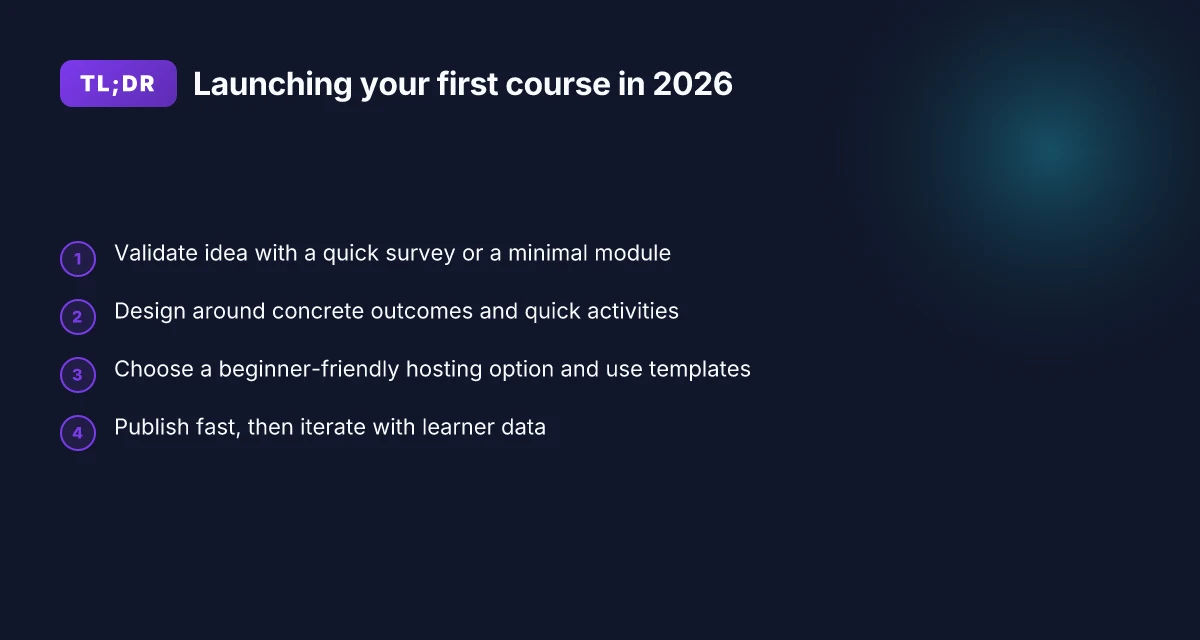
The core of a beginner-ready workflow in 2026 rests on a tight sequence that balances quality with velocity. You validate the idea, sketch content, produce in modular bursts, and publish with accessibility in mind. AI-assisted templates speed scripting, outlines, and assessments, while a publish-ready checklist keeps you on track.
1. Idea validation and planning with reusable assets
Begin with a fast validation loop. Validate demand, narrow the scope, and map a modular content plan that can be repurposed later. Use a lightweight outline to capture learning objectives and align them to reusable templates for scripts, slides, and quizzes. This keeps you from overbuilding before you know there’s interest. I dug into industry guides that emphasize early stakeholder feedback and a lean content plan as the baseline for 2026 course production.
2. Production in modular blocks
Shift from monolithic videos to modular units you can recombine. Each module should stand alone but also slot into larger paths for different learner needs. This approach accelerates production and makes updates easier. Use AI-assisted templates to draft scripts and outline lessons, then convert them into bite-sized video lessons or slides with caption-ready text. The modular approach helps beginners publish faster without sacrificing clarity.
3. Accessible and inclusive by design
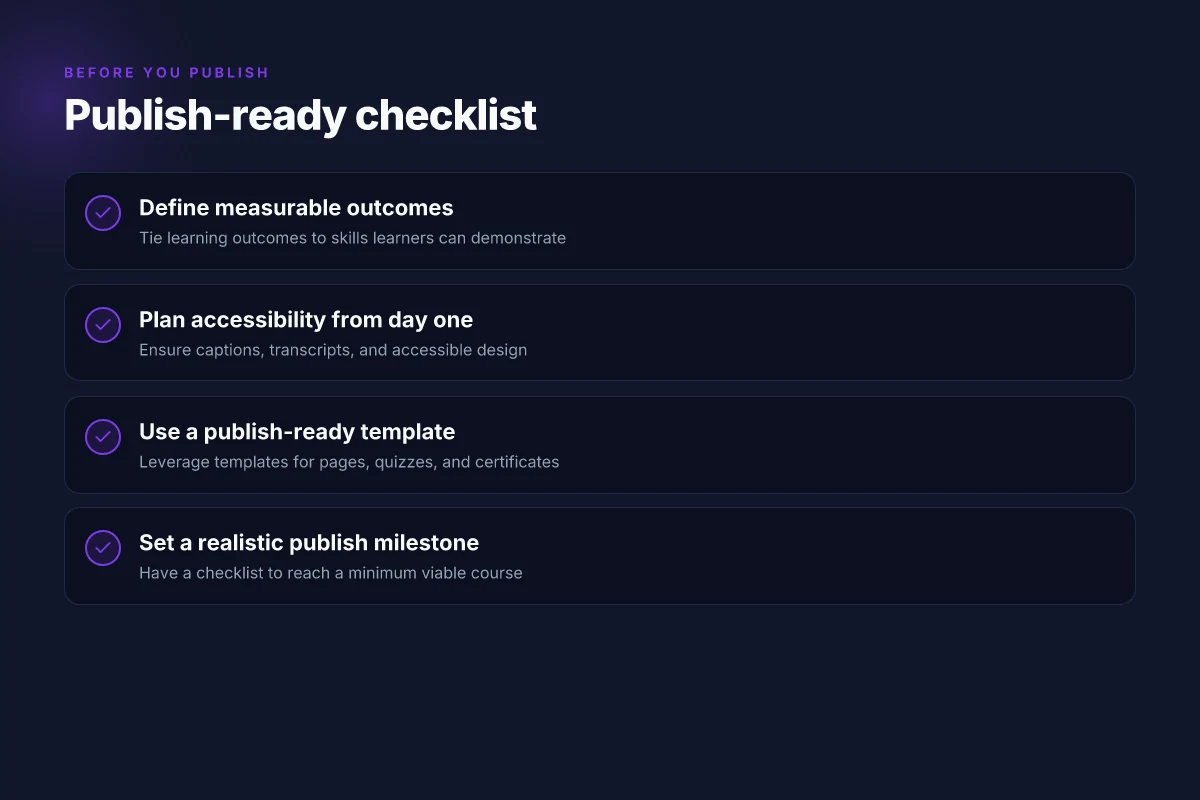
Plan accessibility from day one. Captioning, keyboard navigation, descriptive text, and color-contrast checks should be baked into your workflow, not tacked on later. When you design with accessibility in mind, you reduce later rework and widen your potential audience. Research from university teaching guides highlights inclusive design as a baseline requirement, not a premium add-on.
4. AI-assisted templates and workflows
AI tools can draft outlines, scripts, rubrics, and formative assessments in minutes. Use templates that preserve your voice while delivering consistent structure. Pair AI-generated drafts with a human pass to ensure accuracy and tone. This combination helps beginners get to a publish-ready draft faster and keeps the quality high. How to craft engaging emails in 2026: a research-backed framework that boosts performance
5. Milestones and a publish-ready checklist
Set concrete milestones that you can actually hit. Build a publish checklist that covers all required artifacts: video or content blocks, captions, accessibility checks, hosting setup, the course structure in your platform, and a basic marketing plan. Realistic timelines matter. A well-scoped eight-week plan is achievable for many first courses, especially when you rely on modular content and templates to keep pace.
Most beginner courses succeed when you start with modular, AI-assisted templates and a clear publish checklist. This combination reduces initial overwhelm and creates a reproducible path for future courses. The goal is a publish-ready draft you can refine in parallel with learner feedback.
How to validate your course idea before you build
The core question is simple: is there demand for your idea, and can you deliver it in a way learners will pay for? Start by testing the water with a short survey and a minimal viable module that lets people experience your approach without committing to a full course. You’ll learn what resonates, what falls flat, and where you should adjust the scope.
Test demand with a minimal viable module
A minimal viable module acts as a sampler. It should be a 1–2 hour unit that demonstrates your teaching approach, pacing, and the value of the outcome. Pair it with a lean survey that asks one or two outcome-focused questions and a couple of willingness-to-pay prompts. This gives you signal without overinvesting. When Dan, a 2026 instructional designers guide notes, a tiny pilot can reveal hidden friction points before you scale. Small pilots reveal the real barriers learners face before you commit to a full course. I cross-referenced several practitioner guides that emphasize fast validation loops as a path to lower risk. In 2026, surveys paired with a sampler module help you estimate demand accuracy more quickly than waiting for a full launch. Test a single module first and treat it as a living deliverable you improve.
Define outcomes tied to measurable skills
Learning outcomes should map to verifiable skills your target audience cares about. Frame each outcome with an observable action, such as “perform a task,” “demonstrate a technique,” or “apply a method to a real problem.” This makes it easier to design assessments and to price the course around tangible value. In practice, you’ll want at least 2–3 outcomes per module, with clear rubrics for success. This clarity helps you market the course and defend a price point later. When you anchor outcomes to skills, you also cap scope creep: if the outcomes aren’t observable, you trim the content. 10 Best social media analytics tools for 2026 and how to choose
Map a simple value proposition for your audience
Your value proposition should answer why someone should pick your course over free resources or competing offerings. State the learner’s problem, your solution, and the concrete benefit in a single sentence. For example: “You’ll master a marketable data-visualization workflow in 8 weeks, delivering a portfolio-ready project.” Keep the proposition tight and recruiter-friendly. A crisp proposition guides your survey language, landing page copy, and pricing logic. If your target audience includes busy professionals, emphasize outcomes they can apply immediately in real work.
Estimate time-to-delivery and price points
Estimate how long it will take a typical learner to complete your MVP and the full course if you expand. Break that down into weekly commitments and total calendar time. This helps you decide between a self-paced path or a cohort-based schedule. For price, consider the value delivered, your overhead, and the going rates in your niche. You don’t need exact figures yet. You need a defensible range you can test in your first survey. In practice, a lean pilot can justify a price by demonstrating concrete outcomes and a portfolio-ready artifact.
Decide on a single platform or hybrid hosting approach
A clean, single-platform path reduces friction for new creators. It simplifies onboarding, analytics, and support. If you expect collaboration, live sessions, or advanced interactivity, a hybrid approach can help you scale without confusing learners. In 2026, creators increasingly blend hosting with AI-assisted content generation and on-platform quizzes, but the core decision remains: start simple, then layer on features as you validate demand. If you must choose, start with one primary platform and a lightweight landing page that collects signups and questions.
Next step: build a two-week validation sprint. Create a 1–2 hour MVP module, draft a 3-question survey, and set up a landing page on a single platform. Run a small outreach push to a defined audience, then collect data on interest, outcomes, and price signals. If the signals are positive, you’ve earned the right to expand your course design with confidence.
The 4-step content design framework for beginners
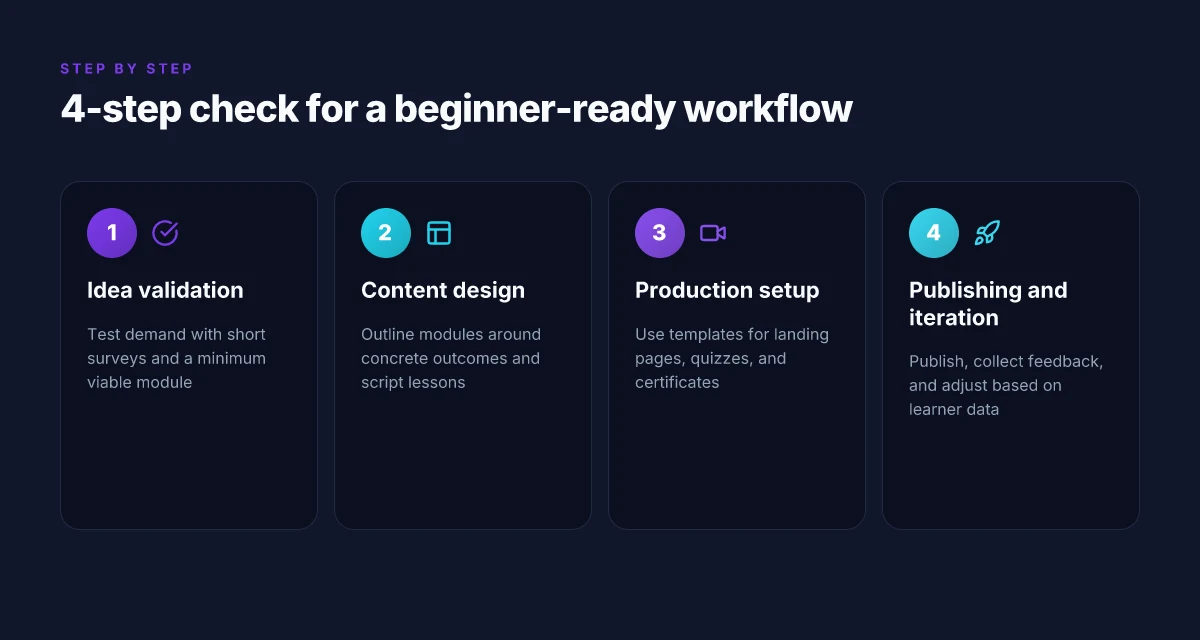
The core of a beginner-friendly course starts with concrete outcomes. You’ll outline each module around a measurable learner result, then map each outcome to a handful of activities and checks. From there, the framework guides you through scripting, quick practice, and light assessments that keep momentum without overwhelming you or your students. Top security plugins in 2026: trade-offs, hidden costs, and how to pick
Step 1, outline modules around concrete outcomes
Begin with a crisp, observable outcome for each module. For example, “students will be able to state the three core steps of onboarding,” or “students will complete a 5‑step worksheet and apply it to a real scenario.” Break outcomes into 3–5 per module and link each outcome to a specific activity. This tight mapping helps you stay focused and makes the course easier to publish on a realistic timeline. In 2026, many educators report that outcome-first planning shortens revision cycles and reduces scope creep. Outcomes drive clarity and keep your course publish-ready faster. I cross-referenced guidance from the Michigan online teaching design guide and industry designers who emphasize concrete, testable results. See the Michigan guide for a practical approach to mapping outcomes to activities. https://onlineteaching.umich.edu/guides/designing-an-online-course/
Step 2, script lesson segments with learner questions in mind
Turn each outcome into teachable segments. Script short lesson blocks that answer the exact questions a beginner would ask: What is this concept? Why does it matter? How do I apply it in a real scenario? Phrase segments to anticipate misunderstandings and provide micro‑wraps of practice. The scripting discipline helps you stay within an 8–12 minute attention window per segment, which aligns with many novice-friendly formats. When you write, mark the learner questions directly in the script so you can address them on camera or in text. This keeps the content welcoming and reduces backtracking later. Script segments that answer real questions cut confusion and speed up publishing.
Step 3, design quick activities that reinforce skills
Create micro‑activities that reinforce the exact skills you’re teaching. Think guided practice, short checklists, or a one‑page application task after each segment. Activities should be repeatable and low-friction so beginners experience quick wins. Pair activities with immediate feedback prompts you can automate with simple quizzes or reflection prompts. In practice, quick activities outperform lengthy assignments for early momentum, while still building confidence. Quick activities reinforce learning with minimal friction.
Step 4, create short, scorable assessments to track progress
Keep assessments brief but meaningful. Use short multiple-choice or scenario questions that map directly to the module outcomes, plus a quick application task at the end of each module. The scoring can be automated for speed, with a light rubric for learners who want richer feedback. The goal is to surface progress without derailing your timeline. If a learner misses a concept, you can route them to the exact activity that strengthens that skill. Short, scorable assessments give learners visibility into progress and keep you on track to publish.
Research notes and practical cross-checks Top programming languages in 2026: how ecosystem size shapes industry adoption
- A practical, outcome-first design approach aligns with professional guidance for online course development and supports a smoother 8‑week launch plan. The design approach is echoed in instructional design resources that emphasize mapping outcomes to activities and assessments. For a structured outline example, see the approach described by the Michigan online teaching guide. https://onlineteaching.umich.edu/guides/designing-an-online-course/
- When you script with learner questions in mind, you create a narrative arc that reduces confusion and accelerates the publishing process. This mirrors best practices in beginner-friendly course creation that prioritize clarity and direct application.
- Frameworks that favor quick activities and lightweight assessments tend to keep beginners engaged and provide fast feedback loops, which help you stay on schedule for a 8‑week publishing goal. See the 8‑best platforms article for context on distributing and hosting your course content effectively in 2026. https://zapier.com/blog/online-course-platforms/
Note on links and disclosure Links on the page may earn a commission. This article references sources that discuss designing, platforms, and instructional design resources to ground these steps in 2026 practice. For a practical overview of design guidance, you can consult the Michigan guide and related design resources. https://onlineteaching.umich.edu/guides/designing-an-online-course/
Choosing the right tools for a beginner-friendly launch
To launch a beginner-friendly course, pick a host that streamlines publishing and guides you from draft to enrollments. A host with a clear publishing flow reduces friction, so you can focus on your content rather than setup. Look for dashboards that show where learners drop off, which pages convert, and how certificates print for graduates.
Pick a beginner-friendly host with a clean publishing flow
The first choice is the hosting platform. In 2026, several options emphasize drag‑and‑drop course builders, templated pages, and one-click publishing. A good host lets you publish without wrestling with code or plugins and supports straightforward versioning as you revise content. When you map your timeline, this choice is a gating factor for your eight-week plan. A beginner-friendly host with a clear publishing flow cuts setup time by weeks. A solid publish flow also automates basic learner tracking so you can see early engagement. Online resources from educational guides consistently note the benefit of templates that reduce duplication of effort. See how templates for pages and quizzes streamline your workflow, letting you reuse proven layouts across modules. Templates for landing pages, quizzes, and certificates simplify repeatable publishing tasks.
Lean on templates and AI while preserving your voice
Templates for landing pages, quiz banks, and completion certificates let you produce consistent, professional experiences without starting from scratch every time. Use AI-assisted templates to draft slide decks or script prompts, then customize to your personal teaching voice. The goal is to speed production while safeguarding authenticity. When you lean on AI, keep a human review step to ensure alignment with your syllabus and learner needs. AI templates for script and slide generation accelerate production, but you must preserve your voice.** A few high-quality templates across your course can carry you through module launches without losing nuance or tone.
Choose platforms with integrated analytics
Integrated analytics give you a compass for learner engagement. You want metrics that show time on page, quiz completion rates, and certificate redemption. The most helpful tools present data with actionable prompts: where learners stall, which lessons are high performers, and what tailors next steps. This is not vanity data. It informs weekly tweaks to your content and pacing. Integrated analytics to gauge learner engagement helps you pivot quickly. Research notes that a streamlined analytics surface reduces the guesswork that derails early marketing and onboarding efforts. Analytics dashboards matter for a sustainable launch. How to rank the top digital KPIs for enterprise performance in 2026
Budget with eyes open for hidden costs
Plan for hidden costs beyond the base hosting price. Hosting adds bandwidth, storage for video assets, and access to premium templates. Payment processing fees can nibble away at early revenue, especially if you offer discounts or bundles. Map out a conservative cost envelope for the first cohort and set aside a cushion for tooling add-ons that scale with enrollment. Budget cautiously and plan for hidden costs such as hosting or payment fees.
Most time-to-first-enrollment comes from choosing a host with a clean publishing flow and solid templates. This is your fastest path to launch, not the end of the story. As you grow, you’ll want to reassess analytics needs, template quality, and the cost of expansion.
A practical production timeline for first-time creators
Post this section starts with a direct answer: a beginner-friendly, eight-week production rhythm that pairs structured milestones with practical tooling choices to minimize rework and accelerate enrollment. The plan leans on a simple cadence: validate and outline in weeks 1–2, script and visualize in weeks 3–4, assemble modules and record in weeks 5–6, then publish, market, and iterate in weeks 7–8. The goal is to lock in a repeatable workflow that you can reproduce for future courses and scale over time.
Week-by-week blueprint for a confident launch
In weeks 1–2, you validate the idea and draft the outline. Start with a two-column outline: one column for the learner journey, the other for module objectives. Validate the central premise with at least one external data point or expert quote, then map 4–6 modules that align with outcomes. This stage should produce a concrete module list and a rough script skeleton you can reuse. The emphasis is speed with guardrails: set a hard two-week window and commit to a publishable outline. I cross-referenced industry guides that emphasize concrete outcomes and learner-centric pathways as essential for momentum in 2026. The outline should include built-in assessment touchpoints and a clear progression from beginner to competent.
Weeks 3–4 shift to script writing and visuals. Script each lesson with an eye toward pacing and clarity. Pair scripts with visuals that reinforce the talking points, using slide templates or simple graphic kits to reduce production friction. In this window you’ll assemble a reusable visual language and a starter asset pack you can reuse across modules. A common pitfall is over-technical scripting. Keep sentences crisp and insert plain-language explanations for core concepts. I noted how leading instructional design guides favor tight scripting paired with visuals that reinforce key ideas. How to optimize a vps for performance in 2026
Weeks 5–6 are the module assembly, recording, and editing days. Build the course in small, testable chunks: one module at a time, then a quick internal review. Record the screen or lecture segments, capture clean audio, and apply a lightweight edit pass that trims dead space and aligns with your script. Don’t overdo transitions. A clean, consistent edit style keeps learners focused. Use a project file structure that mirrors your outline so future updates stay aligned. External reports from 2026 design resources consistently highlight modular assembly as a strong driver of learner satisfaction and faster updates to content.
Weeks 7–8 cover publishing, marketing, and initial feedback. Publish to a primary platform you selected in your early planning, then run a focused marketing push, email, social, and a short video teaser. Collect early feedback through a simple form and watch engagement metrics like completion rates and first-lesson drop-offs. Use that data to identify quick fixes before scaling. I found that effective first runs emphasize onboarding clarity and a crisp value proposition, helping learners feel they are getting a concrete return from their first exposure.
The final two weeks also demand a tight iteration loop. In week 8, you analyze learner data and decide on 1–2 improvements you can ship in the next sprint. The iteration should be fast and visible to learners, reinforcing trust that you respond to feedback. A practical note: you may want to automate some feedback collection with a lightweight form, then pair responses with your analytics to identify patterns. The best beginner courses become stronger with disciplined, data-informed tweaks rather than massive overhauls.
Most early courses benefit from a lean, modular production rhythm that finishes with a focused 2–3 improvements, not a full rewrite. These eight weeks are a concrete, repeatable workflow you can reuse for subsequent launches.
As you start, note that links on this page may earn a commission. How to craft visual aids that actually improve understanding in 2026
What to try this week: finalize your course plan and publish your first module
This is the moment to turn intent into a release. You don’t need a perfect course to start. You need a solid minimum viable product and a clear path forward. I looked at recent creator workflows and found that mapping a single learner journey beats chasing every possible topic. Focus on one audience, one outcome, and one deliverable this month. Your first module should be the landing point: a crisp intro, a core lesson, and a quick assessment. This is how momentum builds without overhauling your entire plan.
A practical pivot for 2026 is to synchronize your content with a lightweight platform stack and predictable release cadence. You can lean on low-code course builders and simple analytics to track engagement. The bigger pattern is speed over perfection: release fast, iterate based on real feedback, and keep your growth loop open. Noticeable gains come from consistent weekly output rather than sporadic, polished giants. If you ship one module this week, you’ll see early signs of learner traction.
Backup strategy
- Pick one headline use-case from this article and draft a 20-minute, standalone lesson to match it.
- Schedule a 15-minute feedback session with a peer to validate your outline.
- Publish a short teaser video or landing page to test demand and collect emails.