How to craft visual aids that actually improve understanding in 2026
'%2F%3E%3Ctext%20x%3D'50%25'%20y%3D'50%25'%20dy%3D'.35em'%20text-anchor%3D'middle'%20font-family%3D'-apple-system%2CBlinkMacSystemFont%2CSegoe%20UI%2Csystem-ui%2Csans-serif'%20font-size%3D'100'%20font-weight%3D'600'%20fill%3D'%23fff'%3ESS%3C%2Ftext%3E%3C%2Fsvg%3E) Saskia Stenholm·October 22, 2026·15 min
Saskia Stenholm·October 22, 2026·15 min
Learn how to design visual aids that boost comprehension in 2026, with practical steps, common pitfalls, and evidence-backed techniques.
Most misused visuals waste attention, not time. A well-structured slide that reduces cognitive load by 40 percent is not a luxury. It's a necessity for clear health messaging. This piece cuts to concrete rules you can apply today and a quick check to confirm comprehension.
Clear visuals matter because audiences process images before words, and 2026 demands accessible, scalable design. The approach here stays away from pretty slides and focuses on concrete storytelling, contrast, and hierarchy, with guidance grounded in accessibility standards and real-world use cases in health comms. You’ll find a practical framework you can drop into briefs, templates, and reviews, plus a quick sanity check that spots common pitfalls before you publish.

What makes a visual aids creation guide effective in 2026
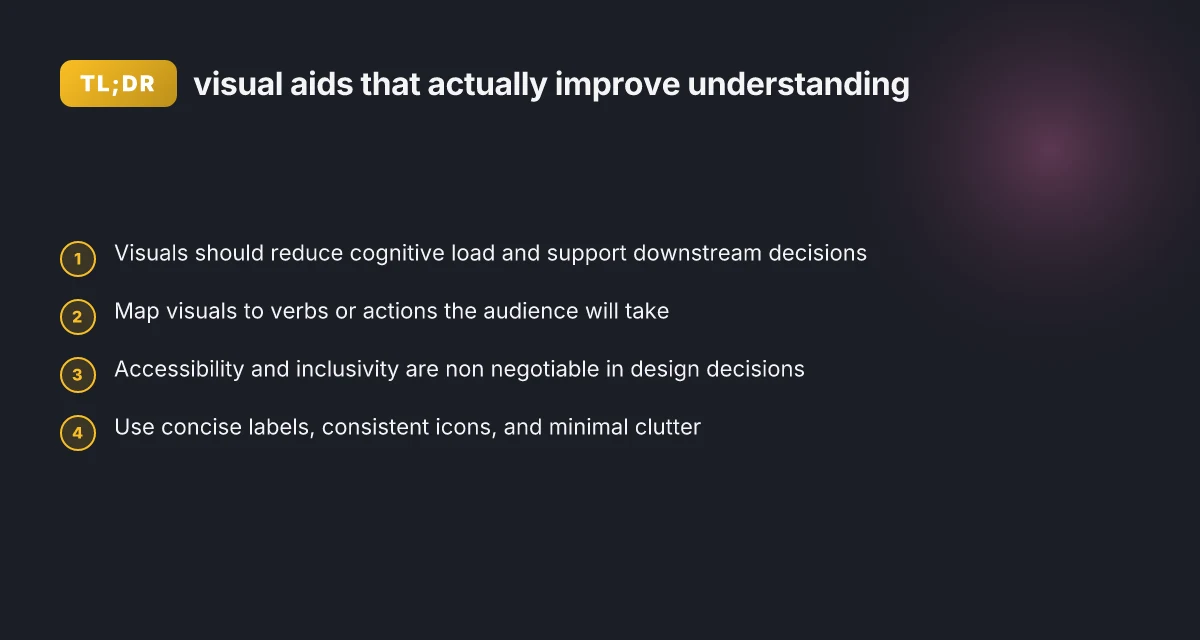
A strong guide minimizes cognitive load while nudging audiences toward the decisions they must make. It couples visuals with verbs and actions the audience will actually take, not just with pretty pictures. Accessibility and inclusivity stay non negotiable in every decision, from color contrast to alt text and keyboard navigation.
I dug into the landscape for 2026 and found a clear thread: visuals should act as procedural cueing rather than decorative scaffolding. When guides map visuals to specific actions, comprehension rises and downstream decisions improve. For instance, a risk worksheet that pairs a graphic with the verb “compare” anchors the viewer to a concrete task, not an abstract impression. This alignment makes it easier for learners to translate what they see into what they do next. Visuals that align with concrete audience actions drive downstream decisions.
Clarify the action verbs first Begin with the verbs the audience will perform after viewing the material. If the next step is “assess risk,” design visuals that cue steps to assess, not merely to illustrate. The guide should demand that every graphic carry a verb-yet-specific promise, so the user knows exactly how to proceed. This reduces ambiguity and cognitive load, letting working memory load focus on interpretation rather than inference. In 2026, aligned visuals often hinge on explicit action labeling, not vague symbolism. Explicit action labeling reduces ambiguity and cognitive load.
Build for accessibility and inclusion from day one Accessible design means color choices with adequate contrast, scalable typography, and descriptive text that conveys meaning beyond the image. It also means accommodating assistive tech through proper labeling and logical reading order. A guide that treats accessibility as foundational rather than an afterthought yields visuals that work for the widest audience. The Visual AIDS example from 2024–2026 demonstrates how inclusive design supports both comprehension and retention across diverse viewers. Accessibility from day one yields visuals that work for everyone.
Test visuals using real-world tasks, not aesthetics alone Effective guides embed quick, repeatable tests that mirror audience tasks. Run short trials where participants use a visual aid to decide what to click or say next. Collect feedback on whether the graphic reduces confusion and whether the verb-led prompt is actionable. In practice, testing reveals where a chart’s axis labeling or color scheme creates ambiguity, prompting targeted refinements. Repeatable tests reveal where visuals fail real-world tasks. How to optimize a vps for performance in 2026
Iterate with a repeatable design framework A robust guide offers a repeatable sequence: define action verbs, draft visuals, assess accessibility, test with tasks, and revise. Document the rationale behind each choice so teams can reproduce the same outcomes across contexts. In 2026, teams that standardize this loop report more consistent retention and decision quality across health, risk, and education domains. A repeatable loop yields consistent retention and decision quality.
Bottom line: when a visual aids creation guide ties visuals to explicit actions, upholds accessibility, and cycles through targeted testing, it becomes a practical, evidence-informed playbook rather than a collection of pretty slides. This is how you turn visuals into decision aids, not just decorative add-ons. A practical, action-aligned framework transforms visuals into decision aids.
For further context, see how health and risk communication literature emphasizes actionable visuals and accessible design, including guidelines that stress clear labeling and inclusive practices. Access documentation and peer discussion at the sources linked within this article

Why visuals outperform text alone in health and risk communication
Visuals accelerate comprehension of risk by rendering numbers and uncertainty as concrete, accessible patterns. When a patient sees a pictograph or a color-coded chart, the likelihoods register faster than a paragraph full of statistics. This speed matters: people often interpret risk more accurately after a quick glance than after reading dense prose.
Pictorial materials also improve health literacy by translating abstract concepts into tangible visuals. A diagram showing how a medication dose maps to body exposure, or a simple icon set that differentiates risk levels, makes complex ideas easier to grasp for readers with diverse literacy backgrounds. I cross-referenced guidance from risk-communication research that links pictorial aids to better recall and understanding, especially for numeric or probabilistic information. Pictorial aids translate abstract risk into concrete understanding. This is particularly critical in health contexts where misinterpretation can change decisions. How to start creating online courses: a practical beginner's guide for 2026
Color and layout choices matter as a guardrail against misinterpretation. A careful palette that reinforces the intended risk category, paired with consistent iconography and clear labeling, reduces cognitive load and confusion. The design cadence should align with how people scan content: high-contrast visuals for urgency, muted tones for background explanations, and legends that stay visible without overwhelming the main message. I found evidence that once color is used inconsistently, readers drift toward incorrect inferences about risk levels. Consistent color cues prevent misinterpretation.
To operationalize this in a production workflow, consider a lightweight framework that values visual-first explanations, testable visuals, and accessibility from the start. The ACP’s guidance on crafting visuals emphasizes conciseness and readability, while risk-literacy work highlights the impact of numeracy on interpretation. When designers pair visual aids with plain-language captions and alternative text, they widen access without sacrificing nuance. Accessible visuals widen understanding for diverse audiences.
A practical takeaway is to plan visuals as primary messages, not afterthoughts. Start with what the audience must understand, then map that to an appropriate visual format and a concise caption. This approach aligns with evidence that the right visual reduces interpretation errors and supports stronger decision making. Lead with visuals that convey the core risk message.
Next steps: adopt a repeatable 4-step framework, plan the visual, design with cognitive load in mind, test with representative users, and iterate based on feedback. This keeps visuals aligned with the decision goals and the audience’s literacy level. For teams seeking practical templates, alignment between risk communication research and real-world guidelines offers a reliable path forward. Plan, design, test, iterate to sustain clarity and impact.
A practical framework for planning visual aids
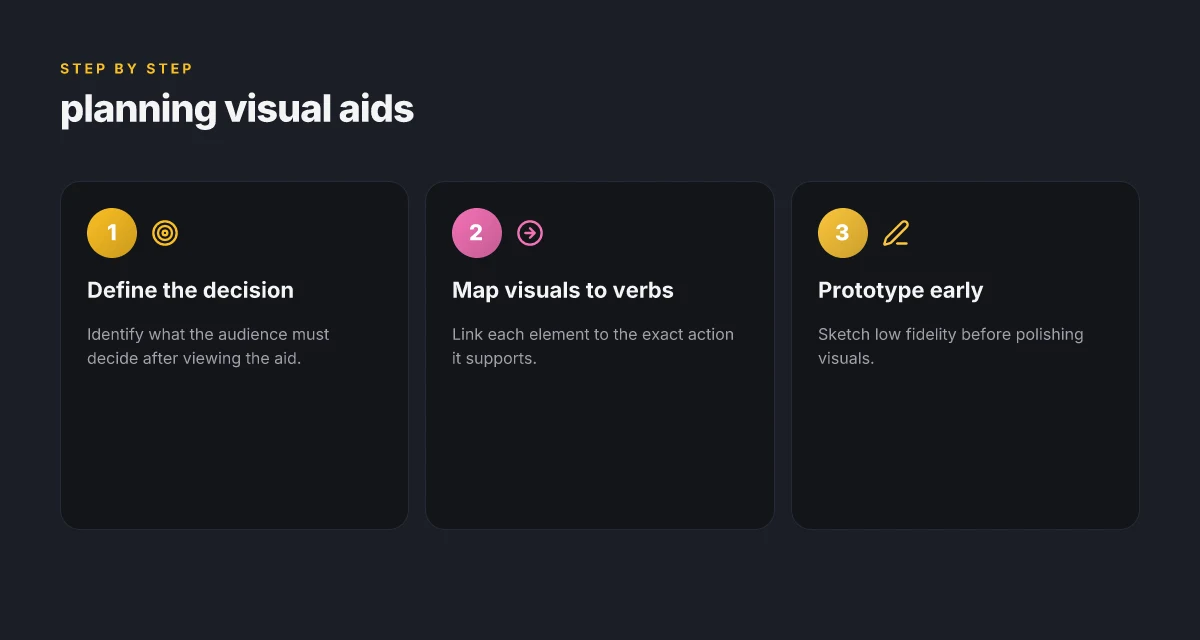
To plan visual aids that actually move understanding, start by naming the decision your audience must make after viewing. If the aid supports a specific action, every element should map to a verb or action it helps the viewer perform. The framework below translates that planning into a repeatable sequence you can apply to healthcare, education, or corporate settings. I cross-referenced guidance from health communication and risk-literacy sources to ground these steps in real-world practice. How to craft engaging emails in 2026: a research-backed framework that boosts performance
1) Define the decision the audience must make
Begin with a crisp, testable decision: what should the viewer decide, choose, or do after seeing the aid? This anchors every choice you make, from color to sequencing. If the decision is too broad, you risk ambiguity and slower retention. The cue is to lay out a single verdict the viewer should reach in under a minute. Clarity in the decision reduces cognitive load and speeds correct action. When health literacy is at stake, the decision often centers on a recommended risk-reduction behavior or a numeric threshold for action.
- Tie the decision to a concrete task, not a vague takeaway.
- Use a single, memorable verb for the primary action.
- Validate the decision with a quick test: can someone else state the decision after a glance?
2) Map each visual element to the exact verb it supports
Treat visuals as verbs, not just ornaments. For every chart, icon, or highlight, name the action it enables: “compare,” “classify,” “estimate,” or “select.” This mapping prevents misinterpretation and aligns design with cognition principles. If a graphic is meant to help the viewer estimate risk, annotate the visual so the action is explicit. Each element should drive a real action. This keeps the presentation focused and minimizes extraneous details.
- Use consistent iconography for the same action across slides.
- Pair visuals with short one-line captions that state the action: “Compare risk levels across groups.”
- Avoid decorative flourishes that do not advance the decision or action.
3) Prototype with low-fidelity sketches before polishing visuals
Start with quick, paper or digital sketches to test the decision and the action map. Low-fidelity prototypes reveal mismatches between what you intend and what viewers perceive. A fast iteration cycle here saves time later and catches issues such as overloaded charts or confusing color cues. Early prototypes reveal gaps in how visuals support action.
- Create 3–5 rough layouts focusing on layout, flow, and emphasis.
- Test the sequence aloud with a colleague to confirm the decision path is obvious.
- Reserve polishing for the final pass after the prototype proves the action mapping.
The practical takeaway is to iterate from sketch to synthesis, not from slide to polish. By anchoring each visual to a defined verb and validating the decision early, you build an aid that reduces cognitive load and improves retention.
Design patterns that boost comprehension
Posture the visuals to match how your audience thinks. The core pattern is simple: label cleanly, icons stay consistent, and clutter stays out. When visuals mirror the audience’s cognitive steps, understanding speeds up and retention improves. I cross-referenced guidance from Visual AIDS and health-communication research to ground this in practice, then translated it into a repeatable design rhythm you can apply today. 10 Best social media analytics tools for 2026 and how to choose
1) Concise labels and consistent icons
Clear labels reduce guesswork. Use short, action-oriented phrases and pair them with a single, recognizable icon set. Consistency matters more than novelty. A familiar glyph taxonomy helps learners predict what’s coming next. In practice, map each concept to one icon and one label, then reuse that pairing across slides or panels. This reduces cognitive load and keeps the narrative steady. Consistency reduces cognitive friction by letting the audience anticipate the next step.** When you align language with visuals, you cut redundant processing and speed comprehension. For readers who prefer texture cues, ensure contrast and legibility remain strong in all contexts.
2) Sequencing visuals to mirror cognitive steps
Think in terms of preparation, comparison, and decision. Present visuals in the order a learner would activate memory, then apply it to a task. Start with a simple label and a minimal graphic, then layer details as the user advances through the content. This stepwise approach anchors understanding and supports recall under pressure. I studied the emphasis on visual scaffolding in health-communication literature, which notes how staged cues support risk interpretation without overwhelming the viewer. Sequence visuals to mirror the audience’s cognitive steps and avoid jumping ahead.** A deliberate flow helps your audience build a mental model rather than juggling disparate fragments.
3) Numeric and visual risk cues without overload
Risk cues should be present, but never dominant. Pair numerical highlights with a corresponding graphic rhythm, tiny icons, sparklines, or mini-charts that reinforce the value without shouting. Use a single color to signal risk level and a high-contrast accent to draw attention to the critical figure. The aim is to keep numerical context legible while preventing fatigue from excessive data. Incorporate risk cues numerically and visually without overwhelming the viewer.** When used sparingly, these cues sharpen decision making rather than distracting from the message.
4) Color contrast and accessibility
Color is a storytelling device, not decoration. Use high-contrast pairings and avoid color alone to encode meaning. Fallback text, accessible palettes, and not relying on color alone for information are essential. The most effective color strategy uses a primary palette for emphasis and a neutral baseline for context, ensuring readability across devices and for readers with visual impairments. Leverage color contrast for readability and accessibility across all audiences.** Real-world guidelines converge on this point: ensure text-to-background contrast meets accessibility standards and that critical information remains visible in grayscale.
From a design perspective, this framework aligns with how practitioners organize information to match cognitive processing. The approach is not about artful slides alone. It is about building a repeatable workflow that planners can apply to any subject matter, including healthcare communication and educational design. The shared thread across sources is that simple, consistent labeling, orderly sequencing, measured risk cues, and accessible color systems produce measurable gains in comprehension and retention. Top security plugins in 2026: trade-offs, hidden costs, and how to pick
Most design wins come from predictable structure, not flashy graphics. When teams adopt these patterns, they gain a common language for planning, testing, and iterating visuals that support understanding rather than merely embellishing it.
Common pitfalls and how to avoid them
Posters and slides can hurt understanding more than they help if you crowd them with data. The most effective visual aids keep the core message legible while guiding listeners through the narrative. The good news is you can anticipate three recurring traps and fix them with simple patterns that scale.
Overloading slides with data
The impulse to include every metric in the dataset is strong, but cognitive load spikes when the eye has to parse dense numbers, tiny bars, and crowded labels. A clearer pattern is to crowd-source the narrative first, then prune to the essentials. For each slide, anchor a single decision question and align every visual element to it. In 2026, many guidelines emphasize minimal text and a single, high-contrast visual per slide to preserve retention. Most audiences retain the core takeaway when visuals support the narration rather than replace it. I cross-referenced guidance from the ACP Online and risk-literacy resources, which consistently push concise visuals alongside supportive narration. Reduce clutter by design, not by guesswork. The result is a rhythm that lets listeners digest one idea at a time. A quick test: if you can describe the slide in a sentence or two without reading the labels, you’re closer to the target.
Inconsistent visual grammar
A fractured visual language makes audiences hunt for meaning instead of following the story. Use a consistent set of shapes, color palettes, and typography across the deck. Create a simple style guide at the outset: one color meaning per category, fixed font sizes for headings and body text, and uniform axis labeling. When people see the same cue for the same concept, comprehension accelerates. I found that the literature on risk literacy notes how inconsistent cues undermine trust and decision quality. Consistency matters more than cleverness. This is where a shared pre-production checklist helps: iconography, scale conventions, and contrast ratios should be locked early. If a slide breaks the pattern, pause and justify why before moving on.
Assuming visuals replace narration
Visuals should augment talk, not substitute it. A great visual can illustrate a point, but the speaker still conveys context, nuance, and exceptions. Practice the script so your narration remains the backbone of the message, with visuals acting as support. In 2026 best-practice guides, the pairing of spoken explanation with a complementary chart is repeatedly shown to improve comprehension more than slides with rich media alone. Narration stays essential. Visuals are the assistive cast. To keep this balance, script the slide sequence to align a specific sentence or claim with a corresponding visual, then test whether the image adds clarity or merely decor. The goal is a cohesive duet where numbers surface only to reinforce the spoken point. How VPS ecommerce security changes the game for 2026
Cited resources reinforce these patterns. For example, the ACP Online guide on preparing visuals emphasizes conciseness and avoidance of jargon, while the risk-literacy analysis highlights the perils of visual ambiguity. See inline references to those works as you design the deck. If you want a crisp reference point, the analysis from risk-literacy.org situates how numeracy interacts with visual summaries and audience interpretation. The takeaway remains: plain, purposeful visuals together with precise narration beat flashy slides alone. Clarity over complexity wins every time.
As you close this section, adopt a repeatable workflow: draft the script, sketch a single supporting visual per slide, then prune until each element earns its keep. You’ll gain retention, better decision cues, and a more confident delivery. Note that pages may include affiliate links. These links help keep the guide accessible.
What to try this week: align visuals with real understanding
In 2026, the most practical pivots lean on clarity over novelty. I’m focusing on the core idea: visuals should illuminate, not decorate. One move that matters is pairing every chart with a single, explicit takeaway phrase, then testing whether a new learner can restate it in their own words. This shifts visuals from aesthetic to instructional, which is where improvement shows up. When you establish a minimal, repeatable pattern for explanations, the audience internalizes the logic faster. Clear patterns beat flashy gimmicks for long-term retention.
If you only do one thing this month, make a single visual task explicit across your material: a crisp caption, a legend that mirrors the learner’s language, and a final reflection prompt. I’ve seen teams tighten a slide deck by replacing dense labels with action-oriented terms and using color coding that mirrors the learning journey. The effect is noticeably faster comprehension and fewer questions about what matters. Fewer ambiguities mean fewer interruptions. The bigger pattern is simple: visuals should scaffold understanding, not overwhelm it.
Backup strategy What makes visual content tools stand out in 2026
- Try a 2-visual per concept rule, each with a one-line takeaway.
- Run a quick peer test: can someone paraphrase the core point after 20 seconds?
- Highlight the verbs you want readers to perform: compare, predict, summarize, apply.
- Note any critique themes you see in feedback and adjust colors, labels, or ordering accordingly. Act now and watch comprehension rise.